If you run a Shopify store, you already know the feeling. You launch a beautiful storefront, add your products, write your descriptions, and wait for the traffic to come. Sometimes it does. Often it doesn’t. And when you search for answers online, you find a mix of advice from 2019, 2021, and this morning, all mixed together with no way to tell which parts still work.
This guide fixes that problem. We’ll walk through Shopify SEO in 2026 in plain, simple words — what still moves the needle, what quietly stopped working, and what’s brand new because of AI search. No fluff, no jargon you have to look up twice.
Why Shopify SEO Looks Different in 2026
A few years ago, SEO was mostly about keywords and backlinks. You picked a keyword, stuffed it into your title, built some links, and waited. That world is gone.
Today, three big shifts control how Shopify stores get found:
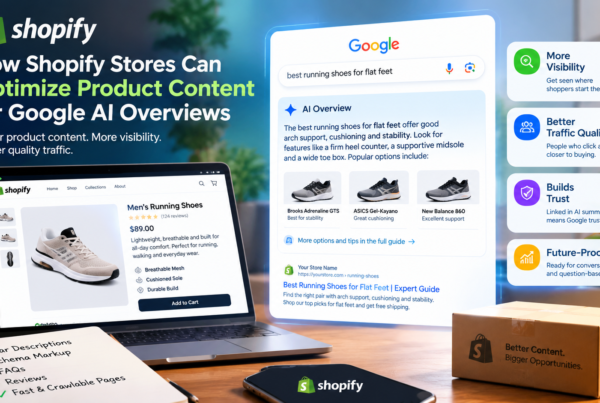
- Google now answers questions directly, often before a person even clicks a link. This happens through AI Overviews, the AI-written summaries that sit at the top of many search results.
- Search engines understand meaning, not just words. Google’s systems now judge whether a page truly answers a shopper’s question, not just whether it repeats a keyword enough times.
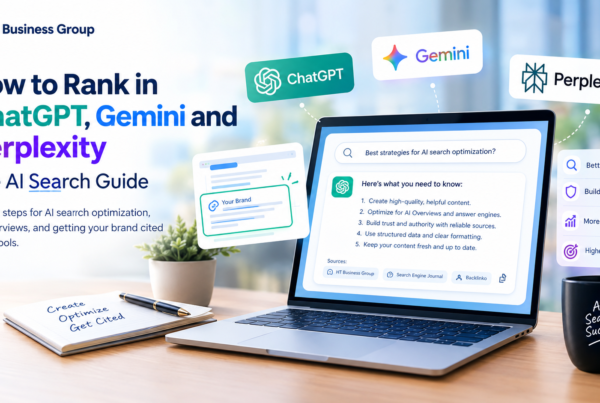
- AI shopping assistants like ChatGPT, Gemini, and Perplexity are becoming a real source of product research traffic, and they read your store differently than Google does as AI search from tools like ChatGPT, Claude, Gemini, and Perplexity now captures a meaningful share of product research traffic (see this analysis of what’s changed in Shopify SEO).
None of this means SEO is dead. It means the easy shortcuts are gone, and the store owners who focus on real substance — fast pages, clear product information, and genuinely useful content — are the ones pulling ahead. As one 2026 guide put it plainly, stores with stable, growing organic traffic tend to share strong foundations: solid product content, clean site structure, real trust signals, and consistent depth on their topics (see this breakdown of what’s moving the needle in 2026).
Let’s break down exactly what that looks like, piece by piece.
Part 1: What Still Works in Shopify SEO
1. Search Intent Still Rules Everything
The single most important idea in SEO for Shopify stores in 2026 is search intent. This means understanding why someone is searching, not just what they typed.
For example, someone searching “running shoes” might be browsing. Someone searching “best running shoes for flat feet under $100” is ready to buy. The most effective approach in 2026 is satisfying search intent — understanding the motivation behind a query and matching your content to that specific need, rather than chasing search volume alone (see 2026 Shopify marketing strategy guide).
How to apply this to your Shopify store:
- Match product pages to buying-stage keywords (“buy,” “best,” “vs,” “for [use case]”).
- Match blog content to research-stage keywords (“how to,” “what is,” “guide”).
- Don’t write one generic page and hope it ranks for everything.
2. Primary and Secondary Keywords Still Matter — Just Used Differently
Keywords haven’t disappeared. They’ve just grown up. In 2026, the goal isn’t to jam a keyword into every sentence. It’s to build each page around one clear primary keyword and support it with a handful of natural secondary keywords that shoppers actually type.
For a Shopify product page selling a leather laptop bag, that might look like:
- Primary keyword: leather laptop bag for men
- Secondary keywords: waterproof laptop bag, 15-inch laptop bag, work bag for men, leather briefcase alternative
Place your primary keyword in the page title, the first paragraph, one subheading, and the image alt text. Sprinkle secondary keywords naturally through the rest of the page — in bullet points, size guides, and FAQ sections. If a keyword doesn’t fit naturally, leave it out. Readability always wins over keyword count.
The same idea applies to blog content. A post titled “Shopify SEO in 2026” should naturally include secondary phrases like “Shopify SEO checklist,” “ecommerce SEO tips,” and “how to rank a Shopify store,” simply because those are the related questions and phrases real people search for around the same topic.
3. Technical SEO Is the Foundation, Not an Extra
Technical SEO means the behind-the-scenes work that helps search engines crawl, understand, and trust your site. This has always mattered, but in 2026 it matters even more because Google now treats page experience as a real ranking factor, not a tiebreaker.
Shopify handles a good chunk of this automatically. Shopify’s free themes automatically include structured data for product pages, so details like price and stock status can appear in search results without extra work (see Shopify’s own SEO guide). It also handles the basics well: Shopify covers technical fundamentals like sitemaps, robots.txt, canonical tags, HTTPS, and a global CDN out of the box (see this Shopify SEO guide).
But “automatic” doesn’t mean “perfect.” Custom or third-party themes often need manual fixes, and default settings don’t always fit larger catalogs.
What still works here:
- Fast page speed (compress images, cut unused apps and scripts)
- Mobile-first design, since most shopping searches happen on phones
- Clean, crawlable site structure so Google can find every important page
- Core Web Vitals — Google’s real-world speed and stability metrics. These have carried real weight since 2021, and the stakes increased further with 2025 and 2026 updates, where ecommerce sites with poor Core Web Vitals saw measurable ranking drops while sites passing all three metrics gained visibility (see this breakdown of what’s moving the needle in 2026).
4. Product Schema Markup (Done Correctly)
Schema markup is a small piece of code that tells search engines exactly what’s on your page — the price, the brand, the rating, the availability. According to Google Search Central’s own documentation, your product page needs specific required properties to become eligible for a rich result in search — the little stars, prices, and stock info you see under some listings.
Here’s the catch most Shopify merchants miss: your theme’s default schema is often incomplete. Shopify themes often generate incomplete schema, and auditing and correcting these fields can meaningfully increase organic click-through rate on product pages, according to this product page SEO guide. You can check your own site’s required and recommended fields directly against Google’s product structured data documentation.
Simple action plan:
- Check your product pages with a schema testing tool.
- Make sure required fields like name, image, and offer price are present and accurate.
- Add recommended fields too — brand, SKU, and review data — since they strengthen how both Google and AI tools understand your product.
5. Real, Original Product Descriptions
Copy-pasting the manufacturer’s description onto your Shopify product page is one of the oldest mistakes in ecommerce, and it’s still hurting stores today. If ten other stores sell the same product with the same description, Google has no reason to rank yours first.
Write descriptions that answer real buyer questions: Who is this for? How is it different from similar products? What problem does it solve? This single change quietly separates stores that rank from stores that don’t.
6. Backlinks — But Only the Real Kind
Backlinks (other websites linking to yours) are still a ranking signal in 2026, but the rules changed. Buying links or trading them in bulk is a losing strategy now. Backlinks remain a powerful ranking signal in 2026, but what changed is quality over quantity — search engines now evaluate relevance, authority, and context, making genuine, high-quality backlinks more valuable than mass link-building tactics (see this look at how AI has changed SEO).
For a Shopify store, this looks like:
- Getting featured in “best of” roundup articles in your niche
- Partnering with bloggers or reviewers who genuinely use your product
- Earning press mentions through real newsworthy activity (launches, causes, unique stories)
7. Collection Pages With Real Content
Collection pages (your category pages) are often the most overlooked SEO opportunity on a Shopify store. Many merchants leave them as a bare grid of products with zero text — a wasted opportunity, because collection pages can rank for category-level keywords that are too broad for any single product to compete for, serving as strong landing pages for searches like “women’s summer dresses” or “leather messenger bags” (see this Shopify collection SEO guide).
What actually works:
- Add 150–300 words of genuinely useful, keyword-natural description to each key collection.
- Avoid publishing empty or near-empty collections; thin pages tend to rank poorly.
- Use clear, numbered pagination instead of relying only on infinite scroll, since crawlers can’t scroll the way people do.
8. E-E-A-T: Experience, Expertise, Authority, Trust
Google’s quality guidelines increasingly reward stores that show real E-E-A-T — proof that real people with real expertise stand behind the content. For Shopify stores, this means:
- Author bios on blog posts, especially for buying guides
- Real customer reviews and photos, not just star ratings
- A genuine “About Us” page and clear contact information
- Case studies, testimonials, or before/after content that shows first-hand experience with the product
Part 2: What Doesn’t Work Anymore
1. Keyword Stuffing
Repeating your target keyword over and over used to trick search engines. Now it does the opposite. Keyword stuffing is now considered one of the biggest SEO mistakes because it hurts readability and can trigger ranking penalties (see this breakdown of outdated tactics). Write naturally. If a keyword doesn’t fit a sentence, don’t force it in.
2. Meta Keyword Tags
This one has been dead for years but still shows up in outdated checklists. Google ignores meta keyword tags completely, so spending time adding them in 2026 is a waste of effort (see this 2026 SEO guide). Skip this entirely and focus on your meta title and meta description instead — those two still matter.
3. FAQ Schema (A Genuinely Big 2026 Change)
This is the one most SEO checklists haven’t updated yet, and it’s worth knowing clearly. FAQ structured data used to give Shopify pages a visible boost in search results through expandable Q&A snippets. That’s over. As explained in this breakdown of 2026 schema changes, Google’s own FAQPage documentation now carries a notice that as of May 7, 2026, FAQ rich results stopped appearing in Google Search entirely, with the FAQ rich result report, Rich Results Test support, and Search Console API support being phased out through August 2026.
You can still keep FAQ sections on your product and blog pages — they’re genuinely helpful for shoppers and for AI tools reading your page — but don’t expect the special search snippet anymore, and don’t waste developer time chasing FAQ-specific markup as a ranking tactic.
4. Chasing Position #1 for AI Overview Queries
Some agencies still sell “AI Overview optimization” as if it works like classic rank-and-hold SEO. It doesn’t work that cleanly. Position-one chasing specifically for AI Overview queries is one of the tactics that lost ground between 2022 and 2026 (see this audit of retired SEO tactics), because AI Overviews pull from many sources dynamically rather than locking in a single “winning” page the way traditional rankings do. The better use of your time is building genuinely citation-worthy content (specific data, clear structure, direct answers) rather than trying to game a single query’s AI summary.
5. Thin, Mass-Produced Content
Publishing dozens of short, generic blog posts to “cover more keywords” used to work when Google mostly matched keywords. It doesn’t anymore. Bulk AI-generated content refreshes and thin programmatic pages are specifically called out as tactics that lost effectiveness between 2022 and 2026, while depth and first-party data gained ground (see this audit of retired SEO tactics). One deep, genuinely useful guide beats ten shallow posts.
6. Bought Links and Link Farms
Buying links, joining link farms, or exchanging links excessively is outdated, and Google’s algorithms detect unnatural linking patterns, which can lead to penalties (see this 2026 SEO guide). If a “link building package” promises 100 links for a flat fee, that’s a red flag, not a shortcut.
7. Relying on Robots.txt to Fix Duplicate Content
This is a common and costly mistake on Shopify stores with lots of filters and tags. Store owners often try to block filtered URLs using robots.txt and assume the duplicate content problem is solved. It isn’t. Google’s own canonical guidance is clear that robots.txt is not a canonicalization tool — canonical tags, redirects, consistent internal linking, and sitemap choices are what actually tell Google which version of a page is the preferred one (see this rundown of common Shopify SEO problems). Blocking a page with robots.txt just stops Google from crawling it; it doesn’t consolidate the ranking signals the way a proper canonical tag does.
8. Assuming Shopify’s Default Canonical Tags Cover Everything
Shopify does a lot automatically, but not all of it. This is a subtle but important gap: Shopify’s own theme documentation confirms that if a tag in a URL isn’t used on any product, the store redirects to the collection URL without it — but tag pages that are in active use often canonicalize to themselves rather than to the parent collection (see Shopify’s own theme documentation), quietly creating near-duplicate pages that compete with your main collection. Don’t assume “Shopify handles SEO automatically” means your duplicate content problem is solved. It’s worth a manual audit, especially for stores with lots of filters, tags, or third-party filtering apps.
Part 3: What’s New Because of AI Search
Optimizing for AI Overviews and AI Shopping Assistants
This is the newest and fastest-changing part of Shopify SEO. AI-driven answers are pulling a growing share of clicks away from the traditional blue links, which changes what “ranking well” even means. Being ranked #4 organically is worth far less if an AI summary at the top of the page is already answering the shopper’s question with a citation to a competitor instead of you (see this breakdown of what’s moving the needle in 2026).
Here’s what actually helps your Shopify store get cited by AI systems in 2026:
A. Structured, attribute-rich product data. AI shopping tools read your structured data differently than Google’s classic crawler does. What’s new for AI search includes structured attribute data mapped to standard product taxonomy, machine-readable ingredient or material lists, direct comparison data against alternatives, and explicit statements about use cases and intended audience (see this analysis of what’s changed in Shopify SEO). Generic Product schema with just a name and price isn’t enough anymore — research backs this up directly: a February 2026 study found that generic Product schema gives no AI citation advantage, while an attribute-rich schema with concrete pricing, ratings, and specifications is what actually drives the lift (see this 2026 schema markup guide).
B. Clear, direct answers near the top of your content. AI systems favor content that states the answer plainly instead of building up to it. If someone might ask “does this fit a queen bed,” answer that directly in your product description, don’t bury it in paragraph four.
C. An llms.txt file. This is a newer, small text file that helps AI crawlers understand your site’s structure and key pages, similar to how robots.txt works for search engines. The file is usually small, under 5 KB, and simple to write, but merchants who publish one are still a minority in 2026, so setting it up gives an early citation advantage as AI search keeps growing (see this analysis of what’s changed in Shopify SEO).
D. Genuine comparison content. Buying guides that honestly compare your product against alternatives (including competitors) tend to get pulled into AI answers more often, because they directly match how people phrase AI shopping questions (“X vs Y for beginners”).
Content Funnels Instead of Random Blogging
Publishing blog posts just to “have a blog” doesn’t move the needle anymore. What works instead is mapping content to each stage of the buying journey: shifting from generic blogging to answering specific customer questions at every stage of the buying journey (see 2026 Shopify marketing strategy guide). For a Shopify store, that might look like:
- Awareness stage: “How to choose a [product type]” guides
- Consideration stage: Comparison posts, “best of” lists including your product
- Decision stage: Detailed product pages, size guides, FAQs, and reviews
How to Format Content So Google and AI Overviews Can Actually Use It
Getting picked up in a featured snippet or an AI Overview isn’t about luck. It’s mostly about formatting your content so a machine can lift out a clean, self-contained answer. Here’s a simple step-by-step approach you can use on any Shopify blog post or buying guide:
- Open with the direct answer. If your post is titled “How long does a leather bag last,” the very first sentence should answer that question in plain words, before you explain anything else. Save the backstory for later.
- Use question-style subheadings. Headings like “What size laptop bag do I need?” or “Is leather better than canvas for travel?” match how people phrase both Google searches and AI chat prompts, which makes your section easy to pull out as a standalone answer.
- Keep answer paragraphs short. Two to four sentences per direct answer is ideal. Long, winding paragraphs are harder for both featured snippets and AI summaries to extract cleanly.
- Use lists and tables for comparisons. If you’re comparing sizes, materials, or product options, a simple bullet list or table gets pulled into snippets far more often than the same information written as a paragraph.
- Back up claims with specifics. “Very durable” is vague. “Rated for over 50,000 open-close cycles” is specific, and specific numbers are exactly what AI Overviews tend to quote or reference.
- Add a short FAQ block at the end. Even without the old FAQ schema markup, a plain-text FAQ section at the bottom of a page still gets read and used by both Google’s systems and AI assistants, since they’re reading the actual page content either way.
Frequently Asked Questions About Shopify SEO in 2026
Does Shopify SEO still work in 2026, or has AI search replaced it?
SEO still works. AI search tools depend on well-optimized, indexed websites to build their answers, so a Shopify store with weak SEO has nothing for AI systems to find or cite in the first place.
How long does it take to see SEO results on a Shopify store?
Most stores see meaningful movement within three to six months of consistent work, though technical fixes like page speed and schema corrections can show smaller gains sooner.
Do I need an app to do SEO on Shopify, or can I do it manually?
Many of the basics — meta titles, descriptions, alt text, collection content — can be done manually inside the Shopify admin at no extra cost. Apps become useful mainly for large catalogs where manual audits aren’t realistic.
Is keyword research still necessary if AI Overviews are taking over search?
Yes. AI Overviews are built from real search queries, so understanding what people actually type is still the starting point for deciding what to write about.
What’s the single highest-impact SEO fix for a small Shopify store right now?
For most small stores, rewriting thin or copy-pasted product descriptions into original, detailed content tends to produce the fastest visible improvement, since it’s one of the easiest problems for Google to detect.
A Simple Shopify SEO Checklist for 2026
If you want a short list to act on today, here it is:
- [ ] Audit your product schema for missing required and recommended fields
- [ ] Rewrite duplicate manufacturer descriptions in your own words
- [ ] Add 150–300 words of unique content to your top collection pages
- [ ] Check Core Web Vitals in Google Search Console and fix the worst offenders
- [ ] Remove or noindex thin, empty, or duplicate tag/filter pages
- [ ] Stop chasing FAQ schema for rankings; keep FAQs for shoppers and AI readability instead
- [ ] Add author bios and real customer reviews to build E-E-A-T
- [ ] Create a small llms.txt file for your store
- [ ] Build a content funnel with awareness, consideration, and decision-stage content
- [ ] Earn a handful of genuine backlinks instead of buying dozens of fake ones
Common Mistakes That Quietly Hold Shopify Stores Back
Beyond the outdated tactics above, a few everyday habits keep otherwise good Shopify stores stuck on page two of Google. It’s worth checking your own store against this list honestly.
Ignoring mobile speed. Most shopping searches now happen on a phone, not a desktop. A store that looks great on a laptop but takes six seconds to load on mobile data is losing customers and rankings before a single product image even finishes loading. Compress images, limit heavy carousel apps, and test your store on an actual phone, not just your browser’s mobile preview.
Letting apps pile up. Every Shopify app adds its own scripts to your store. A handful of unused or forgotten apps can quietly slow down every single page on your site. Do a quarterly app audit and remove anything you’re not actively using.
Writing meta titles that don’t match the page. Shopify appends your store name to titles automatically, which can push your actual keyword out of view in search results. Write custom meta titles that lead with the product name and primary keyword, and keep the store name short or optional.
Treating the blog as separate from the store. A blog that never links to relevant products, and product pages that never link to relevant guides, waste an easy opportunity. Internal links between your content and your catalog help both shoppers and search engines find their way around your site.
Forgetting image alt text. Alt text isn’t just for accessibility, though that matters too. It’s also a chance to naturally describe your product with relevant keywords, and it helps your images show up in Google Image search, which drives real traffic for visual products like clothing, furniture, and home goods.
No plan for out-of-stock products. Deleting a product page the moment it sells out throws away any SEO value that page had built up. A better approach: keep the page live, mark it clearly as out of stock, and suggest similar in-stock products instead.
Measuring Whether Your Shopify SEO Is Actually Working
SEO work without measurement is just guessing. A simple, realistic tracking routine looks like this:
- Google Search Console: Check this weekly for crawl errors, indexing issues, and which queries are already bringing in impressions and clicks.
- Core Web Vitals report: Review monthly to catch speed or stability regressions before they quietly drag down rankings.
- Organic traffic and conversion rate: Track in Shopify Analytics or Google Analytics, since traffic alone doesn’t matter if it isn’t converting into sales.
- Keyword rankings for your top 20–30 terms: A basic rank tracker (free or paid) shows whether your product and collection pages are actually moving up over time.
- AI citation checks: Periodically ask ChatGPT, Gemini, or Perplexity questions your customers might ask, and see whether your store gets mentioned. This is a newer habit, but a useful one as AI search grows.
None of this needs to be complicated or expensive. Even a free Google Search Console account, checked consistently, tells you most of what you need to know about whether your Shopify SEO efforts are paying off.
Final Thoughts
SEO for Shopify stores in 2026 isn’t harder because the rules got unfair. It’s harder because the shortcuts closed. The stores winning right now are the ones treating SEO as an ongoing habit, not a one-time setup task: fast pages, honest product content, clean technical structure, and a genuine attempt to be the most helpful answer on the internet for their specific niche.
The good news is that most of this is within reach for a small or mid-sized Shopify merchant. You don’t need a massive budget. You need consistency, a willingness to fix the technical basics, and content that actually helps the person reading it — whether that person is a human on Google or an AI assistant summarizing your product for someone else.
Start with the checklist above, fix one thing at a time, and keep going. That’s still what works in 2026.