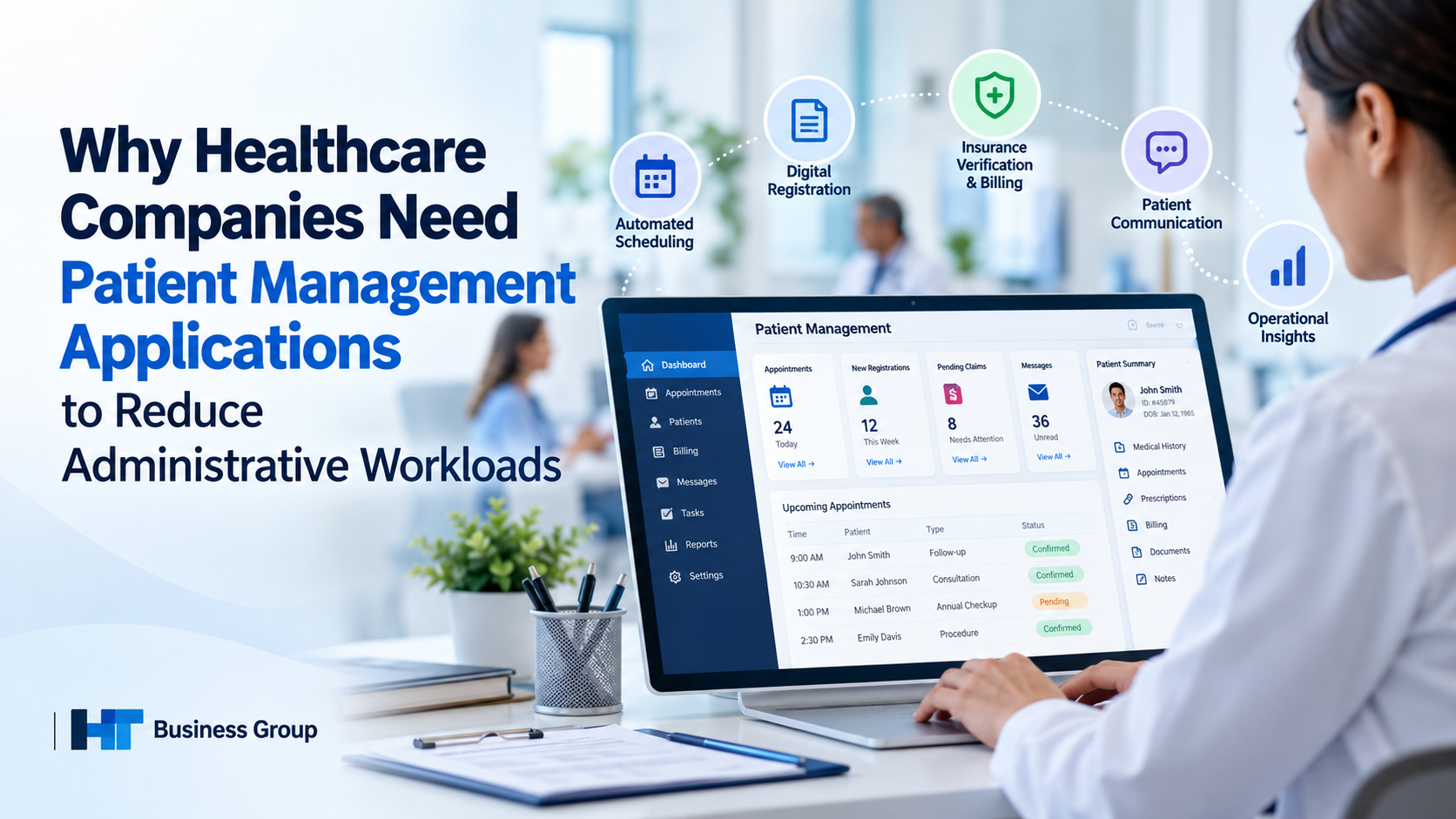
Healthcare organizations operate in an increasingly complex environment where delivering quality care involves much more than diagnosing illnesses and treating patients. Hospitals, clinics, and medical practices must also manage appointment scheduling, patient registration, insurance verification, billing, documentation, referrals, and follow-up communication. When these administrative activities depend on disconnected systems and repetitive manual processes, they can consume valuable time, increase operating costs, and create unnecessary delays.
Patient management applications offer a practical way to organize these responsibilities through centralized information, automated workflows, and integrated communication tools. By reducing repetitive administrative work, healthcare organizations can improve operational efficiency while allowing staff to devote more attention to patient needs.
The opportunity is significant. According to the 2025 CAQH Index, published in February 2026, U.S. healthcare organizations avoided an estimated $258 billion in administrative costs during 2024 through electronic transactions and improved information exchange. The report also identified approximately $21 billion in additional potential savings through greater automation. These figures demonstrate the scale of the opportunity, although the actual benefits of an individual application depend on its capabilities and implementation.
For healthcare companies evaluating digital transformation, understanding how patient management applications address administrative bottlenecks is an important first step toward building more efficient operations.
What Are Patient Management Applications?
Patient management applications are digital tools designed to help healthcare organizations coordinate patient-related administrative activities throughout the care journey. Depending on the product, they may support appointment scheduling, registration, patient communication, record management, billing workflows, referral tracking, and operational reporting.
Rather than relying on separate spreadsheets, paper forms, phone calls, and disconnected software, staff can use these applications to manage many routine activities through coordinated digital workflows.
Common capabilities include:
- Appointment management: Scheduling consultations, managing cancellations, and tracking appointment availability.
- Digital patient registration: Collecting demographic details, contact information, and required forms before appointments.
- Patient communication: Sending confirmations, reminders, instructions, and follow-up notifications.
- Records coordination: Helping authorized staff retrieve and update relevant patient information.
- Billing administration: Supporting eligibility checks, claim tracking, payment workflows, and documentation management.
- Task management: Assigning responsibilities and identifying pending administrative activities.
- Reporting and analytics: Monitoring workload, appointment utilization, and operational performance.
It is important to distinguish patient management applications from electronic health record (EHR) systems. An EHR primarily maintains clinical information, although it may also include administrative features. A patient management application may focus on operational workflows or combine several functions in one platform.
The appropriate solution depends on the organization’s size, existing technology, administrative challenges, and integration requirements.
Why Healthcare Companies Face Increasing Administrative Workloads
Administrative work is essential to healthcare delivery, but inefficient processes can make it unnecessarily time-consuming.
1. Fragmented information systems
Many healthcare organizations use different systems for scheduling, billing, medical records, laboratory results, and insurance administration. When these systems do not communicate effectively, employees may need to enter the same information multiple times or search across different platforms to complete a task.
This fragmentation increases the likelihood of inconsistent records, missing information, and delayed workflows.
2. Manual appointment coordination
Reception teams often spend considerable time answering calls, confirming appointments, rescheduling consultations, and contacting patients who miss appointments. When these activities are handled manually, staff may struggle to keep schedules updated and respond quickly to changes.
3. Complex insurance and authorization procedures
Insurance eligibility verification, prior authorization, claims submission, and payment tracking can involve multiple organizations and documentation requirements.
The American Medical Association’s prior authorization research and resources document the administrative burden these processes place on physician practices. Electronic workflows can help with specific tasks, but complex authorization requirements may still demand staff intervention.
4. Repetitive paperwork and documentation
Paper forms, scanned documents, faxed records, and incomplete submissions can create additional work. Staff may need to contact patients repeatedly to obtain missing details or manually transfer information into another system.
5. Limited visibility into pending work
Without centralized task tracking, managers may find it difficult to identify outstanding claims, incomplete registrations, unconfirmed appointments, or overdue follow-ups.
These challenges illustrate why healthcare companies need more than basic digitization. They need workflows that reduce unnecessary repetition, improve coordination, and make administrative responsibilities easier to manage.
How Patient Management Applications Reduce Administrative Workloads
Patient management applications can address administrative bottlenecks by automating repetitive tasks, standardizing processes, and connecting information across appropriate systems.
1. Automating appointment scheduling
Appointment scheduling is one of the most practical areas for administrative automation.
Patient management applications may allow patients to book available appointments online, receive automatic confirmations, reschedule consultations, and cancel appointments without calling the reception desk. Staff can manage calendars centrally and use automated reminders to reduce routine communication.
For example, when a patient cancels an appointment, a clinic can use a waitlist workflow to contact another suitable patient. This reduces the need for employees to manually call multiple people to fill the opening.
These features can help reduce repetitive phone calls and improve scheduling visibility. However, appointment reminders alone cannot eliminate no-shows, which may also result from transportation problems, financial constraints, or other personal circumstances.
2. Streamlining patient registration and intake
Patient registration often involves collecting demographic information, contact details, insurance information, consent forms, and other required documentation.
Digital registration tools allow patients to complete forms before arriving at the healthcare facility. Validation rules can identify missing fields, while authorized staff can review submissions before the appointment.
This approach can reduce paper handling and repeated data entry. It may also help reception teams prepare for appointments more efficiently.
Healthcare organizations should ensure that registration processes remain accessible to patients who have limited internet access, disabilities, language barriers, or difficulty using digital tools.
3. Simplifying insurance verification and billing workflows
Insurance-related administration can create substantial workloads for healthcare providers and their administrative teams.
Depending on the system and payer integration, patient management applications may support electronic eligibility checks, claims tracking, payment status monitoring, and alerts for incomplete documentation.
These capabilities help staff identify outstanding tasks and reduce the need to switch between multiple portals or make repeated phone calls.
The 2025 CAQH Index provides evidence of the broader value of administrative automation. Its findings indicate that electronic transactions and improved data exchange helped healthcare organizations avoid substantial administrative costs, while additional savings remain possible through further automation.
Nevertheless, automated systems cannot guarantee claim approval or eliminate every billing issue. Payer requirements, incomplete documentation, coding errors, and unusual cases may still require experienced staff.
4. Centralizing patient information
When patient information is distributed across disconnected systems, administrative employees can spend valuable time locating records and confirming details.
Applications that integrate appropriately with EHRs, billing platforms, laboratory systems, and other relevant tools can make authorized information easier to retrieve. This reduces unnecessary searches and can limit duplicate data entry.
For example, a staff member preparing for an appointment may be able to confirm registration status and review the availability of required documentation without contacting several departments.
The benefit depends on reliable integration, accurate data, and clear access permissions. Simply placing information in one dashboard does not guarantee that every connected system is synchronized or that the information is complete.
5. Automating routine patient communication
Healthcare teams frequently communicate with patients about appointments, preparation instructions, payments, and follow-up visits.
Patient management applications can automate appropriate messages through email, text messaging, patient portals, or other supported channels.
These workflows can help patients receive information on time while reducing repetitive outreach by administrative employees.
Communication should remain secure and appropriate to the sensitivity of the information. Organizations should also consider patient consent, preferred languages, accessibility, and the availability of non-digital alternatives.
6. Tracking administrative tasks and follow-ups
Uncompleted administrative tasks can create delays when nobody knows who is responsible for resolving them.
Task management features allow organizations to assign responsibilities, establish deadlines, and track outstanding work. Alerts can notify staff about incomplete forms, pending referrals, missing documents, or unresolved billing activities.
This improves accountability and gives managers greater visibility into operational bottlenecks.
Rather than depending on individual employees to remember every outstanding task, teams can use shared workflows to organize responsibilities and follow progress.
Key Business Benefits of Patient Management Applications
The value of patient management applications extends beyond reducing paperwork. When implemented effectively, they can improve several aspects of healthcare operations.
Lower administrative operating costs
Automation can reduce manual data entry, repetitive communication, paper handling, and avoidable transaction processing. These improvements may lower administrative labor costs and help organizations use existing resources more efficiently.
However, healthcare companies should assess the total cost of ownership, including licensing, integration, training, maintenance, and security.
Improved staff productivity
When employees spend less time on routine coordination, they may have more capacity to assist patients, resolve complex cases, and support clinicians.
The objective is not simply to make staff process more tasks. It is to remove unnecessary work and improve how administrative responsibilities are distributed.
More consistent administrative processes
Standardized forms, validation rules, automated reminders, and shared task queues can help teams follow consistent procedures.
These controls may reduce avoidable errors and make it easier to identify incomplete information before it causes delays.
A more convenient patient experience
Online appointment booking, digital intake, timely reminders, and clearer communication can make administrative interactions easier for patients.
A smoother administrative experience can support patient satisfaction, although clinical quality, affordability, accessibility, and the quality of staff interactions remain equally important.
Better operational decision-making
Reporting tools can help managers understand appointment utilization, cancellation patterns, registration delays, and outstanding administrative tasks.
With reliable data, healthcare leaders can identify recurring problems, allocate staff more effectively, and measure whether process improvements are delivering meaningful results.
Patient Management Applications and Healthcare Staff Burnout
Administrative workload is also a workforce concern.
A September 2026 analysis published by the Office of the National Coordinator for Health Information Technology examined administrative burdens among more than 8,400 U.S. family physicians.
The analysis reported that the proportion experiencing substantial after-hours documentation burden declined from 41% in 2024 to 34% in 2026. However, substantial prior authorization burden increased from 54% to 58% over the same period.
These findings illustrate an important distinction: some administrative burdens may improve as technology and workflows evolve, while others remain difficult to resolve.
Patient management applications can help reduce certain repetitive tasks by improving information access, automating routine communication, and organizing responsibilities. They cannot independently solve staffing shortages, excessive regulatory complexity, or every source of clinician burnout.
The greatest value comes from combining appropriate technology with practical workflow redesign, staff training, and realistic workload expectations.
Essential Features to Look for in Patient Management Software
Choosing the right application requires more than comparing feature lists. Healthcare organizations should evaluate how well the software addresses their actual operational needs.
| Feature | Why it matters |
|---|---|
| Appointment scheduling | Helps coordinate availability, cancellations, and reminders |
| Digital registration | Reduces manual form handling and repeated data entry |
| Patient communication | Supports timely confirmations and routine follow-ups |
| Billing workflow support | Helps staff track claims, payments, and outstanding tasks |
| EHR integration | Makes relevant patient information easier to access across systems |
| Task management | Improves responsibility assignment and follow-up tracking |
| Reporting and analytics | Helps identify bottlenecks and measure operational performance |
| Role-based access controls | Restricts access according to staff responsibilities |
| Audit logs | Supports accountability and security monitoring |
| Scalability | Allows the system to accommodate organizational growth |
| Accessibility | Helps staff and patients use the application effectively |
Interoperability deserves particular attention. If a new application cannot exchange information reliably with existing systems, it may create another administrative silo instead of reducing workload.
Healthcare organizations should assess supported standards, integration capabilities, data migration requirements, and vendor support before making a purchasing decision.
How to Implement Patient Management Applications Successfully
Successful implementation requires planning, employee participation, and continuous evaluation.
Step 1: Identify the biggest administrative bottlenecks
Review current workflows to determine which activities consume the most staff time. Examples may include appointment confirmation, patient registration, insurance verification, or manual claims follow-up.
Establish baseline measurements before introducing new technology.
Step 2: Define clear objectives
Set measurable goals, such as reducing average registration time, decreasing manual appointment calls, or improving the percentage of forms completed before arrival.
Avoid broad objectives such as “automate everything.” Specific goals make it easier to determine whether the investment is worthwhile.
Step 3: Evaluate integration and security requirements
Confirm that the application can work with the organization’s existing systems and support its privacy, access-control, backup, and security requirements.
Review vendor responsibilities, data retention policies, incident response procedures, and relevant contractual obligations.
Step 4: Involve staff in testing and training
Receptionists, billing specialists, administrators, nurses, and other relevant users understand the practical challenges of daily workflows.
Their feedback can identify confusing interfaces, unnecessary steps, and exceptions that require human intervention.
Begin with a manageable pilot rather than immediately changing every process across the organization.
Step 5: Monitor results and improve workflows
Compare performance after implementation with the original baseline. Ask staff whether the application has genuinely reduced work or merely shifted it to another task.
Use the findings to refine configurations, training, and workflow design.
Recommended performance indicators
Healthcare companies can monitor:
- Average patient registration time
- Administrative minutes per appointment
- Appointment cancellation and no-show rates
- Percentage of forms completed before arrival
- Time required to resolve routine billing tasks
- Number of outstanding administrative tasks
- Staff satisfaction with administrative workflows
- Patient satisfaction with scheduling and communication
These indicators should be interpreted in context. For example, a lower no-show rate may reflect changes in reminder practices, patient demographics, or scheduling policies rather than software alone.
Data Security, Privacy, and Compliance Considerations
Patient management applications process sensitive information, making security and privacy essential considerations.
Healthcare organizations should evaluate the following safeguards before adopting a platform.
Access controls: Staff should access only the information necessary for their assigned responsibilities.
Encryption: Appropriate encryption should protect sensitive information in transit and, where supported, at rest.
Audit logging: Systems should record relevant access and administrative activity to support oversight and investigation.
Backup and recovery: Organizations should establish procedures for restoring information and maintaining essential operations after an outage or security incident.
Vendor assessment: Security practices, data retention, subcontractors, incident notification, and contractual responsibilities should be reviewed.
Employee training: Staff should understand secure communication, password management, phishing risks, and appropriate data handling.
For U.S. healthcare organizations subject to HIPAA, the HHS HIPAA Security Rule guidance explains requirements for protecting electronic protected health information.
Organizations operating in other jurisdictions must also evaluate applicable privacy and data-protection laws.
Importantly, adopting a software application does not automatically make a healthcare organization compliant. Compliance depends on the applicable legal requirements, the organization’s policies, vendor arrangements, and how the system is implemented and used.
Common Implementation Challenges and How to Address Them
Although patient management applications can improve administrative efficiency, implementation may introduce new challenges if organizations do not plan carefully.
High upfront costs: Evaluate licensing, integration, training, maintenance, and potential savings together rather than focusing only on the initial purchase price.
Staff resistance: Explain how the application will address real workflow problems and involve employees in the selection process.
Data migration issues: Clean and validate existing records before transferring them to a new system.
Poor integration: Verify compatibility with current systems and test information exchange before full deployment.
Over-automation: Preserve human review for exceptions, sensitive decisions, and tasks requiring professional judgment.
Digital access barriers: Maintain suitable telephone and in-person options for patients who cannot use online services.
Cybersecurity risks: Conduct appropriate risk assessments and ensure that security responsibilities are clearly defined.
A successful implementation should simplify work rather than create additional steps. Healthcare organizations should regularly review whether the application is delivering the intended benefits and adjust their workflows when necessary.
The Future of Patient Management Applications
Patient management applications are evolving alongside broader developments in healthcare technology.
AI-assisted administrative workflows
Artificial intelligence may help categorize routine requests, summarize administrative information, and assist staff with information retrieval. These capabilities should be evaluated for accuracy, privacy, bias, and the need for human oversight.
More connected healthcare systems
Interoperability standards can help applications exchange information more consistently, reducing repetitive searches and duplicate entry.
Smarter scheduling and resource planning
Predictive tools may help organizations understand demand patterns, identify scheduling gaps, and plan staff resources. Their effectiveness depends on data quality and how well predictions fit actual workflows.
Greater patient self-service
Digital portals may allow patients to manage appointments, complete forms, and access appropriate administrative information without contacting staff for every routine request.
More standardized authorization processes
Federal initiatives are encouraging electronic, standards-based prior authorization workflows for certain covered healthcare entities. The CMS Electronic Prior Authorization overview explains relevant policy developments and implementation requirements.
The future of patient management software will depend not only on adding new features but also on making existing processes more connected, secure, accessible, and reliable.
Conclusion: Reduce Administrative Work and Refocus on Patients
Healthcare companies need efficient administrative systems to coordinate care, manage operational costs, and support their staff. Patient management applications can help by streamlining appointment scheduling, digitizing registration, organizing communication, supporting billing workflows, and improving visibility into pending tasks.
Research from CAQH and federal health IT authorities demonstrates that administrative inefficiencies remain a significant challenge across the U.S. healthcare system. However, technology delivers the greatest value when it addresses specific workflow problems, integrates with existing systems, and supports rather than replaces human judgment.
Healthcare organizations should begin by identifying their most time-consuming administrative activities, defining measurable objectives, and selecting software that fits their operational and security requirements.
For HT Business Group, this topic provides an opportunity to explain the practical value of healthcare technology through an evidence-based discussion of administrative efficiency, interoperability, and implementation.
Ultimately, the goal is not simply to digitize paperwork. It is to build healthcare workflows that are easier to manage, more consistent, and better aligned with the needs of patients and the professionals who care for them.
Frequently Asked Questions
1. What is a patient management application?
A patient management application is software that helps healthcare organizations coordinate administrative activities such as registration, appointment scheduling, patient communication, billing workflows, and follow-up tracking. Its capabilities vary by product.
2. How do patient management applications reduce administrative workloads?
They can automate routine tasks, centralize relevant information, standardize registration, send appointment reminders, and organize pending activities. The resulting time savings depend on existing workflows, integration quality, and staff adoption.
3. Can patient management software reduce healthcare operating costs?
It can reduce some administrative expenses by limiting repetitive manual work and improving operational efficiency. Organizations should evaluate implementation costs and measure actual results rather than assume a guaranteed return on investment.
4. What features should healthcare companies prioritize?
Common priorities include appointment scheduling, digital registration, patient communication, billing workflow support, EHR integration, task tracking, reporting, security controls, and accessibility. The best combination depends on the organization’s requirements.
5. Are patient management applications the same as EHR systems?
No. EHR systems primarily manage clinical records, while patient management applications often emphasize administrative coordination. Some products combine both functions or integrate with an existing EHR.
6. Are patient management applications secure?
They can support appropriate security controls, including access restrictions, encryption, and audit logs. However, security depends on implementation, configuration, vendor practices, staff behavior, and applicable regulatory requirements.
7. Are patient management applications suitable for small clinics?
Yes. Small clinics may benefit from simpler systems that automate scheduling, registration, reminders, and routine administrative tasks. They should compare affordability, usability, integration, support, and security before choosing a solution.