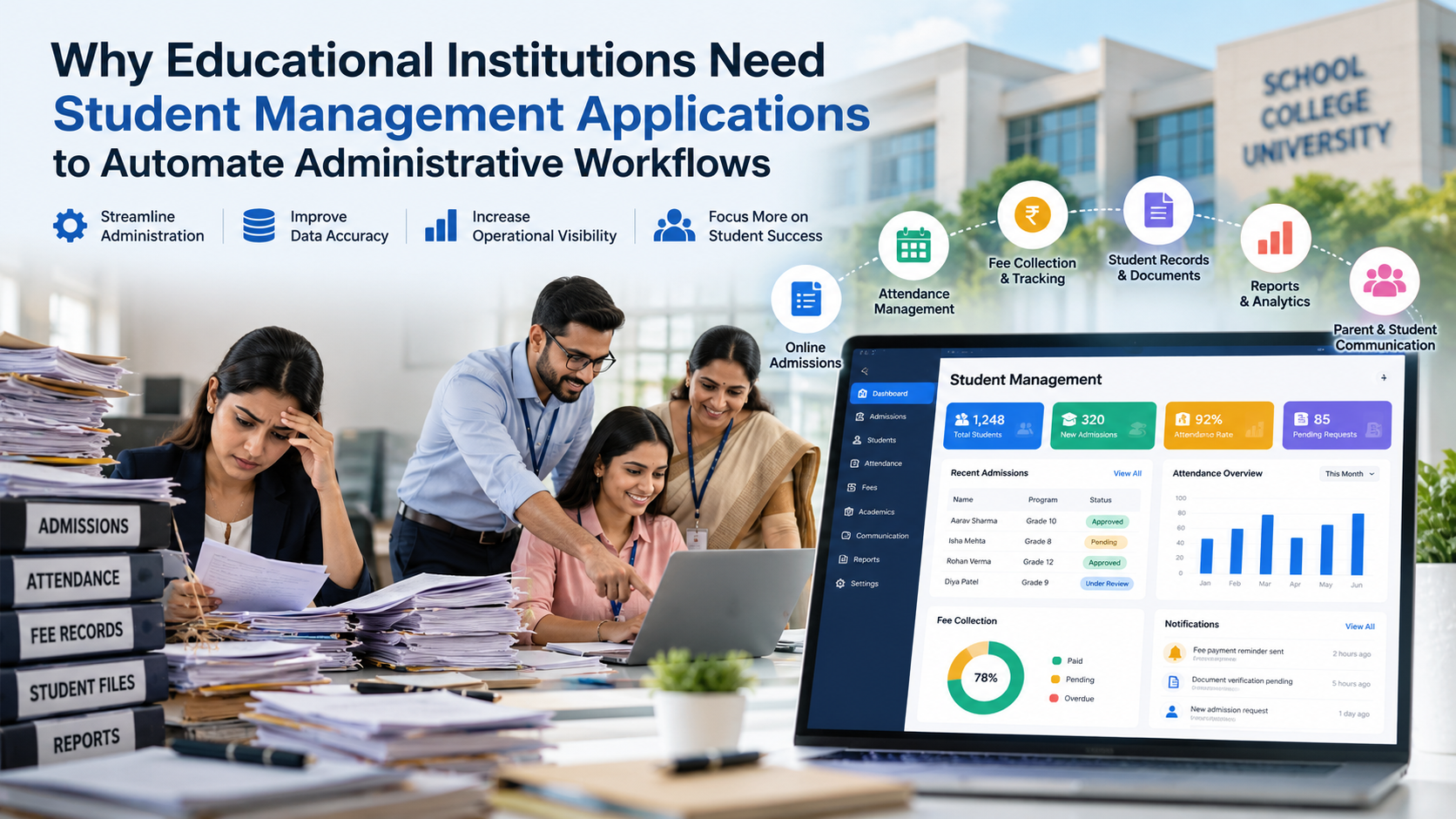
Educational institutions manage many administrative tasks every day, from processing student admissions and recording attendance to collecting fees, maintaining academic records, and communicating with parents. When these tasks depend on paper forms, spreadsheets, emails, and separate software systems, administrative work can become slow, repetitive, and difficult to manage.
A student management application helps schools, colleges, and universities organize these activities through a centralized digital platform. It allows authorized staff to manage student information, automate routine tasks, track requests, and access important records without repeatedly searching through different systems.
For example, when a student submits an admission application, the system can record the details, identify missing documents, notify the admissions team, and track the application through the approval process. Similar workflows can support attendance monitoring, fee reminders, document requests, and administrative reporting.
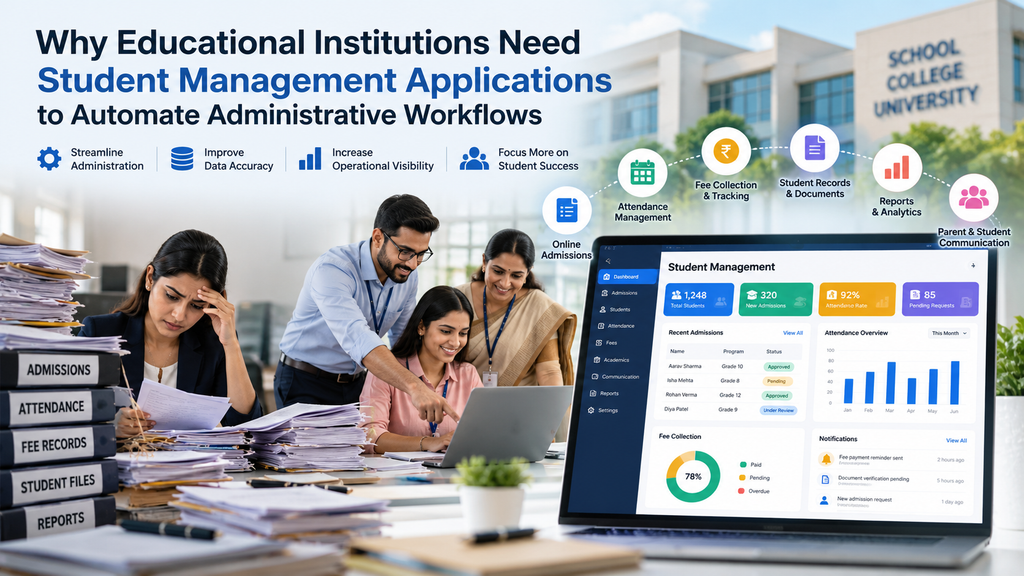
By automating these processes, educational institutions can reduce repetitive data entry, improve record accuracy, increase operational visibility, and make better use of staff time. Administrators can spend less time managing paperwork and more time improving student services and institutional operations.
In this guide, we will explore how student management applications work, which administrative workflows they can automate, the essential features to consider, and how educational institutions can evaluate the right solution for their needs. We will also explain implementation considerations, data security requirements, and the potential business value of investing in student management software.
What Is a Student Management Application?
A student management application is a software solution that helps educational institutions manage student information and automate daily administrative tasks from one centralized platform. It allows schools, colleges, and universities to organize admissions, attendance, student records, fee payments, document requests, and administrative reporting more efficiently.
Instead of relying on paper files, spreadsheets, and disconnected systems, staff can use a student management application to access updated information, track tasks, and coordinate activities across departments. The exact features depend on the software and the institution’s requirements.
How Does a Student Management Application Work?
A student management application connects student information with administrative workflows. Here is how the process typically works:
- Collect student information: Students submit details through online forms, or authorized staff enter information into the system.
- Store records centrally: The application organizes student profiles, enrollment details, attendance records, and other relevant information.
- Automate routine tasks: Configured rules trigger reminders, document reviews, approval requests, and other administrative activities.
- Coordinate staff activities: Authorized users review information, update records, and complete assigned tasks according to their responsibilities.
- Generate reports: Administrators monitor enrollment, attendance, pending requests, and other operational activities through reports and dashboards.
This process helps institutions reduce duplicate data entry, improve visibility, and manage administrative work more consistently.
Student Management Application vs. Student Information System vs. School Management Software
These terms often overlap, but their primary purposes can differ depending on the software provider.
| Software type | Main purpose |
| Student management application | Organizes student information and automates student-related administrative workflows. |
| Student information system (SIS) | Maintains core student records, enrollment, attendance, grades, and academic information. |
| School management software | Often combines student administration with fee collection, staff management, scheduling, and other school operations. |
| Learning management system (LMS) | Supports online learning through course materials, assignments, assessments, and educational activities. |
For example, a student information system may store attendance records, while a learning management system delivers assignments and course materials. A broader school management platform may connect these functions with admissions, fees, and administrative workflows.
Microsoft also provides an overview of student information systems in its student information system documentation.
Which Educational Institutions Can Use These Applications?
A student management application can support different types of educational organizations, including:
- K–12 schools: Manage admissions, attendance, student records, and parent communication.
- Private schools: Coordinate enrollment, fee administration, documents, and daily operations.
- Colleges and universities: Organize student registration, academic records, departmental approvals, and reporting.
- Vocational and training institutes: Track course enrollment, attendance, certifications, and student progress.
- Multi-campus education groups: Standardize administrative workflows while maintaining campus-specific access and reporting.
Whether an institution needs a basic student management system or a custom student management application depends on its student population, administrative processes, integration requirements, and long-term growth plans.
Why Are Manual Administrative Workflows a Problem for Educational Institutions?
Educational institutions handle a large amount of student information and administrative work every day. When these processes depend on paper documents, spreadsheets, emails, and separate software systems, even routine tasks can consume significant staff time. These challenges can slow down operations, create avoidable errors, and affect the quality of service provided to students and parents. A student management application helps address these problems by connecting information and streamlining administrative workflows.
Repetitive Data Entry Across Multiple Systems
Many institutions enter the same student details into admission forms, spreadsheets, finance records, and academic databases. This repeated work increases administrative effort and creates opportunities for typing errors, duplicate records, and outdated information. A centralized student management system can reduce repeated data entry and help authorized staff work with consistent student records.
Slow Admission and Enrollment Processing
Manual admission processes often involve collecting paper forms, checking documents, sending emails, and tracking application status separately. Missing documents or delayed approvals can create additional work for admissions teams. Student enrollment management software can organize applications, flag incomplete submissions, and route requests to the appropriate staff members.
Attendance and Student Record Errors
Paper registers and disconnected attendance systems can make it difficult to update records promptly or retrieve historical information. Incorrect entries may also require time-consuming corrections. Digital attendance management and centralized student record management can make information easier to access while providing controls for authorized updates.
Delayed Fee Collection and Financial Reconciliation
Manually tracking payments, preparing receipts, sending overdue-fee reminders, and comparing finance records with student accounts can place additional pressure on administrative teams. Fee management software can organize payment information, automate reminders, and support reconciliation when integrated with the institution’s financial systems.
Communication Gaps Between Departments and Parents
Admissions, accounts, academic departments, and administration teams may rely on different versions of student information. Parents may also need to contact multiple offices to receive updates. A shared system with appropriate access permissions and centralized notifications can help improve coordination and reduce repeated inquiries.
Limited Visibility Into Administrative Performance
Without consolidated reports, administrators may struggle to identify pending admissions, missing documents, overdue fees, delayed approvals, or records requiring correction. These gaps make it harder to prioritize work and identify recurring bottlenecks.
For example, consider a student applying to a college. The admissions team receives the application, the document verification team checks certificates, the accounts department confirms the required payment, and the academic department completes enrollment. If each team uses separate spreadsheets and email threads, staff may need to request the same information repeatedly and manually confirm each step.
With a student management application, these activities can follow a shared workflow. Staff can view the application’s status, receive assigned tasks, and access authorized information without repeatedly checking separate records. This improves visibility, reduces unnecessary administrative effort, and helps the institution manage enrollment more consistently.
10 Major Benefits of Student Management Applications for Schools and Colleges
Educational institutions need efficient ways to manage student information, coordinate staff activities, and complete daily administrative tasks. A student management application brings these processes together in one digital platform, helping schools and colleges reduce repetitive work, improve access to information, and monitor administrative performance. The right solution can also support better communication, more consistent recordkeeping, and long-term institutional growth.
Here are ten important benefits of student management applications for educational institutions.
1. Automate Repetitive Administrative Tasks
Administrative teams often spend hours entering student details, collecting documents, sending reminders, updating records, and preparing routine reports. These tasks can take time away from more important responsibilities.
A student management application can automate recurring activities such as application acknowledgments, document reminders, record updates, and scheduled reporting. Staff can focus on tasks that require human judgment instead of repeatedly completing the same steps.
How to measure the benefit: Track the time spent on routine administrative tasks before and after automation.
2. Improve Student Data Accuracy
Maintaining accurate student records becomes challenging when information is stored across multiple spreadsheets and databases. Duplicate entries, outdated contact details, and inconsistent formats can lead to avoidable problems.
Student management software can use standardized fields, input validation, controlled editing permissions, and audit trails to support better data quality. However, incorrect information entered by users can still affect records, so institutions need regular data reviews.
How to measure the benefit: Monitor duplicate records, data correction requests, and incomplete student profiles.
3. Speed Up Admissions and Enrollment
Manual admission processes can involve repeated emails, document checks, and time-consuming application tracking. A digital application can centralize submissions, display application status, identify missing documents, and route applications to the appropriate reviewers.
This helps admissions teams manage applications more consistently and gives applicants clearer updates about their progress.
How to measure the benefit: Compare average admission processing time and the number of applications awaiting approval.
4. Simplify Attendance Management
Paper registers and disconnected attendance tools can make it difficult to update records and prepare attendance reports promptly.
An attendance management system allows authorized staff to record attendance digitally, correct entries through controlled processes, generate summaries, and send absence notifications according to institutional policies.
How to measure the benefit: Review attendance processing time, correction frequency, and the time required to prepare attendance reports.
5. Streamline Fee Collection and Payment Tracking
Manually recording payments, preparing receipts, and following up on overdue balances can create extra work for finance teams.
Student management software with fee management capabilities can organize fee schedules, generate invoices, track payments, issue receipts, and send configured reminders. Integrations with payment gateways and accounting systems can further simplify financial reconciliation.
How to measure the benefit: Track overdue balances, reconciliation time, payment-record discrepancies, and receipt processing time.
6. Improve Parent and Student Communication
Parents and students may need to contact different departments to obtain admission updates, attendance information, fee details, or important announcements.
A student management application can provide portals, centralized announcements, automated reminders, and communication histories. Authorized users can access relevant information without relying entirely on phone calls and individual email threads.
How to measure the benefit: Monitor response times, repeated inquiries, and the number of requests resolved within the institution’s target timeframe.
7. Reduce Administrative Bottlenecks
Administrative tasks often become delayed when responsibilities are unclear or approvals depend on repeated follow-ups.
Workflow automation can assign tasks to specific staff members, establish approval rules, send reminders, and escalate overdue requests. Administrators can identify delayed activities and take action before backlogs become more difficult to manage.
How to measure the benefit: Review pending task counts, overdue approvals, and average task completion time.
8. Make Reporting Faster and More Useful
Preparing reports manually often requires staff to collect information from multiple files, check entries, and combine data before presenting it to management.
A student management system can generate enrollment summaries, attendance reports, student lists, and outstanding-fee reports from available records. Dashboards and filters can help administrators review information for specific departments, classes, or campuses.
How to measure the benefit: Compare report preparation time, reporting errors, and the frequency of outdated reports.
9. Support Better Decisions With Centralized Information
When departments use different records, administrators may struggle to understand current enrollment, attendance patterns, resource requirements, and outstanding administrative tasks.
A centralized student management application provides authorized users with a more consistent view of institutional information. Management can use timely reports to plan staffing, allocate resources, identify operational issues, and prioritize improvements.
How to measure the benefit: Assess report freshness, data completeness, and the time required to answer key operational questions.
10. Support Institutional Growth
As schools and colleges expand, administrative processes become more complex. More students, additional departments, and multiple campuses can increase the workload on teams that depend on manual procedures.
Student management software can support standardized workflows, configurable permissions, centralized reporting, and integrations with other institutional systems. These capabilities can help organizations manage growth without relying entirely on additional manual work.
How to measure the benefit: Monitor administrative workload per student, processing times as enrollment increases, and the number of tasks completed within established service targets.
Ultimately, the value of a student management application depends on how well it addresses an institution’s actual needs. By identifying administrative challenges, selecting suitable automation features, and tracking measurable outcomes, schools and colleges can make more informed decisions about improving their operations.
Which Administrative Workflows Can a Student Management Application Automate?
Educational institutions manage several connected administrative processes every day. From admitting new students to collecting fees and issuing certificates, these activities require accurate information, timely communication, and coordination between departments. A student management application helps automate these workflows by organizing information, assigning tasks, sending notifications, and tracking progress through a centralized platform.
Here are eight important administrative workflows that schools, colleges, and universities can automate.
1. Student Admissions and Enrollment
Manual admissions often involve paper forms, email communication, document verification, and repeated status checks. A student management application can bring the entire admission process into one organized workflow.
Key capabilities include:
- Online application submission and acknowledgment.
- Required-document checklists and missing-information alerts.
- Application status tracking for authorized users.
- Automatic routing to the appropriate reviewer.
- Approval notifications and enrollment confirmation.
- Creation of the student’s institutional record after enrollment.
For example, when an applicant submits a form, the application can flag missing documents and notify the admissions team. Once the required information is available, the application can route the submission to the assigned reviewer. Staff can monitor progress through a shared dashboard instead of tracking every application across spreadsheets and email threads.
2. Attendance and Absence Tracking
Recording attendance manually can make daily reporting and follow-up more time-consuming. Digital attendance management allows authorized staff to record attendance, review corrections, and generate attendance summaries.
Depending on the institution’s policies, the system can also notify parents or guardians about recorded absences. These alerts should follow appropriate privacy requirements, notification rules, and procedures for correcting inaccurate attendance records.
3. Student Record Creation and Maintenance
Schools and colleges maintain student contact details, guardian information, enrollment history, academic records, and supporting documents. When these records are scattered across different systems, retrieving and updating information becomes difficult.
A student management application centralizes these records and allows authorized users to update relevant details. Role-based access controls help ensure that staff members can view or change only the information required for their responsibilities. Change histories can also help administrators review important updates.
4. Fee Collection and Payment Administration
Fee administration includes generating invoices, tracking payments, issuing receipts, sending reminders, and identifying outstanding balances.
Student management software can automate these activities by maintaining fee schedules, recording payment confirmations, generating receipts, and preparing outstanding-payment reports. When connected to payment gateways and accounting systems, it can also help synchronize financial information and support reconciliation.
Actual payment processing and reconciliation depend on the capabilities of the integrated systems.
5. Timetables, Class Assignments, and Scheduling
Creating timetables and managing classroom assignments can become complicated when schedules change frequently. A suitable application can organize class allocations, maintain room assignments, and notify relevant users about approved timetable changes.
Administrators can also review scheduling conflicts and distribute updated information to staff and students through authorized portals or communication channels.
6. Certificates, Transcripts, and Document Requests
Students frequently request certificates, transcripts, enrollment letters, and other official documents. Manual requests can get delayed when eligibility checks and approvals depend on email follow-ups.
A student management application can record requests, route them to the appropriate department, track approval status, and notify students when documents are ready. Document generation should follow institutional policies, verification requirements, and authorized approval procedures.
7. Parent and Student Queries
Administrative teams regularly answer questions about admissions, attendance, fees, schedules, and institutional policies. Without a shared tracking process, requests may be overlooked or handled by multiple staff members.
Student and parent portals, categorized requests, and ticket-style tracking can help organize inquiries, assign responsibility, and record follow-up actions. Automated acknowledgments and status updates can also reduce repeated inquiries.
8. Administrative Reports and Approvals
Preparing reports manually can require staff to collect information from several departments. A student management application can generate scheduled reports, display pending approvals, flag exceptions, and provide department-level dashboards.
For example, administrators can review incomplete admission applications, overdue approvals, attendance summaries, and outstanding fee balances from available records. These reports help management identify bottlenecks and prioritize administrative work.
Example: How an Automated Student Admission Workflow Works
Consider a college processing a new student’s application. Instead of relying on separate spreadsheets and email conversations, the institution can use a shared workflow.
Step 1: Application submitted
The student completes an online admission form and receives an acknowledgment.
Step 2: Documents checked
The system compares submitted information with the required-document checklist and flags missing items for follow-up.
Step 3: Application routed
Once the required information is available, the application is assigned to the appropriate reviewer for assessment and approval.
Step 4: Decision recorded
Authorized staff record the admission decision. The system then triggers the next configured step, such as sending a decision notification or beginning enrollment.
This workflow provides clearer status visibility, reduces repeated manual follow-ups, and helps staff understand what needs attention next.
By automating these administrative workflows, educational institutions can build more consistent processes, improve coordination between departments, and reduce unnecessary paperwork. The best results come from choosing workflows with clear rules, assigning appropriate human oversight, and measuring improvements in processing time, error rates, and pending tasks.
Essential Features to Look for in Student Management Software
Choosing the right student management software is an important decision for schools, colleges, and universities. The best solution is not necessarily the one with the most features. Instead, institutions should prioritize tools that address their administrative challenges, simplify daily workflows, protect student information, and support future growth.
Here are the essential features to consider when selecting a student management application.
Centralized Student Information Database
A centralized database keeps student profiles, contact details, enrollment history, academic records, and important documents organized in one place. Access permissions help protect sensitive information, while change histories allow authorized administrators to review important updates. This reduces the need to search through separate files and spreadsheets.
Admission and Enrollment Management
Look for online application forms, document tracking, application status updates, review queues, and configurable approval rules. These features help admissions teams identify incomplete applications, assign reviews, and manage enrollment without relying entirely on manual follow-ups.
Attendance Management
An effective attendance management system supports digital attendance entry, absence reporting, authorized corrections, and consolidated attendance summaries. Automated notifications can also help institutions communicate relevant attendance updates to parents or guardians according to established policies.
Fee and Payment Management
Fee management features should support fee schedules, invoice generation, payment tracking, receipts, overdue reminders, and outstanding-balance reports. Integration with payment gateways and accounting platforms can help synchronize financial information and reduce manual reconciliation work.
Workflow Automation and Notifications
Workflow automation is central to an efficient student management application. Look for configurable triggers, task assignments, approval chains, reminders, and exception alerts. These capabilities help staff understand their responsibilities, follow consistent procedures, and identify delayed tasks.
Parent, Student, and Staff Portals
Dedicated portals allow users to access relevant information according to their roles. Students may view schedules or submit requests, parents may receive announcements and authorized updates, and staff may manage records or review assigned tasks. Role-based permissions are essential to prevent unauthorized access.
Reporting and Analytics Dashboards
Reporting tools should make it easy to generate enrollment summaries, attendance reports, fee statements, and pending-task reports. Filters, export options, and dashboards help administrators review operational performance and identify areas that need attention.
Mobile Accessibility and Integrations
Responsive mobile access allows authorized users to complete important tasks from different devices. Integrations with accounting platforms, learning management systems, identity services, email, and SMS tools can connect existing processes and reduce duplicate data entry.
Student Management Software Feature Checklist
Use this checklist when comparing potential solutions.
Must-have features for most institutions
- Centralized student records with access controls.
- Admission and enrollment tracking.
- Attendance and student record management.
- Fee tracking and financial reporting, where required.
- Workflow automation and configurable notifications.
- Essential reports, data export, and security controls.
- Data migration support and reliable backups.
Optional or institution-specific features
- AI-assisted document processing.
- Advanced predictive analytics.
- Automated virtual assistants for routine inquiries.
- Multi-campus dashboards and advanced permission structures.
- Specialized integrations and custom reporting.
- Custom-built workflows for unique administrative requirements.
The final feature list should reflect your institution’s size, existing systems, budget, privacy obligations, and administrative priorities. A well-selected student management application should solve real operational problems while remaining practical for staff to use and maintain over time.
Benefits of Student Management Applications for Different Educational Institutions
Every educational institution has different administrative requirements. A K–12 school may prioritize attendance and parent communication, while a university may need advanced enrollment workflows and coordination across multiple departments. A student management application helps institutions organize their operations according to their specific needs, student population, and administrative processes.
For K–12 Schools
K–12 schools need efficient ways to manage admissions, daily attendance, student records, fee administration, and communication with parents or guardians. A student management application can centralize these activities, automate routine notifications, and help school administrators track important information. This allows staff to spend less time managing paperwork and more time supporting students.
For Colleges and Universities
Colleges and universities often manage larger student populations, multiple academic departments, course registrations, and complex approval processes. Student management software can streamline enrollment, maintain academic records, coordinate departmental tasks, and generate reports for administrators. Centralized information also helps authorized teams manage student requests more consistently.
For Private and International Schools
Private and international schools may need flexible fee structures, parent portals, document management, and support for different curricula or academic programs. A configurable student management application can help these institutions adapt workflows to their policies while maintaining organized records and consistent communication.
For Vocational and Training Institutes
Training centers and vocational institutes often manage short-term courses, changing class schedules, attendance requirements, and certificate requests. Student management software can organize course enrollment, track participation, manage completion records, and support certificate issuance after the required checks.
For Multi-Campus Institutions
Education groups operating across several campuses need both centralized oversight and local flexibility. A student management application can provide consolidated reporting, shared administrative standards, campus-specific permissions, and consistent workflows. Administrators can monitor overall performance while allowing individual campuses to manage their daily responsibilities.
Ultimately, the right student management application depends on an institution’s size, operational complexity, existing software, budget, and applicable local requirements. Before implementation, educational leaders should identify their most time-consuming administrative tasks and select a solution that addresses those needs without introducing unnecessary complexity.
How AI, Analytics, and Integrations Can Improve Administrative Automation
Modern student management applications can do more than store student records. When combined with artificial intelligence (AI), analytics, and system integrations, they can help educational institutions process information faster, answer routine questions, identify workflow problems, and connect existing software. These capabilities should support staff rather than replace appropriate human judgment.
AI-Assisted Document Processing
AI-assisted document processing can extract information from admission forms, identification documents, transcripts, and other student records. For example, a tool may identify a student’s name, application number, or date of birth and transfer the information into the relevant fields for review.
Staff should verify extracted information, resolve missing details, and check for inconsistencies before records are approved. Human oversight remains important because document quality, formatting, and recognition accuracy can vary.
Automated Notifications and Virtual Assistants
Automated notifications can remind students and parents about admission deadlines, fee due dates, missing documents, and scheduled meetings. Virtual assistants can also answer routine questions about office hours, application status, and enrollment requirements using approved institutional information.
Clear escalation options should be available when a question requires personal assistance or falls outside the assistant’s knowledge.
Predictive and Descriptive Analytics
Analytics dashboards help administrators understand historical and current operational data. They can reveal enrollment trends, recurring admission delays, attendance patterns, and common reasons for incomplete applications.
These insights help institutions plan resources and improve workflows. However, predictions should not independently determine admissions, discipline, academic opportunities, or other high-impact student outcomes. Appropriate staff review, reliable data, and clear policies are essential.
Integrating Existing Education Systems
A student management application can connect with existing platforms through APIs and other supported integration methods, including:
- Learning management systems: Coordinate course and enrollment information.
- Accounting and payment platforms: Synchronize fee records and payment status.
- Email and SMS services: Send reminders and administrative updates.
- Identity and access management systems: Support secure sign-in and role-based access.
- Reporting and data visualization tools: Combine information for useful dashboards and reports.
Successful integrations require clear data ownership, defined synchronization schedules, error handling, and duplicate-record prevention. Institutions should also establish access controls and data protection rules before sharing information between systems. With careful planning, these technologies can make administrative workflows more connected, consistent, and efficient.
Data Security, Privacy, and Compliance in Student Management Applications
Student management applications store sensitive information, including student details, attendance records, academic history, and financial data. Educational institutions should evaluate security, privacy, and data management practices before choosing a solution.
Protect Student Data With Role-Based Access
Role-based access control limits information according to each person’s responsibilities. For example, admissions staff may need application documents, while finance teams need fee records. Teachers may require class and attendance information but not access to unrelated financial details. Giving users only the permissions they need helps reduce unauthorized access and accidental data exposure.
Use Encryption, Backups, and Audit Logs
Choose student management software that supports encryption for data in transit and at rest, secure authentication, and regular backups. Institutions should test recovery procedures to confirm that important records can be restored after data loss or a system failure. Audit logs should record sensitive actions, such as changes to student records, permission updates, and data exports, to support monitoring and investigations.
Understand Applicable Education Privacy Rules
US institutions should assess whether the Family Educational Rights and Privacy Act (FERPA) applies to their operations and records. FERPA generally covers education records at educational agencies and institutions receiving funds under applicable programs administered by the US Department of Education. Review the US Department of Education’s FERPA guidance for official information. Institutions operating in other regions must evaluate their own education, privacy, and data protection requirements.
Plan for Data Retention and Secure Data Transfers
Set clear retention schedules based on applicable laws and institutional policies. Restrict data exports to authorized users, review vendor access, and define how records will be transferred securely when changing providers. Confirm that the previous provider can return data in a usable format and explain how remaining copies will be handled.
Important: Security features alone do not guarantee legal compliance. Institutions must assess their policies, configurations, contracts, and actual use of the application.
How to Implement a Student Management Application Successfully
Implementing a student management application requires careful planning, reliable data, and staff participation. A staged approach helps schools and colleges reduce disruption, avoid common mistakes, and improve administrative efficiency.
Step 1 — Audit Current Administrative Workflows
Document how admissions, attendance, fee collection, student records, and reporting currently work. Identify bottlenecks, duplicate data entry, manual approvals, and staff responsibilities.
Step 2 — Define Automation Priorities
Start with repetitive, high-volume tasks that follow clear rules. For example, automate admission reminders or attendance reports first. Define measurable goals, such as reducing processing time or record correction requests.
Step 3 — Select the Right Software Approach
Compare ready-made student management software, configurable platforms, and custom student management application development. Consider your budget, required features, existing systems, scalability, and long-term maintenance needs.
Step 4 — Clean and Migrate Existing Data
Review existing spreadsheets, databases, and paper-based records before migration. Remove duplicate entries, correct errors, map fields to the new system, and validate data integrity. Test a sample migration before transferring all records.
Step 5 — Configure Workflows and Integrations
Set up approval rules, automated notifications, user permissions, and reporting processes. Connect relevant systems, such as accounting software, learning management platforms, and email services. Test data synchronization and error handling.
Step 6 — Train Staff and Test the System
Run a pilot with selected users before the full launch. Test normal tasks, unusual cases, permissions, and failure scenarios. Collect feedback and provide role-based training so staff understand how to use the application confidently.
Step 7 — Measure Performance and Improve
After launch, review adoption rates, processing time, error rates, support requests, and user feedback. Compare results with your initial goals and adjust workflows where needed.
The key to successful implementation is continuous improvement. A well-planned rollout helps educational institutions automate administrative work while maintaining reliable records and supporting staff throughout the transition.
How to Choose the Right Student Management Application
Choosing the right student management application requires more than comparing features and prices. Educational institutions should evaluate usability, flexibility, security, and long-term value before making a decision.
Evaluate Ease of Use and Workflow Flexibility
Choose software with a simple interface that helps staff manage admissions, attendance, fees, and student records efficiently. Check whether it supports your institution’s approval processes and daily workflows without unnecessary manual work.
Check Integration and Migration Requirements
Confirm that the application supports data exports, APIs, and integrations with existing accounting, learning management, and communication systems. Ask about migration assistance, data accuracy, implementation time, and additional integration costs.
Compare Security and Support
Review role-based access controls, data encryption, backup policies, incident response procedures, and vendor support availability. Ensure the provider clearly explains its security responsibilities and how it protects sensitive student information.
Assess Scalability and Total Cost
Consider future campuses, growing student records, additional users, customization, training, and maintenance. Compare the total cost of ownership rather than focusing only on the initial subscription or development price.
When Should You Consider a Custom Student Management Application?
A custom student management application may be the right choice when existing products cannot support your institution’s specific workflows, complex integrations, or reporting needs at a reasonable cost. HT Business Group offers custom application development services to help organizations build scalable applications tailored to their operational requirements. Before investing, compare development costs, maintenance needs, and expected long-term benefits with those of ready-made software.
Frequently Asked Questions About Student Management Applications
What is the main purpose of a student management application?
A student management application centralizes student information and simplifies daily administrative tasks. It helps schools and colleges manage admissions, attendance, student records, fee tracking, and reporting from one system, improving data accuracy and reducing paperwork.
How does student management software automate school administration?
Student management software automates repetitive tasks through predefined rules, reminders, task routing, document workflows, and report generation. For example, it can send attendance alerts, notify staff about pending approvals, and generate student performance reports with less manual effort.
What is the difference between an SIS and a student management application?
A Student Information System (SIS) generally focuses on core student data, enrollment, attendance, grades, and academic records. A student management application may cover a broader or more customized range of administrative workflows, depending on the institution’s requirements and the software’s features.
Is student management software suitable for small schools?
Yes. Small schools can benefit from student management software if its pricing, features, and complexity match their needs. A solution with essential tools, simple navigation, and room to grow can help schools improve administration without adding unnecessary costs.
How much does a student management application cost?
The cost depends on licensing, user numbers, student volume, customization, integrations, data migration, hosting, support, and maintenance. Request a detailed quote based on your institution’s requirements, and compare the total cost of ownership before selecting a solution.
Is a custom student management application better than ready-made software?
Neither option is always better. Ready-made software can be faster to deploy and may cost less initially. Custom development is worth considering when specialized workflows, integrations, or reporting needs are not adequately supported by existing products.
How long does implementation take?
Implementation time depends on data quality, migration complexity, integrations, workflow configuration, testing, and staff training. A basic setup may require less time than a complex, multi-campus deployment. Request a project assessment and implementation timeline before committing.
How can schools protect student data?
Schools should use role-based access controls, encryption, secure authentication, regular backups, and audit logs. They should also assess vendor security practices, establish incident response procedures, and follow applicable student privacy and data protection laws.
Conclusion — Automate Administrative Workflows With the Right Student Management Application
The right student management application helps schools and colleges organize records, reduce repetitive work, accelerate administrative workflows, improve data visibility, and use staff time more effectively. The best solution aligns with your institution’s needs, budget, and long-term goals.
Looking to simplify school or college administration? HT Business Group’s custom application development team can help you explore tailored software, system integrations, and scalable solutions for your institution. Contact the team to discuss your workflow challenges and student management application goals.