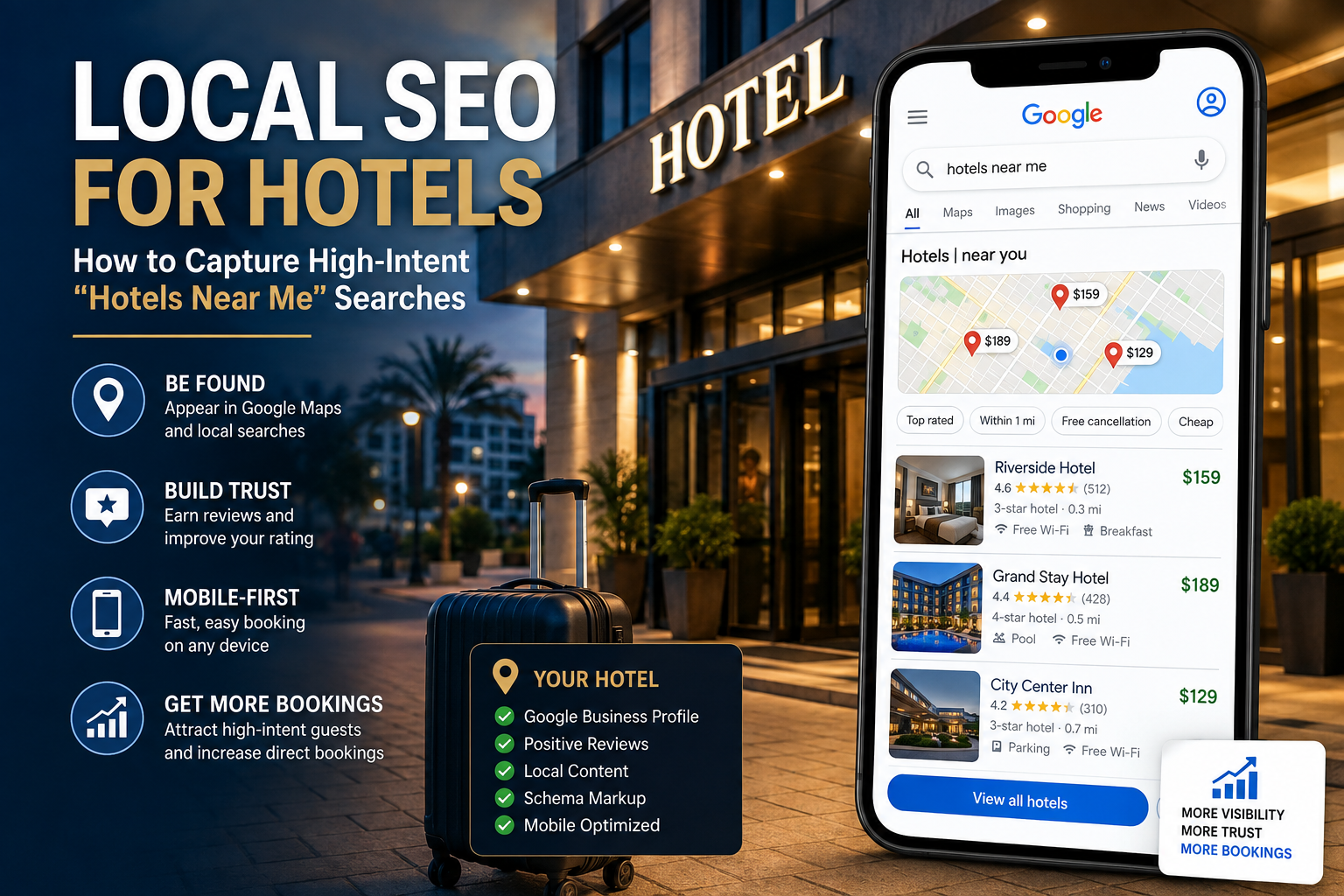
Picture this. A traveler lands at the airport, pulls out their phone, and types “hotels near me” into Google. Within seconds, three or four hotels show up on a map with stars, prices, and a “Book now” button. That traveler taps one, checks a few photos, and books. No brand loyalty. No long research process. Just a fast decision based on what Google shows them right now.
This is the new reality of hotel booking. And if your property isn’t showing up in that moment, you are losing guests to the hotel down the street that is.
Local SEO for hotels is how you win this moment. It is the practice of optimizing your hotel’s online presence so you show up when nearby travelers search for a place to stay. This guide breaks down exactly how “hotels near me” searches work, why they matter so much right now, and the step-by-step strategy to capture them — including how to show up in Google’s AI Overviews and featured snippets, not just the old-school blue links.
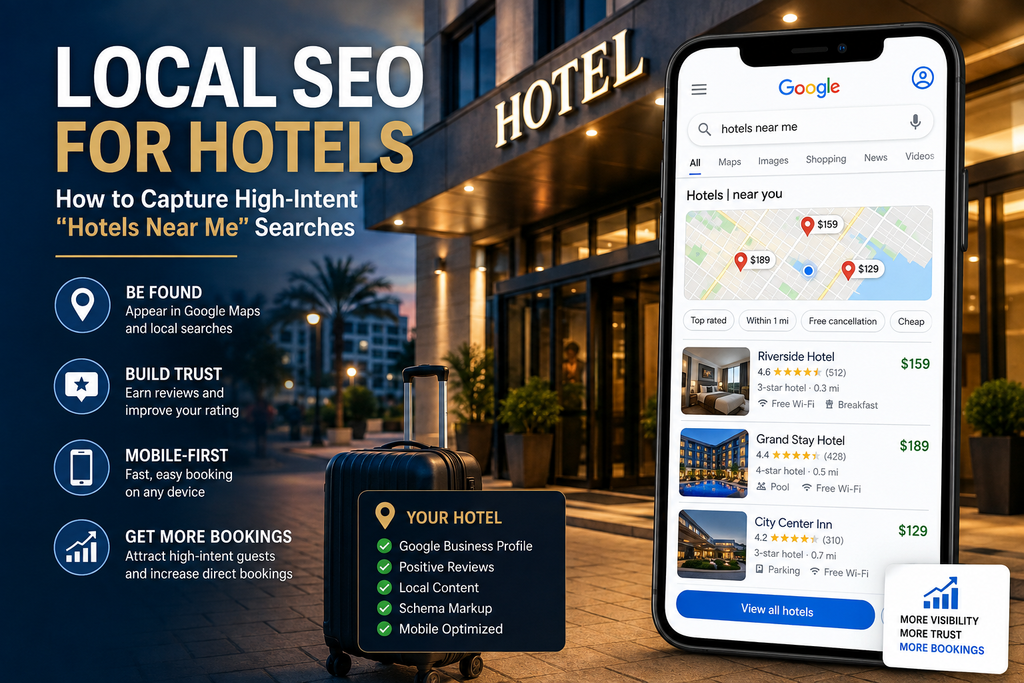
Why “Hotels Near Me” Searches Matter More Than Ever
“Near me” searches are not a small trend anymore. They are the main way people now find local businesses, including hotels.
Here is what the data shows, according to OnTheMap’s local SEO statistics and BiziQ’s local search research:
- “Near me” searches have grown roughly 150% faster than general searches over the past two years, and some tracking shows near-me and close-by queries climbing as much as 900% in that window.
- “Open now near me” searches alone are up around 400%.
- 78% of local mobile searches result in an offline purchase within 24 hours.
- The top 3 results in Google’s local map pack capture 44% of all clicks for local-intent searches.
- Google’s AI Overviews now appear in roughly 32% of local queries, which makes structured data and Google Business Profile optimization more important than ever.
For hotels specifically, this shows up in a very direct way. According to travel booking data compiled by Condor Ferries, Google Trends has recorded a 519% jump in travel searches that include words like “tonight” and “today.” That means a huge slice of hotel demand is now last-minute, mobile, and hyper-local. A traveler isn’t researching your brand story. They want a clean room, a good rating, and directions — right now.
At the same time, most hotels are not ready for this. Research from BiziQ found that even though the large majority of smartphone users run near-me searches, 58% of companies still do not optimize for local search, and only 30% actually have a plan to capture this high-converting local traffic. That gap is your opportunity. Every competitor who ignores local SEO makes it easier for your hotel to take their guests.
What Counts as a “Near Me” Hotel Search Today
Here’s something most hotel marketers miss: guests don’t need to type the words “near me” for Google to treat their search as local. As explained in BiziQ’s breakdown of near-me search behavior, Google now processes near-me intent even when the exact phrase isn’t in the query. A search for “hotel” from a mobile device triggers local results almost automatically, because Google reads location signals straight from the device itself.
So your target keywords go far beyond “hotels near me.” You are also competing for searches like:
- “hotels in [city name]”
- “[city] hotels with pool”
- “pet friendly hotel near [airport/landmark]”
- “cheap hotel near [venue name]”
- “best hotel near [neighborhood]”
- “hotel near me with free breakfast”
- “boutique hotel [city] downtown”
Step 1: Make Your Google Business Profile Your Strongest Local SEO Asset
If you do only one thing after reading this article, do this one. Your Google Business Profile (GBP) — the listing that shows up on Google Maps and in the local 3-pack — is the single most powerful local SEO tool a hotel has.
Here’s why it matters so much: according to OnTheMap’s 2025 local SEO statistics, businesses that rank in Google’s local 3-pack earn 126% more traffic and 93% more actions than those ranked below it. That “3-pack” is the box of three local businesses shown at the top of a local search, right above the regular organic results. For a hotel, being in that box is often the difference between getting the booking and getting ignored.
How to optimize your hotel’s Google Business Profile
1. Claim and fully verify your listing. Set your profile up as a Hotel business type, not a generic “lodging” category. Google publishes an official implementation guide for hotels that walks you through verification and hotel-specific setup, including how to manage attributes through the Business Profile API.
2. Keep your NAP data consistent everywhere. NAP stands for Name, Address, Phone number. This information must match exactly across your website, your GBP, TripAdvisor, Booking.com, and every directory you appear in. Even small errors, like outdated hours or inconsistent NAP data, quietly push potential guests toward competitors.
3. Fill out every hotel attribute. Google gives hotels a dedicated attributes section covering amenities like free parking, pool, pet policy, breakfast, EV charging, and accessibility. As Formula’s guide to Google Business Profile optimization for hotels points out, keeping these attributes updated ensures your hotel surfaces in filtered searches, such as “hotels with spa near me.” Skip this section, and you vanish from every filtered search a guest runs.
4. Write a keyword-rich but natural description. Write your profile description for humans first, then naturally work in local keywords such as “family-friendly hotel near downtown” or “boutique hotel near the convention center.” Avoid keyword stuffing — both Google’s systems and real guests can tell when a description feels robotic.
5. Upload real photos, monthly. Include clear photos of your exterior, interior, key amenities, common areas, and any unique features, as recommended in Exely’s guide on optimizing hotel Google Business Profiles for direct bookings. Fresh, authentic photos build trust and help travelers picture their stay before they book.
6. Use the Q&A section proactively. Seed your GBP Q&A section with common guest questions like “Is parking free?” or “Do you offer airport transfers?” and answer them with clear, keyword-rich responses. This does double duty: it helps human searchers and gives Google’s AI systems clean, structured information to pull into AI Overviews.
7. Check your Insights dashboard regularly. The GBP Insights dashboard reveals where searches originate, which photos attract the most attention, and what actions users take — calls, direction requests, or bookings. Review this monthly and adjust your strategy based on what guests are actually searching for.
8. Treat GBP as an ongoing job, not a one-time setup. According to FS Agency’s guide on hotel Google Business Profiles and AI search, optimization isn’t a one-time event. Set a monthly cadence: add new photos, publish a Google Post, review your Q&A section for unanswered questions, and audit your listing for unauthorized edits. Third parties can suggest changes to your profile, and Google sometimes accepts them automatically, so regular audits protect your accuracy.
Step 2: Win the Reviews Game
Reviews are not just social proof anymore — they are a direct local SEO ranking signal, and one of the biggest trust factors in a guest’s final booking decision.
The numbers back this up clearly. Businesses with 50+ Google reviews earn 266% more leads than those with fewer than 10, according to OnTheMap’s research. And research summarized by SOCi’s 2025 Consumer Behavior Index found that accuracy, convenience, and customer feedback are now the top three factors influencing where consumers choose to visit. On the travel side, review data compiled in WifiTalents’ 2026 hotel reservation statistics shows that property descriptions featuring real guest reviews see a 35% higher likelihood of completing an online booking.
A simple review strategy that works
- Ask at the right moment. Text or email guests a review link within a few hours of checkout, while the experience is still fresh.
- Respond to every review, good or bad. Reviews are one of the strongest local ranking signals a hotel controls, and how you respond to them matters as much as the volume you collect.
- Never buy or fake reviews. This violates Google’s policies and can get your listing suspended, wiping out all your local SEO progress overnight.
- Mention specific amenities and locations in your responses. When you reply “Thanks for staying near the convention center with us,” you’re reinforcing local keywords in a natural, human way that both guests and AI systems can read.
Step 3: Build Location-Specific Content on Your Website
Your Google Business Profile gets you found. Your website is what convinces a guest to actually book direct instead of through an OTA. Location-specific content does both jobs at once.
Pages every hotel should build
- A dedicated “Location” or “Neighborhood” page describing what’s nearby — attractions, restaurants, transit, and landmarks a guest would search for.
- “Near [landmark]” landing pages if you’re close to an airport, stadium, hospital, university, or convention center. These pages target exactly the “hotel near [venue]” searches guests actually type.
- A local FAQ page answering questions like “Is there a shuttle to the airport?” or “How far is the hotel from downtown?” — written in plain, conversational language that matches how people search and how they talk to AI chatbots.
- Local blog content about events, seasonal activities, or things to do near your hotel. As BuildUp Bookings notes when covering Google’s own travel research, the average traveler’s search journey involves far more than just searching for hotels — guests want to know the best times to visit and things to do nearby, and content built around these search moments helps influence their final decision.
Writing tips for featured snippets and AI Overviews
Google’s AI Overviews and featured snippets favor content that answers a question clearly and immediately. To optimize for them:
- Start sections with a direct, one- or two-sentence answer to the implied question.
- Use question-style subheadings that match real search queries (“How far is the hotel from the airport?”).
- Use short paragraphs, bullet points, and numbered lists — these are far easier for AI systems to extract and summarize.
- Keep your NAP, hours, and amenity details identical across your website and GBP, so AI systems trust the data enough to feature it.
Step 4: Add Structured Data (Schema Markup) to Your Website
Structured data, also called schema markup, is a bit of code added to your website that tells search engines exactly what your content means — this is a hotel, this is the price range, this is the star rating, this is the address.
As explained in Formula’s advanced guide to hotel Google Business Profile optimization, schema markup on your hotel’s website helps Google cross-reference details with your Google Business Profile, which reinforces trust and improves local rankings. Without it, Google has to guess at your information by scanning your page text, which is slower and less reliable.
At a minimum, hotels should implement:
- Hotel schema – name, address, star rating, amenities, price range
- Review schema – aggregate rating and review count
- FAQ schema – for any FAQ content on your site, which can trigger expanded rich results
- LocalBusiness schema – for general local trust signals
If your developer or website platform doesn’t support this natively, most modern hotel CMS platforms and SEO plugins can add it with minimal setup.
Step 5: Optimize for Mobile Speed and Booking Ease
Local searches are overwhelmingly mobile, and mobile users are impatient. If your site is slow, you lose the booking before the guest even sees your rooms.
Consider this: nearly half of travelers expect a mobile page to load in under 2 seconds, according to WifiTalents’ online hotel reservation research. Meanwhile, travel-industry data compiled by Condor Ferries shows mobile travel booking conversion rates sitting around 0.7%, compared to roughly 2.4% on desktop — a gap that’s often caused by clunky mobile booking flows, not a lack of guest interest.
Quick wins for mobile local SEO
- Compress images so pages load fast on 4G/5G connections
- Make your “Book Now” button visible without scrolling
- Simplify your booking form to the fewest possible steps
- Display your phone number as a tap-to-call link
- Add a map with directions that opens directly in Google Maps or Apple Maps
Step 6: Get Listed and Consistent Across Local Directories and OTAs
Google doesn’t just trust your website and GBP — it cross-checks your business information across the web. Every directory listing is a trust signal (or a red flag, if the details don’t match).
Prioritize consistency on:
- TripAdvisor
- Booking.com and Expedia listings
- Apple Maps and Bing Places
- Local tourism board websites
- Chamber of commerce directories
- Wedding, event, or conference venue directories (if relevant to your property)
As Cvent’s guide to Google My Business for hotels explains, Google factors informational inconsistencies into how it assesses your business’s credibility, and inconsistent hotel information listed across the web can push your hotel lower in search results. A single mismatched address or phone number across just a few of these listings can quietly drag down your entire local ranking.
Step 7: Don’t Forget AI Search and Chatbot Discovery
Local SEO for hotels isn’t just about Google anymore. Travelers are increasingly asking AI assistants directly for recommendations, and these tools pull from many of the same signals your local SEO strategy already builds.
According to SOCi’s 2025 Consumer Behavior Index, nearly 20% of consumers now turn to AI assistants such as ChatGPT when researching local businesses. And Search Engine Land’s guide to near-me SEO cites a study finding that business websites make up 58% of the results ChatGPT returns when a prompt has local intent. On top of that, FS Agency’s research on hotel AI discovery points out that AI systems read review sentiment, recency, and response patterns as indicators of a property’s quality and operational reliability.
The good news: everything covered in this guide — a complete Google Business Profile, strong reviews, clean structured data, and clear local content — is exactly what feeds these AI systems the information they need to recommend your hotel.
Common Local SEO Mistakes Hotels Make
- Leaving the GBP category as “Lodging” instead of a proper Hotel category. This limits which attributes and search filters your listing can appear in.
- Ignoring guest reviews for weeks at a time. Slow or missing responses hurt both trust and ranking signals.
- Using stock photos instead of real property images. Guests and Google both favor authentic, recent photos.
- Letting NAP details drift out of sync after a phone number, address format, or business name change.
- Writing generic homepage content with no local keywords, missing out on high-intent searches like “hotel near [landmark].”
- Skipping schema markup entirely, leaving search engines to guess at basic facts about the property.
Your 30-Day Local SEO Action Plan for Hotels
- Week 1: Audit and fully complete your Google Business Profile — category, attributes, description, and photos.
- Week 2: Fix NAP consistency across your website, GBP, and top 5 directories/OTAs.
- Week 3: Publish one location-specific landing page (near an airport, landmark, or neighborhood) and add FAQ + Hotel schema to your site.
- Week 4: Launch a review-request workflow for checked-out guests and respond to every existing review on Google and TripAdvisor.
Repeat this cycle monthly, and layer in new local content, fresh photos, and Google Posts as you go.
Frequently Asked Questions About Local SEO for Hotels
What is local SEO for hotels?
Local SEO for hotels is the process of optimizing your property’s online presence — your Google Business Profile, website, reviews, and directory listings — so your hotel shows up when nearby travelers search for a place to stay, such as “hotels near me” or “hotel near [landmark].”
How is local SEO different from regular hotel SEO?
Regular SEO focuses on ranking your website in general organic search results. Local SEO focuses specifically on location-based results — the Google Maps 3-pack, “near me” searches, and location-filtered queries — where proximity, reviews, and business listing accuracy matter as much as website content.
How long does it take to see results from local SEO?
Most hotels start seeing movement in Google Business Profile visibility within 4 to 8 weeks of consistent optimization, though full local pack rankings can take a few months, especially in competitive markets with many nearby properties.
Do I need a website if my hotel is already listed on Booking.com and Expedia?
Yes. OTA listings help with discovery, but a strong hotel website with local content and schema markup is what lets you capture direct bookings and avoid paying OTA commissions on every reservation. Google also uses your website to verify and reinforce your Google Business Profile information.
What’s the single fastest way to improve hotel local SEO?
Fully complete your Google Business Profile — accurate category, all relevant hotel attributes, updated photos, a keyword-rich description, and an active review-response habit. This one asset has the biggest, fastest impact on “hotels near me” visibility.
Final Thoughts
Local SEO for hotels isn’t a one-time project — it’s an ongoing habit that pays off every single day someone nearby searches for a place to stay. The hotels winning “hotels near me” searches today aren’t necessarily the biggest brands. They’re the ones with a complete Google Business Profile, real reviews, fast mobile sites, and content that actually answers what travelers are asking.
Start with your Google Business Profile this week. It’s free, it’s fast to improve, and it’s the single highest-leverage move in local hotel SEO.