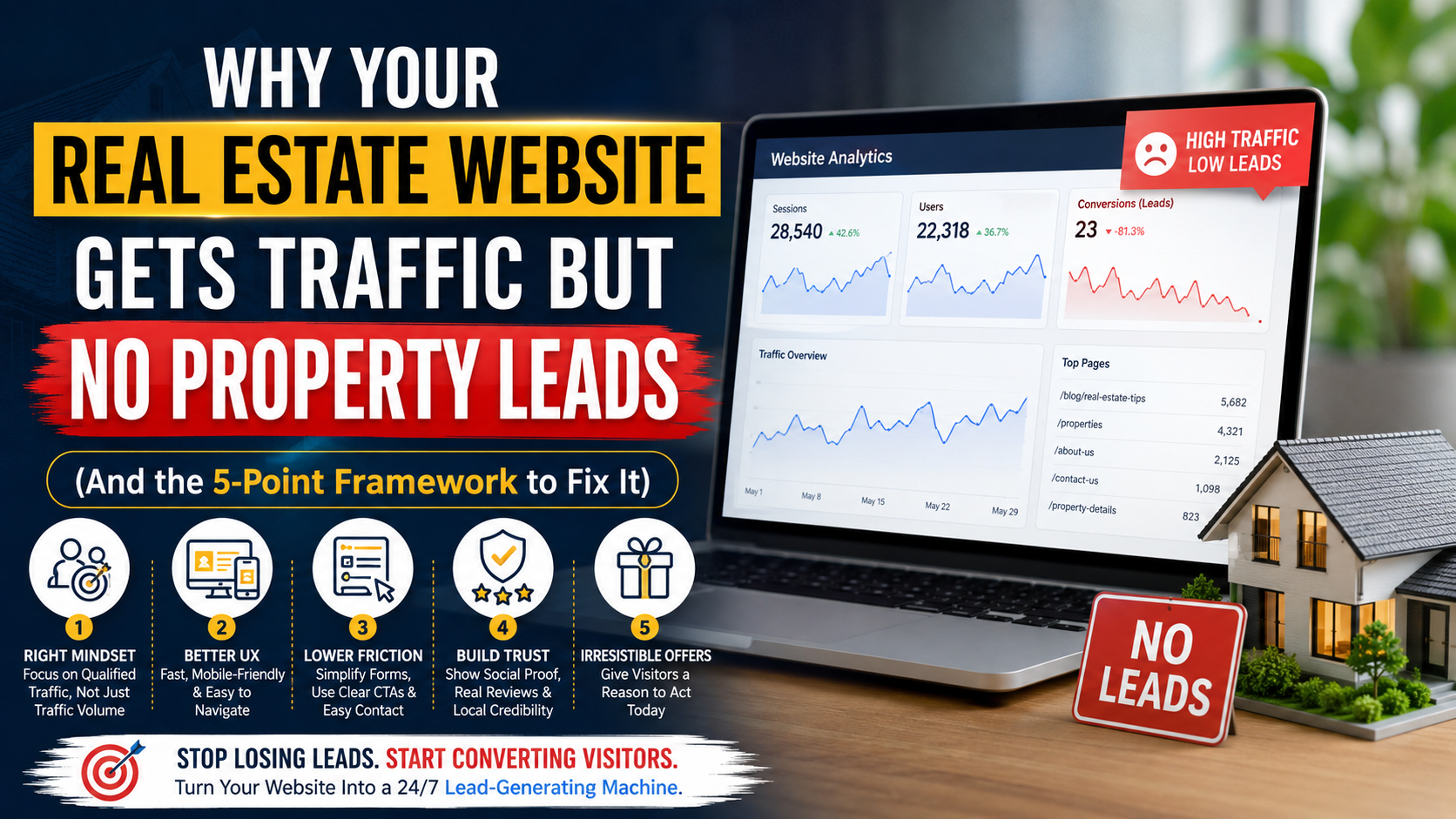
Your analytics dashboard looks great. Sessions are up 40% quarter-over-quarter. Organic traffic is climbing. Your SEO agency just sent you a screenshot celebrating a first-page ranking for your city’s most competitive keyword.
And yet — your phone isn’t ringing. Your inbox isn’t filling up with qualified buyer or seller inquiries. Your sales team keeps asking why marketing “keeps sending nothing.” You check Google Analytics again, half-expecting the numbers to explain themselves. They don’t.
This is one of the most common — and most expensive — problems in real estate marketing today. Thousands of agents, brokers, and developers are pouring money into SEO, paid ads, and content, only to watch that traffic evaporate the moment it hits their website. You’re not failing at attracting visitors. You’re failing at converting them. And those are two completely different disciplines, requiring two completely different skill sets.
Here’s the uncomfortable truth: traffic without leads isn’t a marketing win — it’s a leaking bucket. Every visitor who lands on your site, browses a listing, and leaves without acting is a wasted ad dollar, a wasted SEO effort, and — worse — a lead your competitor down the street just picked up instead. In a market where the average buyer visits 5-8 property websites before making contact with even one agent, every point of friction on your site is a point where you silently hand that buyer to someone else.
The good news is that this is fixable — and usually without touching your marketing budget at all. The fix isn’t more traffic. It’s a website that’s engineered, page by page, to convert the traffic you already have.
In this guide, we’re going to break down the five real reasons high-traffic real estate websites fail to generate leads, using specific, real-world examples from property websites — not generic “make your website pretty” advice. For every problem, you’ll get a step-by-step fix you can implement this week. Let’s start with the mindset shift that changes everything else.
1. The Real Problem Isn’t Traffic — It’s the Wrong Mindset About Traffic
Most agents and brokers chase a single vanity metric: monthly visitors. It feels good to watch that number climb. But visitor count, on its own, tells you almost nothing about revenue potential — and treating it as your primary KPI is often the very first mistake that sets up everything else on this list.
Vanity Metrics vs. Revenue Metrics
Consider two real scenarios that play out on real estate websites every single day:
Scenario A: A blog post titled “History of Victorian Architecture in [City]” ranks on page one and brings in 3,000 visitors a month. It produces zero leads, because none of those visitors are actively buying or selling property — they’re architecture enthusiasts, students, or people who stumbled in from an image search.
Scenario B: A landing page for “3 BHK Flats for Sale in [Specific Neighborhood]” gets only 200 visitors a month. It produces 15 qualified leads and two closed deals.
If you’re only looking at total traffic, Scenario A looks like the bigger win. In reality, Scenario B is worth ten times more to your business. Traffic is a vanity metric. Conversion rate on buyer-intent pages is the metric that pays your commission.
This distinction matters because most agencies — and most in-house marketing teams — are still rewarded and evaluated on traffic growth. That incentive quietly pushes content strategy toward whatever ranks easiest, rather than whatever converts best. Over time, your site fills up with pages that are great for ego and terrible for pipeline.
The Real Estate Buyer Funnel Most Websites Ignore
Every visitor to your site sits somewhere in a three-stage journey:
- Awareness stage — “I’m thinking about buying/selling someday.” They’re reading general guides, checking market trends, browsing casually.
- Consideration stage — “I’m actively comparing neighborhoods, price points, and agents.” They’re using filters, comparing listings, checking EMI calculators.
- Decision stage — “I’m ready to view a property or talk to an agent.” They’re searching specific addresses, checking availability, filling forms.
Most real estate websites are built almost entirely for the decision stage — a homepage, a listings page, and a contact form — with nothing built for the awareness and consideration stages in between. That’s like a salesperson who only speaks to customers already holding a signed check, and ignores everyone still deciding what to buy. You need content and conversion paths for all three stages, or you lose the 80-90% of visitors who aren’t at the finish line yet.
What “Qualified” Traffic Actually Looks Like in Real Estate
Qualified real estate traffic has three defining characteristics:
- Geographic intent — They searched for a specific city, neighborhood, or micro-market you actually serve. A visitor searching “apartments in [neighborhood you don’t cover]” will never convert, no matter how good your site is.
- Transactional intent — The keyword or query implies buying, renting, selling, or investing (“for sale,””for rent,””property value,””flats near [landmark],””resale flats in [area]”).
- Timeline signals — They’re engaging with tools like EMI calculators, valuation estimators, or “ready to move” filters — actions that only genuinely interested buyers take. A visitor who filters by possession date and budget range is exponentially more valuable than one who just scrolls the homepage.
How to Calculate Your True Cost Per Qualified Lead
Most agencies calculate cost-per-lead by dividing total ad/SEO spend by total form submissions. That number is almost always misleadingly low, because it includes junk leads — students researching, competitors snooping, and bots. Instead:
- Pull your last 90 days of leads from your CRM.
- Manually tag each one as “qualified” (real budget, real timeline, real location match) or “unqualified.”
- Divide your total marketing spend by the qualified-lead count only.
Most agents are shocked the first time they run this — the “cheap” lead-gen channel they’ve been bragging about often turns out to be the most expensive one once you strip out the noise.
Quick Fix: Audit Your Traffic by Intent, Not Volume
- Open Google Analytics 4 and segment your top 20 landing pages by traffic volume.
- Cross-reference each page against its lead form submissions or call-tracking data, not just pageviews.
- Kill or de-prioritize content that drives volume but zero conversions. Reinvest that content effort into location + property-type landing pages instead (“2 BHK Flats for Sale in [Neighborhood]” beats “History of Architecture” every time).
- Set up conversion tracking on every listing page individually, not just your homepage contact form — most agents only track the one form nobody actually uses.
- Build at least one dedicated page or content asset for each stage of the funnel (awareness, consideration, decision) instead of funneling everyone straight to “Contact Us.”
2. Your Website’s UI/UX Is Quietly Chasing Buyers Away
You can have the best listings in the city, but if the experience of viewing them frustrates a buyer for even ten seconds, they will leave and call the next agent whose site “just works.” Real estate buyers have almost zero patience for friction — they’re comparing you against 5-10 other listings in open tabs, and any hesitation costs you the click.
Poor Mobile Optimization
Over 70% of real estate searches now happen on mobile — often while a buyer is standing outside the very property they’re considering, checking your listing against what they’re seeing in front of them. If your image gallery doesn’t swipe cleanly, if your “Schedule a Viewing” button is buried three scrolls down, or if pinch-to-zoom on floor plans doesn’t work, you’re losing the buyer at the exact moment of highest intent — literally standing in front of the property, ready to act.
Common mobile failures on real estate sites specifically:
- Property image galleries that don’t support swipe gestures, forcing tiny “next” arrows
- Floor plan images that can’t be pinch-zoomed, so critical dimensions are unreadable
- Sticky headers that eat up 25% of the mobile screen, pushing content below the fold
- Forms where the “submit” button is cut off by the mobile keyboard
Quick fix: Open your top 5 listing pages on an actual phone — not just Chrome DevTools’ mobile simulator, which misses real-world rendering issues. Time how long it takes to find the “Book a Viewing” button without scrolling more than once. If it takes more than 3 seconds, redesign that page. Test the image gallery with actual swipe gestures, not clicks.
Slow Loading Speed Kills Listings
Real estate listings are image-heavy by nature — high-resolution photos, floor plans, sometimes embedded video tours. That’s not an excuse for a 6-second load time. Google’s own research shows bounce probability increases sharply as load time crosses the 3-second mark, and property buyers are especially impatient because they’re usually comparing multiple listings back-to-back in different browser tabs. A slow listing page doesn’t just lose the visitor — it loses them to a specific competitor they were about to compare you against.
Quick fix:
- Compress every listing image to WebP format before upload — most CMS plugins do this automatically now, and it can cut file size by 30-50% with no visible quality loss.
- Lazy-load image galleries below the first photo, so the browser isn’t loading 20 images the visitor may never scroll to.
- Move your virtual tour or video embed to load on click, not automatically on page load — embedded video players are one of the single heaviest assets on a listing page.
- Run your top 10 listing URLs through PageSpeed Insights this week — not your homepage. Your homepage speed rarely matters; your listing page speed is where deals are won or lost.
- If you’re on a shared hosting plan and managing more than 50 active listings, consider a dedicated real estate CMS or a CDN — the incremental cost is almost always smaller than the leads you’re losing.
Confusing Navigation & Information Architecture
If a buyer has to think, even for a moment, about where to click next, you’ve already lost momentum. Real estate buyers browse in a very specific mental sequence — location, then budget, then property type, then specifics — and your navigation needs to mirror that sequence or you create friction at every step.
Common real estate navigation failures:
- No visible filter for budget range, BHK/bedroom count, and possession status above the fold on the homepage
- Listings buried three clicks deep (Home → Properties → City → Neighborhood → Listing) instead of directly accessible
- No breadcrumb trail, so buyers can’t backtrack to compare listings without losing their place and starting the search over
- Separate, disconnected pages for “Buy,””Rent,” and “New Projects” with no unified search, forcing the buyer to guess which section their need falls under
Quick fix: Put your property search filter directly in the hero section of your homepage — not tucked away on a separate “Search” page the visitor has to find first. Every extra click costs you an estimated 10-20% of your remaining visitors at that step. Add a persistent breadcrumb trail on every listing and category page.
Broken or Non-Interactive Property Search Filters
This one is subtle but devastating: many real estate websites have search filters that look functional but behave poorly under real use — multi-select filters that reset when you change one field, “Apply” buttons that reload the entire page instead of updating results instantly, or map-based search that doesn’t sync with the list view.
Quick fix: Test your own filters the way a frustrated buyer would — select multiple filters in a row, change your mind halfway through, and see if the system holds your previous selections. If changing one filter wipes out the others, that’s a direct developer fix, and it’s likely costing you far more leads than any content or copywriting issue on the page.
3. Friction in Lead Capture Is Costing You Serious Money
This is where most real estate sites bleed the most leads — because the damage is almost invisible in standard analytics. Visitors show up, they get interested, they scroll the listing, they even hover over the contact form — and then the form itself talks them out of converting. You’ll never see this in a bounce-rate report; you’ll only see it as a gap between “engaged sessions” and “form submissions.”
The 10-Field Form Problem
Asking for name, email, phone, budget, preferred location, timeline, financing status, current address, and “how did you hear about us” on a single property inquiry form is a conversion killer. Buyers browsing at 11pm on their phone, three drinks of tea deep into comparing listings, are simply not filling that out. Every additional field is another decision point where they can abandon.
Quick fix: Instead of a 10-field contact form on a property listing page, use a 3-field instant viewing scheduler — name, phone number, and preferred date/time. That’s it. Save the qualifying questions (budget, financing status, timeline) for a follow-up call, WhatsApp message, or a second-step form that only appears after the first micro-commitment is made. This “progressive profiling” approach can double or triple form completion rates on listing pages, because you’re asking for a small yes before the bigger one.
Weak or Missing CTAs
“Contact Us” is not a call to action — it’s a dead end that requires the visitor to do all the mental work of figuring out why they should click it. It gives them no reason to act right now, on this specific listing, at this specific moment.
Compare these pairs directly:
- ❌ “Contact Us” → ✅ “Check Availability for This Unit”
- ❌ “Submit” → ✅ “Get Instant Price Estimate”
- ❌ “Learn More” → ✅ “See Floor Plans & Pricing”
- ❌ “Send Message” → ✅ “Book a Free Site Visit This Weekend”
Every version on the right creates urgency and specificity tied directly to what the buyer is already looking at, on the exact page they’re already on. Generic CTAs work everywhere and therefore work nowhere.
Quick fix: Rewrite every CTA button on your site so it references the specific action the visitor gets, not a generic verb. Every listing page needs at least two CTAs: one high-intent option (“Schedule a Viewing”) for buyers ready to act, and one low-intent option (“Download Floor Plan” or “Get Price Alert”) for visitors who aren’t ready to talk to a human yet but don’t want to lose the listing either.
Hidden Contact Info
If a buyer has to hunt for your phone number, they will assume — correctly, in most cases — that you’re hard to reach, and they’ll move to the next listing rather than dig through your footer. Many real estate sites bury phone numbers in a footer, or worse, make the only way to contact them a form buried behind a “Contact Us” link.
Quick fix: Add a click-to-call phone number directly in the header on every single page, not just the contact page. Add a sticky “WhatsApp / Call Now” bar on mobile that stays visible while the visitor scrolls listing photos. In markets like India, the Middle East, and much of Southeast Asia, WhatsApp inquiry buttons routinely outperform email contact forms by a margin of 3-to-1 — buyers trust the immediacy of a chat app far more than a form that disappears into a CRM they can’t see.
No Multi-Channel Contact Options
Different buyers have different comfort levels with different contact methods. A 28-year-old first-time buyer may strongly prefer WhatsApp or live chat over a phone call. An older seller researching a valuation may prefer email. If your site only offers one contact method, you’re filtering out everyone who doesn’t prefer that specific channel — silently, with no way to measure how many you’ve lost.
Quick fix: Offer at minimum three contact paths on every listing page: click-to-call, WhatsApp/chat, and a short form. Track which channel each lead comes from in your CRM — this data alone often reveals that your “best performing” channel was simply the only one visitors could easily find.
4. Content & Trust Gaps That Make Buyers Bounce
Property is one of the highest-stakes purchases a person will ever make — often the single largest financial decision of their life. If your site doesn’t actively build trust at every step, buyers won’t take the risk of engaging further, no matter how strong your traffic numbers look on paper.
No Local Social Proof
A generic “5-star rated agency” badge or a rotating carousel of unnamed five-star reviews means almost nothing to a skeptical buyer — it’s the same badge every agency on the internet uses. What actually converts is hyper-local, specific proof: “Sold 12 properties in [specific neighborhood] in the last 90 days,” or a client testimonial that names the exact building, society, or street.
Specificity is what separates believable proof from marketing noise. “Great service, highly recommend!” convinces no one. “Helped us close on a 3BHK in [Society Name] within 3 weeks of listing, at 4% above our asking price” convinces a seller reading it who lives two streets away.
Quick fix: Replace generic testimonial widgets with neighborhood-tagged success stories — include the locality name, the property type, the rough timeline, and (with the client’s permission) a photo from the actual handover or key ceremony. This is far more persuasive to a local buyer than any star rating, because it answers the buyer’s real unspoken question: “Do you actually know my area, or am I just another lead in your funnel?”
Outdated Listings
Nothing kills trust faster than a buyer inquiring about a property that sold four months ago. It signals that your entire site is unmaintained — and buyers reasonably assume your other listings, prices, and information are equally stale. Worse, it wastes the buyer’s time and your team’s time on an inquiry that was never going to close, damaging your response-time metrics and your reputation in the same move.
Quick fix: Set a hard internal rule — no listing stays live more than 7 days past its actual status change. If you’re managing more than 20 active listings, automate a weekly (or ideally daily) CRM-to-website sync, since manual updates are almost always where this breaks down. Add a visible “Last updated” date on every listing page — it costs you nothing when accurate, and it builds meaningful trust with buyers who’ve been burned by stale listings elsewhere.
Generic Stock Photography
Stock photography of a smiling family in a kitchen that clearly isn’t the property being sold reads as fake to today’s buyers within about two seconds — and it undermines every other trust signal on the page, even ones that are completely genuine. Once a visitor notices one fake element, they start questioning everything else on the site.
Quick fix: Replace stock imagery with real, well-lit photos of the actual unit — even a smartphone photo with good natural lighting outperforms a polished stock image for buyer trust. Add a short vertical video walkthrough shot on a basic phone gimbal; buyers consistently trust imperfect-but-real footage over polished-but-generic stock photos, especially for mid-market and resale properties where buyers are already primed to be skeptical of “too good to be true” marketing.
Missing Agent and Team Credibility Signals
Buyers aren’t just evaluating the property — they’re evaluating you, the person or team they’ll be trusting with one of the largest transactions of their life. A site with no agent bios, no photos of the actual team, no license or certification information, and no direct contact details for the person handling the deal feels anonymous and, by extension, riskier.
Quick fix: Add a real photo, a short bio, years of experience, and specific neighborhood specialization for every agent featured on the site. If you’re a broker or agency owner, tag which agent is responsible for which listing — buyers convert better when they can picture exactly who they’ll be speaking with, rather than a faceless “Contact Us” form that could route anywhere.
5. Your Offer Isn’t Giving Anyone a Reason to Convert
Even with a fast site, a clean form, and strong trust signals, many real estate websites still fail because they only ever ask visitors for one thing: to talk to an agent immediately. That’s an enormous commitment to ask of someone still in the early research phase of what might be a months-long decision — and most of your website visitors simply aren’t ready for it yet.
The “Contact Us” Trap
Roughly 90% of your traffic is not ready to book a call today. They’re comparing options, checking prices, benchmarking neighborhoods against each other, or just starting to explore what’s even available in their budget. If “talk to an agent” is the only offer anywhere on your site, you’re effectively asking every single visitor to skip five steps of their buying journey at once — and the overwhelming majority will simply leave rather than commit to a phone call with a stranger.
This is the single most underdiagnosed reason high-traffic real estate sites underperform. The traffic isn’t the problem. The site’s insistence on a single, high-commitment conversion path is.
Lead Magnets That Actually Work in Real Estate
Give lower-intent visitors a smaller, lower-risk way to raise their hand before they’re ready for a phone call:
- Free instant home valuation tool — sellers researching “what’s my property worth” convert at exceptionally high rates when they can get a ballpark estimate without committing to a phone call first. This is often the single highest-converting asset a real estate site can build, because it answers the seller’s very first question with zero friction.
- Hyper-local market reports — a downloadable PDF titled “[Neighborhood] Property Price Trends 2026” positions you as the local expert and captures emails from serious researchers who aren’t ready to talk yet but will remember who gave them real data.
- Exclusive buyer guides — “First-Time Homebuyer’s Guide to [City]” or “Investment Property Checklist for [Region]” captures top-of-funnel leads you can nurture over weeks or months through email, rather than losing them entirely after one visit.
- EMI / affordability calculators — buyers who use these tools are effectively self-qualifying their own budget in real time. Capture their email to send the results, and you’ve turned an anonymous visitor into a named lead with a known budget range — without ever asking them to talk to anyone.
- New project alerts / price-drop notifications — for buyers not ready to act today, a simple “notify me” opt-in keeps you in their inbox for the months it takes them to actually decide, instead of losing them the moment they close the tab.
Mapping Offers to the Buyer’s Actual Stage
Not every visitor should see the same offer. A first-time visitor browsing casually should see a low-commitment option (market report, price alert). A returning visitor who has already viewed the same listing three times should see a high-commitment option (schedule a viewing) front and center, because their behavior signals they’re much closer to a decision.
Quick fix: Build at least one mid-funnel lead magnet this month — a free valuation tool or a downloadable market report typically outperforms a plain contact form by 4-to-1 for capturing early-stage leads. Every email you capture through a lead magnet becomes a nurture-able asset you can market to for months, not just a single bounced session you’ll never see again. If your CMS supports it, show returning visitors a higher-intent CTA than first-time visitors — even a simple “Welcome back — ready to schedule a viewing?” banner can meaningfully lift conversions.
The 20-Minute Website Audit You Can Do Today
Before you touch a single line of code or brief a developer, run this checklist against your own site — it takes about 20 minutes and will tell you exactly where to focus first.
Speed & Mobile
- Open your top 3 listing pages on your actual phone. Can you find “Schedule a Viewing” in under 3 seconds without scrolling more than once?
- Time your load speed on PageSpeed Insights for a real listing page — not your homepage.
- Test your image gallery with real swipe gestures on mobile, not mouse clicks on desktop.
Navigation & Search
- Try your own property filters. Select budget, location, and property type together — do all three hold, or does changing one reset the others?
- Count the clicks from your homepage to an actual listing. More than two is too many.
Lead Capture
- Count the fields on your primary lead form. If it’s more than 4, cut it down to a 3-field instant scheduler.
- Check your CTAs. Do any of them still say “Submit” or “Contact Us”? Rewrite them to reference the specific action.
- Search for your phone number. Is it visible without scrolling, on both desktop and mobile, in the header?
- Check how many contact channels you offer. If it’s only a form, add click-to-call and WhatsApp.
Trust & Content
- Check your 5 most recent listings. Are any of them already sold or rented? If yes, that’s an immediate fix.
- Look for stock photos. Replace anything that isn’t a real photo of your actual inventory or team.
- Check your testimonials. Are they generic (“Great service!”) or specific (named neighborhood, property type, outcome)?
Offer & Funnel
- Count your lead magnets. If “talk to an agent” is your only offer, you’re leaving every mid-funnel visitor on the table.
- Check whether your content matches all three funnel stages — awareness, consideration, and decision — or only the last one.
Final Takeaway
High traffic feels like success, but it’s only the top of the funnel — the easiest part of the entire process to fake with vanity metrics. The agents and agencies winning right now aren’t necessarily getting more visitors than you. They’re converting a higher percentage of the same buyer pool by systematically removing friction, building genuine local trust, and giving visitors a low-risk way to engage before they’re ready to pick up the phone.
Every day you leave these gaps unfixed is another day your hard-won traffic is quietly funding your competitor’s pipeline instead of yours. The buyer who bounced off your slow-loading listing page today is, in all likelihood, filling out a 3-field form on a competitor’s site within the hour.
Don’t let another month of ad spend and SEO effort go to waste on a website that isn’t built to convert. Audit your website today using the checklist above, section by section, starting with mobile speed and your primary lead form — those two alone typically account for the largest share of lost leads. Or download our full Real Estate Lead Generation Checklist for a complete, step-by-step system to turn your existing traffic into booked viewings and closed deals.
FAQs
Why is my real estate website getting traffic but no leads?
Your real estate website may be attracting visitors who are not actively looking to buy, sell, rent, or invest, making traffic quality more important than traffic volume. Poor mobile UX, slow pages, weak CTAs, outdated listings, complicated forms, and limited trust signals can also stop qualified visitors from converting. Review your traffic sources, landing pages, property-page engagement, CTA clicks, and form abandonment to identify the bottleneck. The goal is to turn qualified traffic into enquiries, not simply generate more visits.
How can I convert more real estate website visitors into leads?
Start by matching every landing page to the visitor’s intent and giving them one obvious next step. Use stronger CTAs such as “Book a Property Viewing,” “Get a Free Property Valuation,” or “Request Property Details” instead of generic buttons like “Submit” or “Contact Us.” Simplify lead forms, improve mobile usability, add genuine reviews and local proof, and offer useful resources such as buyer guides or market reports. A clear value proposition combined with low-friction conversion paths can turn more existing visitors into qualified leads.
Why are people visiting my property listings but not contacting me?
Visitors may be interested in the property but encounter friction before they are ready to enquire. Common problems include outdated availability, poor photography, insufficient property information, slow-loading galleries, unclear pricing, weak CTAs, and long enquiry forms. Make each listing answer important buyer questions and place visible actions such as “Book a Viewing” and “Request More Information” near key decision points. The easier it is to understand and act on a property, the greater the opportunity for conversion.
What are the biggest reasons real estate websites fail to generate leads?
The biggest problems are usually unqualified traffic, poor mobile experience, slow page speed, weak CTAs, complicated forms, outdated listings, insufficient trust, and poorly aligned offers. Many agencies also create content for search traffic without connecting it to buyer or seller conversion journeys. A high-performing website should guide visitors from relevant search intent to useful property information and then to a clear action. Lead generation improves when every stage of that journey removes friction and builds confidence.
How can I improve the conversion rate of my real estate website?
Improve conversion rates by first identifying where visitors abandon the journey, then fix the highest-impact problems rather than redesigning everything at once. Simplify forms, strengthen CTAs, improve mobile performance, optimise property pages, add authentic testimonials, keep listings current, and introduce valuable offers such as free valuations or market reports. Track CTA clicks, form starts, form completions, calls, viewing requests, and qualified leads instead of measuring traffic alone. Continuous testing and funnel analysis are the foundation of sustainable real estate conversion optimisation.
Do outdated property listings affect website conversions?
Yes, outdated property listings can significantly damage trust and reduce conversions because buyers expect online property information to be accurate and current. If someone enquires about a property that has already sold, been rented, or become unavailable, they may question the reliability of the entire agency. Keep availability, pricing, photographs, descriptions, and property status updated, and redirect visitors from unavailable listings toward relevant alternatives. Fresh listings create confidence while stale inventory creates unnecessary conversion friction.
How does social proof help real estate websites generate more leads?
Social proof reduces uncertainty by showing prospective buyers and sellers that other people have successfully worked with your agency. Genuine reviews, testimonials, recent sales, case studies, local market results, agent profiles, and relevant credentials can strengthen trust at critical conversion points. Place specific proof near CTAs, valuation forms, and property enquiries rather than hiding everything on a separate testimonials page. The more credible evidence you provide at the moment of decision, the easier it becomes for prospects to take the next step.
Should real estate websites use client testimonials and reviews?
Yes, genuine client testimonials and reviews can be powerful trust signals for real estate websites, particularly when they provide specific details about the experience. Instead of generic statements such as “Great service,” highlight authentic feedback describing the property type, location, challenge, and outcome where appropriate. Reviews should be presented transparently and never fabricated or misleading. Specific, credible customer experiences help prospective buyers and sellers feel more confident about contacting your agency.
What are the best lead magnets for real estate agents and brokers?
The best real estate lead magnets solve an immediate problem for a specific audience rather than offering generic information. Effective examples include free property valuations, local market reports, first-time buyer guides, seller checklists, investment property reports, viewing checklists, and home-selling guides. Match the offer to the visitor’s intent—for example, show a valuation offer to potential sellers and a buyer guide to first-time purchasers. A relevant lead magnet gives visitors a genuine reason to exchange their contact information for useful information or assistance.
Why is my real estate SEO generating traffic but not enquiries?
Your SEO may be targeting high-volume informational keywords that generate visitors without attracting people who are ready to take a real estate action. Ranking for broad searches such as “property market” can produce substantial traffic, while location-specific terms such as “homes for sale in NY” or “property valuation in NY” may generate fewer but more commercially valuable visitors. Connect informational content to relevant property, location, valuation, and contact pages with strong internal links and CTAs. Effective real estate SEO should optimise for qualified search intent and business outcomes, not rankings and traffic alone.