Quick Answer
Shopify SEO in 2026 means fixing platform-specific duplicate content and crawl issues, building keyword-mapped collection pages, writing unique product copy, implementing Product and Organization schema, hitting Core Web Vitals targets, and creating buyer-question content that AI Overviews can cite. Stores that do all six typically see organic traffic and revenue compound within 6-12 months, since organic search remains the single largest ecommerce traffic channel in the U.S.
Key Takeaways
- Organic search drives roughly 43% of all U.S. ecommerce traffic and converts at about 2.8%, well above social media and most paid channels.
- Shopify handles baseline technical SEO (SSL, sitemaps, mobile responsiveness), but duplicate content from tags, filters, and pagination is a Shopify-specific problem store owners must fix manually.
- Collection pages, not just product pages, should anchor your keyword strategy because they capture higher-volume commercial searches and pass link equity to every product beneath them.
- Product structured data, Organization entity schema, and fast Core Web Vitals scores are now prerequisites for both classic rankings and AI Overview citations.
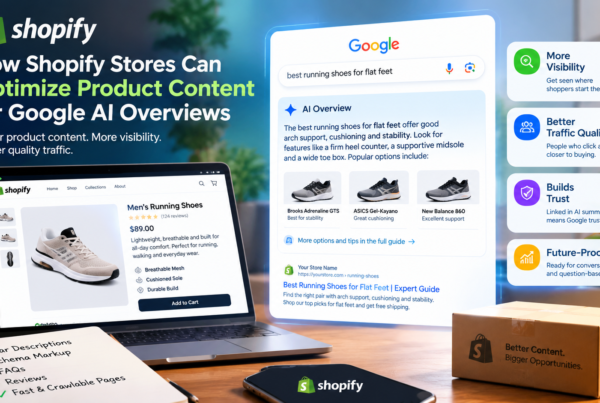
- AI Overviews already appear on a large share of shopping searches, and while they reduce click-through rates broadly, brands that earn a citation see meaningfully more organic clicks.

Why Shopify SEO Works Differently
Shopify gives every store a strong starting point: automatic SSL, an XML sitemap, mobile-responsive themes, and clean core code. That is why so many merchants assume SEO “just works” once they launch. It doesn’t. Shopify’s own URL and tagging system creates duplicate and near-duplicate pages by default — the same product often lives at a /products/ URL and again inside multiple /collections/ filter combinations. Search engines see this as thin, repetitive content unless you actively manage it.
That gap between Shopify’s technical baseline and a genuinely competitive search presence is exactly where these 25 strategies operate. Each one is grouped by the stage of the funnel it affects: technical foundation, architecture, on-page optimization, structured data, content authority, and AI-era visibility.
Technical Foundation
1. Eliminate Duplicate Content from Tags and Filters
Direct answer: Shopify’s filtering and tagging system generates multiple URLs for the same product set, so you need canonical tags pointing every filtered or paginated variation back to the primary collection URL.
Shopify auto-canonicalizes many paginated pages, but filtered navigation (color, size, price-range parameters) frequently creates indexable duplicates that dilute ranking signals. Store owners should audit filter URLs in Google Search Console’s Page Indexing report and confirm a self-referencing or parent canonical tag exists on every variant.
- Check Search Console’s “Duplicate, Google chose different canonical” report monthly
- Use rel=canonical on filtered collection URLs pointing to the clean collection page
- Avoid indexing internal search results pages (/search?q=)
2. Use Short, Keyword-Rich URLs
Direct answer: Keep Shopify product and collection URLs short, descriptive, and free of stop words, since Shopify lets you edit the URL handle independently of the page title.
A URL like /products/vitamin-c-serum-sensitive-skin communicates topic and intent instantly to both users and crawlers, compared to a default numeric handle. Edit the URL handle at product creation — Shopify does not auto-redirect old handles if you change them later without setting up a manual redirect, so lock in your URL strategy early.
3. Maintain and Resubmit Your XML Sitemap
Direct answer: Shopify auto-generates sitemap.xml, but you still need to submit it in Google Search Console and monitor it for orphaned or deindexed pages as your catalog changes.
- Submit yourdomain.com/sitemap.xml in Search Console under Sitemaps
- Watch the “Discovered, not indexed” and “Crawled, not indexed” reports for product pages Google is skipping
- Remove discontinued products with 301 redirects rather than leaving 404s, which waste crawl budget
4. Pass Core Web Vitals on Mobile
Direct answer: Page speed is a confirmed ranking input and a direct conversion driver, so Shopify stores should target passing Largest Contentful Paint, Interaction to Next Paint, and Cumulative Layout Shift on real mobile devices, not just desktop previews.
Slow themes and heavy apps are the most common cause of Shopify stores failing Core Web Vitals. Compress images to WebP, lazy-load below-the-fold content, and audit installed apps quarterly — every third-party script adds render-blocking weight. Stores that load in around one second convert at multiples of the rate of slower competitors, and pages loading above three seconds bounce substantially more than pages under two seconds.
Important note: Run PageSpeed Insights against a real product page, not the homepage. Product pages carry more images, reviews widgets, and app scripts, and are usually the slowest template on the site.
5. Control Faceted Navigation Crawl Budget
Direct answer: Left unmanaged, Shopify’s filter combinations (size × color × price) can consume a large share of crawl budget on parameter URLs that will never rank, starving your actual money pages of crawl attention.
Use the robots.txt file to disallow low-value parameter patterns, and rely on canonical tags rather than noindex for pages you still want to count as ranking signals feeding into the parent collection.
6. Confirm Mobile Parity
Direct answer: Google indexes the mobile version of your store first, so every internal link, structured data block, and piece of primary content visible on desktop must also render on mobile.
Test this manually: open a product page on a phone and confirm reviews, related products, and schema markup all load — some Shopify apps hide secondary content behind mobile accordions in a way that strips it from the rendered mobile DOM entirely.
Site Architecture
7. Build Collection Pages Around Commercial Keywords
Direct answer: Target high-volume, commercial-intent keywords like “women’s running shoes” at the collection-page level, and reserve long-tail, product-specific queries for individual product pages.
Collection pages benefit from Shopify’s URL structure (/collections/category-name) because every product inside the collection links back up to it, concentrating internal link equity. Most merchants over-invest in product-page copy and under-invest in collection-page copy — reversing that focus is one of the highest-leverage changes available.
- Write 150-300 words of unique intro copy per collection page above the product grid
- Map one primary keyword per collection; avoid two collections competing for the same term
- Add a short FAQ block at the bottom of high-traffic collections
8. Build Strategic Internal Links
Direct answer: Link from blog content and collection pages down to relevant products, and from product pages sideways to related products, since a large share of ecommerce sites still have weak internal linking despite it being one of the cheapest ranking levers available.
A majority of Shopify stores under-link their own catalog. Add contextual links inside product descriptions and buying-guide content rather than relying only on automated “related products” carousels, which crawlers weight less heavily than editorial links.
9. Add Breadcrumb Navigation and Markup
Direct answer: Breadcrumbs improve both user navigation and search appearance, and BreadcrumbList structured data is one of the ecommerce-specific schema types Google explicitly documents.
Most Shopify themes support breadcrumbs natively or through a simple theme-code addition. Confirm the breadcrumb trail matches your actual collection hierarchy — mismatched breadcrumbs confuse both users and crawlers about your site structure.
Product & Collection Page Optimization
10. Write Unique Product Descriptions
Direct answer: Never publish manufacturer-supplied product copy as-is; rewrite it to reflect your own testing, sizing notes, and use cases, since duplicate manufacturer descriptions are one of the most common reasons Shopify product pages fail to rank at all.
Example: A skincare brand selling a vitamin C serum can replace generic “brightens skin” copy with a specific note on how the formula performs on sensitive skin, what percentage concentration it uses, and how it compares to the brand’s other serums.
11. Optimize Titles and Meta Descriptions at Scale
Direct answer: Write unique title tags (under 60 characters) and meta descriptions (150-160 characters) for every product and collection page rather than relying on Shopify’s auto-generated versions, which often just repeat the product name.
- Front-load the primary keyword in the title tag
- Include a differentiator in the meta description (free shipping threshold, certification, guarantee)
- Avoid duplicate meta descriptions across product variants
12. Optimize Images for SEO
Direct answer: Rename image files descriptively before upload, compress them below 200KB where possible, and write specific alt text describing the product, not just its name.
- File name: mens-waterproof-hiking-boots-side-view.jpg, not IMG_2043.jpg
- Alt text: “Men’s brown waterproof hiking boots, side profile showing tread pattern”
- Use Shopify’s built-in image compression or an app, and serve WebP where the theme supports it
13. Surface Customer Reviews and UGC
Direct answer: Reviews build the Experience and Trustworthiness components of E-E-A-T and feed Review structured data that can unlock star ratings in search results.
Displaying verified customer photos and detailed reviews signals real-world product experience to both shoppers and search engines. Respond to negative reviews publicly — this demonstrates ongoing trustworthiness rather than curated positivity.
14. Optimize Product Variant Pages
Direct answer: Use ProductGroup and variant structured data so Google understands that a red and a blue version of the same shirt are variations of one parent product, rather than treating them as duplicate content.
This prevents variant pages from cannibalizing each other in search results and consolidates ranking signals onto the strongest variant while still letting shoppers land on the specific color or size they searched for.
Structured Data & Schema
15. Implement Complete Product Schema
Direct answer: Add JSON-LD Product structured data including name, image, offers (price, currency, availability), and aggregate rating to every product page, since incomplete schema removes a page from consideration for shopping-related rich results and AI Overview citations entirely.
Google’s own documentation recommends nesting merchant return policy and loyalty program information under Organization markup as well, since shoppers at different research stages look for more than just price. Pages with schema markup see meaningfully higher click-through rates than pages without it, and rich results outperform plain listings by a wide margin.
16. Add Entity Schema for Knowledge Graph and AI Citation
Direct answer: Implement Organization schema with sameAs links to your verified social profiles, Wikidata, and other authoritative identifiers so search engines and AI systems can confidently resolve who your brand is.
This is a newer, high-leverage tactic: sites with clean entity disambiguation schema are cited more often by AI-generated answers because the underlying system can confirm the source’s identity rather than guessing. For a Shopify store, this means linking Organization schema to your Google Business Profile, verified social accounts, and any press mentions.
Content & Topical Authority
17. Build a Blog Around Buyer Questions
Direct answer: Publish content answering the real questions shoppers ask before, during, and after purchase — sizing, care instructions, comparisons, troubleshooting — rather than generic brand news.
Example: A hiking boot retailer might publish “How to Break In Waterproof Hiking Boots Before a Multi-Day Trip,” which captures long-tail search traffic and gives you a natural place to link into relevant product and collection pages.
18. Publish Comparison and Buying-Guide Content
Direct answer: “X vs. Y” and “best X for [use case]” content captures Google’s People Also Ask box and comparison-shopping searches that product pages alone cannot rank for.
Comparison tables inside these guides also create additional featured-snippet opportunities, since Google frequently pulls table data directly into search result panels.
19. Earn Backlinks Through Original Data and Digital PR
Direct answer: Original research, founder stories, and sustainability initiatives are the assets journalists and industry bloggers actually want to cite — pitch these instead of generic guest posts.
Domain authority still correlates with ranking ability for competitive ecommerce terms, and a single feature in a relevant, high-authority publication can move that authority more than months of low-quality link building. Complementary-brand co-marketing and “best of” product roundups are two of the more accessible entry points for a smaller Shopify store.
20. Build Topic Clusters Around Core Categories
Direct answer: Group blog posts and guides under each major product category so internal links reinforce topical authority — every supporting article should link back to its parent collection page.
This clustering approach is also what most directly supports internal linking (Strategy 8) and collection-page keyword targeting (Strategy 7): the three tactics reinforce each other rather than operating independently.
AI Overview & Answer Engine Optimization
21. Write Direct-Answer Openers for Every Important Page
Direct answer: Lead important sections with a concise, self-contained answer (one to three sentences) before expanding into detail, since AI Overviews and featured snippets both favor content that answers the query immediately.
AI Overviews now appear on a substantial and fast-growing share of shopping-related searches. They tend to reduce overall click-through rates across the board, but brands that do earn a citation see a meaningful lift in the clicks they do receive — making citability worth actively pursuing rather than ignoring.
22. Optimize for Conversational and Voice Queries
Direct answer: Write FAQ content in natural, conversational phrasing (“How do I know what size to order?”) rather than keyword-fragment phrasing, since voice and AI-assistant queries are typically full questions.
23. Use FAQPage and HowTo Schema Where Genuinely Applicable
Direct answer: Mark up real FAQ and step-by-step content with the corresponding schema types to create additional snippet opportunities, but only where the content is genuinely structured that way — misapplied schema can suppress rich results rather than earn them.
Measurement & Continuous Improvement
24. Monitor Search Console Weekly, Not Quarterly
Direct answer: Check Search Console’s Performance, Page Indexing, and Core Web Vitals reports weekly to catch indexing drops or ranking losses while they’re still small and reversible.
- Track impressions and average position for your top 20 collection and product pages
- Watch for sudden indexing drops after theme or app updates
- Re-run keyword gap analysis quarterly as competitors publish new content
25. Treat Page Experience as an SEO Metric, Not Just a CRO Metric
Direct answer: Bounce rate and Core Web Vitals compliance directly affect both conversion rate and Google’s page-experience signals, so route CRO fixes (checkout friction, load time, mobile layout) through your SEO reporting too.
Ecommerce organic conversion rates drop sharply once bounce rate crosses a certain threshold on product and collection pages, which means CRO and SEO are measuring the same underlying problem from two different angles.
Shopify SEO Apps: Comparison Table
| Need | What to Look For | Built Into Shopify? |
| XML sitemap | Auto-generated, updates on publish | Yes |
| Canonical tags on core pages | Self-referencing by default | Yes (product/collection pages) |
| Canonical tags on filtered URLs | Requires manual or app-based handling | No |
| Image compression | WebP conversion, lazy loading | Partial (theme-dependent) |
| Product/Organization schema | JSON-LD generation and validation | No (theme or app required) |
| Broken link / redirect management | 404 detection, bulk 301s | No (native redirect tool is manual) |
| Core Web Vitals monitoring | Field data, not just lab data | No |
Pros and Cons of Shopify for SEO
Pros
- Fast, reliable hosting with automatic SSL and a clean default code base
- Native sitemap generation and mobile-responsive themes
- Large app ecosystem for schema, redirects, and speed optimization
Cons
- Default tagging and filtering can create duplicate content if unmanaged
- URL structure is semi-fixed (/products/, /collections/) and can’t be fully customized
- Heavier themes and stacked apps are a common cause of failed Core Web Vitals
Case Study: A Hypothetical Skincare Brand
Consider a fictional direct-to-consumer skincare brand, “Northfield Skin,” launching on Shopify with 40 SKUs. In its first year, the brand made three changes reflecting the strategies above: it rewrote all manufacturer-supplied product descriptions, restructured its five collection pages around commercial search terms with unique intro copy, and added complete Product and Organization schema across the catalog. Within two to three quarters, this kind of foundational work typically produces the compounding organic growth pattern seen across the broader Shopify ecosystem — modest early gains that accelerate as collection pages and supporting blog content mature and accumulate internal links and backlinks. This is illustrative, not a reported result, but it mirrors the sequencing recommended by ecommerce SEO practitioners: technical fixes first, architecture and schema second, content and authority-building third.
Step-by-Step: Submitting Your Shopify Store to Google
- Verify your domain in Google Search Console using the HTML tag or DNS method (Shopify supports both under Online Store > Preferences).
- Locate your sitemap at yourdomain.com/sitemap.xml.
- Submit the sitemap under Search Console > Sitemaps.
- Request indexing for your five to ten most important collection and product pages individually using the URL Inspection tool.
- Check back after 3-7 days in the Page Indexing report to confirm pages moved from “Discovered” to “Indexed.”
- Set a recurring monthly check of the Page Indexing and Core Web Vitals reports going forward.
Common Shopify SEO Mistakes to Avoid
- Publishing manufacturer product descriptions verbatim across dozens of SKUs
- Letting filtered navigation create thousands of thin, indexable duplicate URLs
- Changing a product’s URL handle without setting up a 301 redirect
- Installing five or more apps that each load their own JavaScript on every page
- Treating the blog as a marketing afterthought disconnected from product and collection pages
- Skipping schema markup validation after a theme update (schema often silently breaks)
- Ignoring mobile rendering differences between desktop and phone views
Expert Tips
- Audit before you build. Run a full crawl (Screaming Frog or Search Console) before writing new content — you likely already have indexing or duplicate-content issues suppressing pages you’ve already published.
- Prioritize collection pages over new products. A well-optimized collection page can outperform a dozen individually optimized product pages for commercial search volume.
- Re-validate schema after every theme change. Many Shopify theme updates silently strip or duplicate JSON-LD blocks.
- Write your FAQ sections as real questions customers actually ask, not keyword fragments — pull them directly from customer service tickets and reviews.
Frequently Asked Questions
Is Shopify good for SEO out of the box?
Shopify provides a strong technical baseline — SSL, sitemaps, mobile responsiveness — but does not solve duplicate content from filters and tags, unique copy, or schema markup automatically. Those require active setup.
How long does Shopify SEO take to show results?
Most stores see initial movement in three to six months and compounding gains after nine to twelve months, consistent with organic search’s broader pattern of delayed but durable returns compared to paid channels.
Should I optimize product pages or collection pages first?
Collection pages first. They typically target higher-volume commercial keywords and pass link equity down to every product inside them.
Does Shopify support canonical tags?
Yes, Shopify auto-generates canonical tags on primary product and collection pages, but filtered and parameter URLs often need manual or app-based canonical handling.
What schema markup does a Shopify product page need?
At minimum: Product schema with name, image, and offers (price, currency, availability). Adding aggregate rating and merchant return policy under Organization markup strengthens rich-result eligibility further.
Do Shopify apps slow down my site?
Yes, frequently. Every installed app can add render-blocking JavaScript. Audit installed apps quarterly and remove any not actively driving revenue or UX value.
How do I fix duplicate content on Shopify collection filters?
Use canonical tags pointing filtered URL variants back to the clean parent collection page, and disallow low-value parameter patterns in robots.txt.
Does blogging actually help a Shopify store rank?
Yes, when the blog answers real buyer questions and links contextually into collection and product pages, rather than existing as disconnected brand news.
What is the biggest technical SEO risk specific to Shopify?
Faceted navigation and tag-based URLs creating large volumes of near-duplicate, indexable pages that dilute ranking signals and waste crawl budget.
How do AI Overviews affect Shopify store traffic?
AI Overviews now appear on a large and growing share of shopping searches. They tend to reduce overall organic click-through rates, but stores that earn a citation typically see a meaningful click-through lift compared to non-cited competitors.
Should I use Shopify’s default meta description or write my own?
Always write your own. Shopify’s auto-generated version often just repeats the product title and wastes the opportunity to differentiate in the search snippet.
How important are customer reviews for SEO?
Significant. Reviews support Experience and Trustworthiness signals, feed Review structured data for potential star ratings, and increase on-page content depth naturally.
Can I do Shopify SEO without any paid apps?
Yes, for smaller catalogs. Search Console, manual schema insertion via theme code, and disciplined content writing cover most fundamentals. Apps become more valuable at scale (hundreds of SKUs) for automating schema and redirects.
What’s a realistic first-90-days SEO priority list for a new Shopify store?
Fix duplicate content and canonical tags, submit and verify the sitemap in Search Console, write unique collection-page copy for top categories, and add basic Product schema — in that order.
Does site speed really affect Shopify rankings?
Yes. Page speed is a confirmed input into Google’s ranking systems and a strong predictor of bounce rate and conversion rate independent of SEO, making it one of the few improvements that pays off on both fronts simultaneously.
Actionable Checklist
- [ ] Audit and fix duplicate content from tags and filtered navigation
- [ ] Verify domain and submit sitemap in Google Search Console
- [ ] Rewrite top 20 product descriptions in your own voice
- [ ] Add unique intro copy and one primary keyword per top collection page
- [ ] Compress and rename all product images; add descriptive alt text
- [ ] Implement Product structured data on every product page
- [ ] Add Organization schema with sameAs entity links
- [ ] Run PageSpeed Insights on your top product page and fix Core Web Vitals failures
- [ ] Publish one buyer-question blog post per core category
- [ ] Build internal links from blog content down to collections and products
- [ ] Set up breadcrumb navigation with BreadcrumbList schema
- [ ] Pitch one digital PR or original-data story to a relevant publication
- [ ] Review Search Console Performance and Indexing reports weekly
Conclusion
Shopify handles the technical scaffolding, but ranking and converting organic traffic in 2026 depends on the work most stores skip: fixing duplicate content, restructuring collection pages around real commercial keywords, writing genuinely unique product copy, and layering in the structured data that both classic search and AI Overviews now depend on for citation. None of these 25 strategies work in isolation — technical fixes protect the content you publish, architecture decisions determine which pages can rank at all, and structured data determines whether Google and AI systems trust what they’re reading. Start with the checklist above, prioritize collection pages and technical fixes first, and treat content and digital PR as the compounding layer that builds on that foundation.