Quick Answer
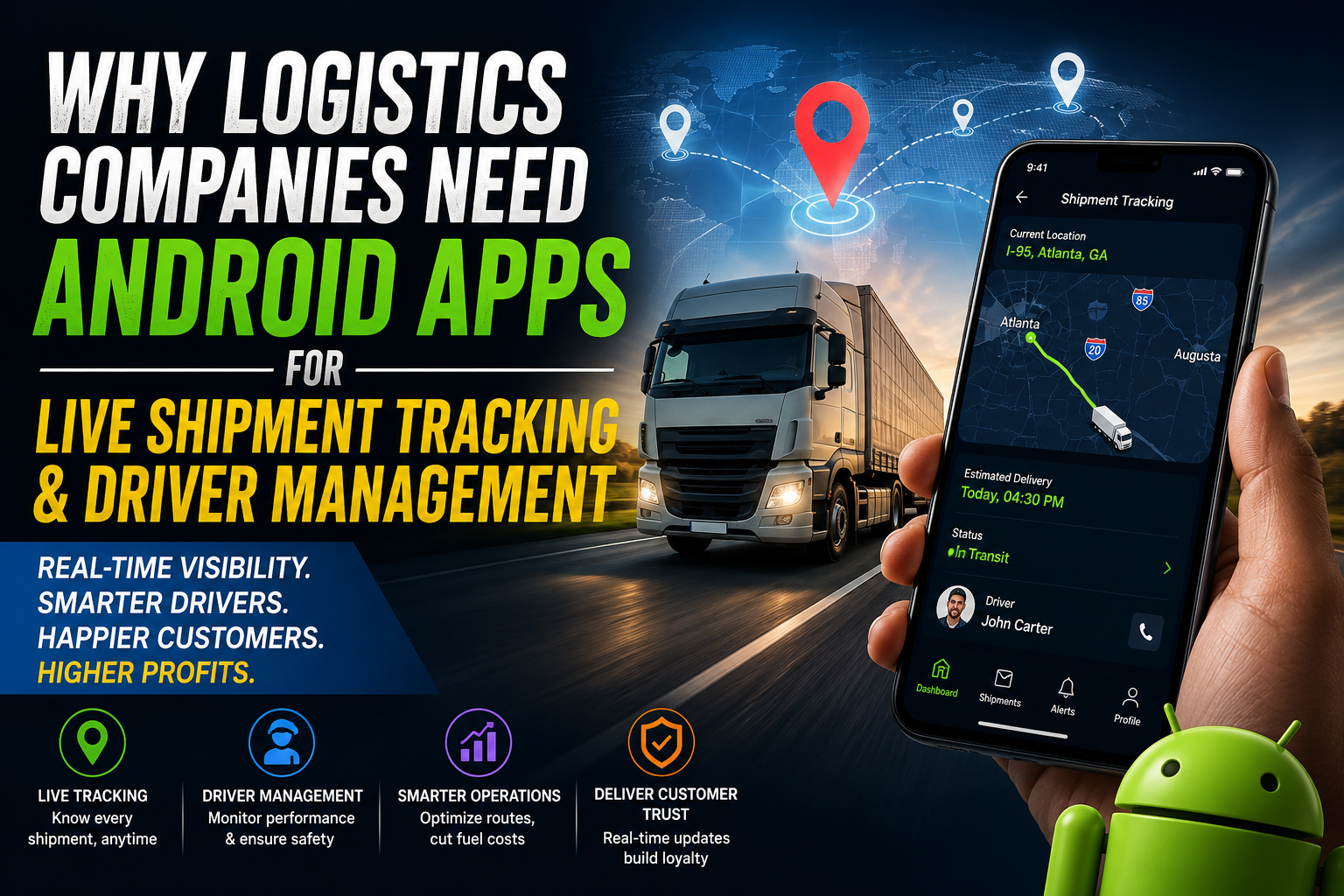
Logistics companies need Android apps because they turn scattered phone calls, paper logs, and guesswork into one live system: customers see exactly where their shipment is, dispatchers see every driver on a map in real time, and managers get hard data on delays, fuel use, and driver behavior. Android dominates the driver and last-mile workforce in the US and most markets worldwide, so an Android-first app is usually the fastest, cheapest way for a logistics company to get GPS tracking, digital proof of delivery, and driver management running at scale.
Key Takeaways
- The US trucking industry generated an estimated $906 billion in gross freight revenue in 2024 and moves 72.7% of all domestic freight tonnage, according to American Trucking Associations (ATA) data — making it the backbone of the American supply chain and a huge target for efficiency gains.
- Roughly 67% of US commercial fleets already use some form of GPS fleet tracking, but adoption drops to 40–50% for fleets under 10 vehicles, according to fleet-technology research citing Verizon Connect data — meaning smaller operators have real room to catch up.
- Route optimization software commonly cuts fuel costs by 15–30% and reduces total miles driven by a similar margin, based on multiple independent fleet-technology studies.
- Driver turnover at large US truckload carriers runs as high as 90–95% a year, according to ATA-cited figures, with a large share of new drivers leaving within their first 90–120 days — an area where mobile driver-management tools directly help.
- Last-mile delivery can account for more than half of total shipping cost, according to McKinsey-cited research — exactly the segment live tracking and route apps are built to shrink.
- An Android app is not a “nice to have” add-on anymore; it is the operating layer that connects the warehouse, the truck, the driver, and the customer.
1. The Problem: Logistics Without a Live Data Layer
Most logistics operations that haven’t digitized run on the same three tools: phone calls, group texts, and a whiteboard or spreadsheet at the dispatch desk. It works when you have five vehicles. It falls apart at fifty.
Without a live data layer, a logistics business typically deals with:
- No real-time visibility. Dispatchers find out about a delay when the customer calls to complain, not when it happens.
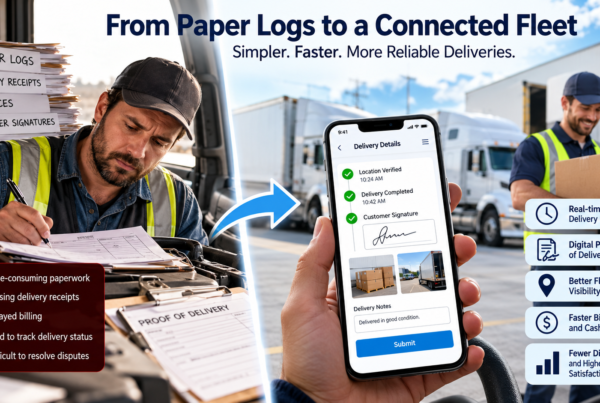
- Manual proof of delivery. Paper delivery receipts get lost, signatures are illegible, and disputes over “was it actually delivered” take days to resolve.
- Blind driver management. Managers don’t know which driver is idling, taking unsafe routes, or running over hours-of-service limits until something goes wrong.
- Reactive customer service. Support teams spend most of their day answering “where is my order” instead of solving actual problems.
- Fuel and route waste. Drivers pick routes from memory or basic map apps that don’t account for truck-specific restrictions, traffic, or delivery windows.
The scale of the US trucking and freight sector shows why this matters. ATA data puts 2024 trucking industry revenue at an estimated $906 billion, moving 11.27 billion tons of freight and accounting for 72.7% of domestic freight tonnage — a share projected to grow to 76.8% by 2035. The industry supports 8.4 million trucking-related jobs, including roughly 3.58 million professional drivers. At that scale, even small percentage gains in fuel efficiency, delivery success rate, or dispatcher productivity translate into very large absolute savings.
At the same time, GPS fleet tracking adoption is far from universal. Fleet-technology research citing Verizon Connect’s Fleet Technology Trends data puts overall US commercial fleet tracking adoption at roughly 67%, but that number drops to 40–50% for fleets under 10 vehicles — meaning a meaningful share of small and mid-size US logistics operators are still running on phone calls and paper.
An Android app for shipment tracking and driver management is how an individual logistics company closes that gap, one fleet at a time, instead of waiting for the rest of the industry to move first.
2. What “Live Shipment Tracking” Actually Means
Direct answer: Live shipment tracking is a system where the physical location of a vehicle, package, or driver is captured continuously through GPS on a mobile device and pushed to a server, so that dispatchers, managers, and customers can see an up-to-date position on a map instead of relying on manual status updates.
Supporting explanation: The driver’s Android phone (or a paired GPS/telematics device) sends location pings at set intervals. That data streams into a backend, which powers a live map for internal teams and a shareable tracking link or in-app view for the customer. Modern implementations layer in geofencing (automatic alerts when a vehicle enters or leaves a defined zone), ETA prediction based on live traffic, and automated status updates (“Out for delivery,” “Arriving in 10 minutes,” “Delivered”).
Real example: A regional trucking company assigns a driver a delivery run across three states. Instead of the driver calling the dispatcher at each stop, the app auto-updates status the moment the truck enters a geofenced customer zone, captures a GPS-stamped proof-of-delivery photo and e-signature, and the customer gets an automatic text or email notification. No phone call needed at any point.
Bullet summary:
- Continuous GPS location updates from the driver’s Android device
- Geofencing for automatic arrival/departure alerts
- Live ETA recalculated against real traffic
- Shareable tracking link for the end customer
- Automated proof-of-delivery capture (photo, signature, or PIN)
3. What “Driver Management” Actually Means
Direct answer: Driver management is the set of tools that let a logistics company assign trips, monitor driving behavior and hours of service, verify compliance, and communicate with drivers — all from a single Android app rather than phone calls and paper logs.
Supporting explanation: This typically covers trip assignment and sequencing, digital trip sheets, hours-of-service (HOS) and rest tracking tied to FMCSA compliance, harsh-braking and speeding alerts, fuel and mileage logs, document management (CDL, insurance, permits), and a two-way communication channel between driver and dispatch.
Real example: A fleet manager assigns 40 delivery stops across five drivers each morning from a dashboard. The Android app on each driver’s phone shows only that driver’s optimized route for the day. If a driver is running behind schedule, the system flags it automatically instead of the manager finding out at 6 p.m. when the last stop is missed.
Bullet summary:
- Digital trip assignment and route sequencing
- Hours-of-service and rest-break tracking, supporting FMCSA/ELD compliance
- Driving-behavior alerts (harsh braking, speeding, idling)
- Digital document and compliance management
- In-app driver-dispatcher communication
This category matters even more given the labor reality of the US driving workforce. ATA-cited figures show annual driver turnover at large truckload carriers running in the 90–95% range, with some analyses noting that a large share of new drivers leave within their first 90 to 120 days. The ATA also estimates a current driver shortage of roughly 60,000, with projections that it could grow toward 160,000–174,000 within a few years without industry changes. Reporting on the retention side of this problem consistently points to poor communication, unpredictable scheduling, and lack of support from the carrier as contributing factors. A driver-management app doesn’t fix pay or lifestyle issues, but it directly addresses the communication and support gap — clear routes, fair task distribution, and a visible record of a driver’s workload — which is one of the few retention levers a company can pull through technology.
4. Why Android, Specifically
Logistics companies overwhelmingly build for Android first, for practical reasons rather than brand preference:
- Device economics. Android devices dominate the budget and mid-range smartphone segment that most delivery drivers, owner-operators, and warehouse staff actually carry.
- Rugged and industrial hardware support. Android is the operating system used by nearly all rugged handheld scanners, vehicle-mounted tablets, and industrial mobile computers used in warehouses and trucks — so a single Android codebase can serve both a driver’s personal phone and dedicated fleet hardware.
- Flexible background permissions for GPS and sensors. Android gives logistics apps more direct access to background location services, Bluetooth (for barcode scanners and OBD/GPS trackers), and system-level integrations that fleet telematics hardware relies on.
- Lower distribution friction. Sideloading and enterprise mobility management (EMM) tools make it easier to push an Android app directly to thousands of company-owned or driver-owned devices without going through a public app store review cycle for every internal update.
- Cost of ownership. Android fleet devices, whether basic smartphones or ruggedized units, are meaningfully cheaper to procure and replace at scale than iOS-only fleets, which matters when a company is equipping hundreds or thousands of drivers.
None of this means an iOS app has no place — many logistics companies also ship a lightweight iOS version for office-based managers or customers who track shipments from an iPhone. But the driver-facing, field-facing side of the operation is built Android-first almost everywhere, because that’s where the actual workforce is.
5. The Business Case: What the Data Shows
Direct answer: An Android tracking and driver-management app pays for itself primarily through fuel savings, fewer failed deliveries, less dispatcher time on the phone, and lower vehicle wear — savings that are well documented across independent fleet-technology studies.
Fuel and route efficiency. Industry research on route optimization software consistently reports fuel savings in the 15–30% range and 15–25% fewer total miles driven when fleets move from manual or memory-based routing to optimized digital routing. One widely cited fleet-technology dataset put the numbers at roughly 18.7% fewer miles driven, 15.3% fuel savings, and on-time delivery performance rising from a typical 85% baseline to more than 94% after adopting route optimization. Aberdeen Group research cited in industry reporting places fuel savings from route optimization software as high as 15–30% as well.
Failed delivery cost. Failed delivery attempts are expensive and largely preventable with live tracking and better ETA communication. Analysis of urban last-mile operations shows failed-attempt rates of 8–12% on residential routes are common without live coordination, and that failed deliveries alone can eat up 10–15% of total last-mile delivery cost on dense urban routes — costs driven by re-dispatch, redelivery fuel, and customer service time.
Where the money actually leaks. McKinsey-cited research shows last-mile delivery can account for more than 53% of total shipping cost — the single most expensive segment of the shipping process. That’s the exact segment live tracking, geofencing, and automated customer notifications are designed to make efficient.
Market signal. The scale of investment flowing into this space confirms the trend: the global fleet management market is valued at roughly $37.7 billion in 2025 and is projected to reach over $70 billion by 2030, according to MarketsandMarkets research, while GPS tracking device market research from multiple firms puts transportation and logistics as the largest single end-use vertical, commanding over 40% share of the market. Vehicle tracking systems as a category were valued above $26 billion in 2025 with double-digit annual growth projected through the decade. This is not a niche investment; it is where fleet-technology spending is concentrated globally, and the US commercial fleet is one of the largest addressable markets in that spend.
Bullet summary:
- 15–30% typical fuel savings from route optimization
- 15–25% reduction in total miles driven
- 8–12% failed-delivery rates without live tracking, largely avoidable
- 53%+ of total shipping cost sits in the last mile — the segment apps target directly
- Fleet management is a $37–70 billion global market through 2030
- $906 billion US trucking industry, 72.7% of domestic freight tonnage — the scale efficiency gains apply against
6. Core Features a Logistics Android App Needs
For Dispatchers and Managers
- Live fleet map with all active vehicles and drivers
- Automated route optimization and re-optimization when conditions change
- Geofencing and automated arrival/departure alerts
- Driver performance dashboard (on-time %, harsh events, idle time)
- Digital trip sheets and e-POD (electronic proof of delivery)
- Document and compliance tracking (CDL expiry, insurance, permits, ELD data)
- Exception alerts (delay, route deviation, unscheduled stop)
For Drivers
- Turn-by-turn optimized route, updated for traffic in real time
- One-tap status updates (picked up, in transit, delivered, delayed)
- Digital proof of delivery: photo, signature, or PIN capture
- In-app chat or call with dispatch — no personal number needed
- Hours-of-service and rest-break reminders tied to FMCSA rules
- Offline mode that syncs once signal returns (critical for rural highway stretches and warehouse dead zones)
For Customers
- Shareable live tracking link, no login required
- Automated text/email status notifications
- Accurate, continuously updated ETA
- Delivery instructions and reschedule options
- Digital proof of delivery available on request
7. Real-World Example Scenarios
Scenario A — Regional distribution company. A distributor running 60 delivery vans across several states switches from a paper trip-sheet system to an Android app. Within the first quarter, dispatchers stop taking status-check calls almost entirely because customers use the tracking link instead, and the route-optimization module reduces average daily mileage per van, translating into real fuel savings across the fleet.
Scenario B — Long-haul trucking company. A trucking company with high driver turnover adds a driver-facing app with clear digital trip assignments, hours-of-service tracking, and an in-app communication channel. New drivers report clearer expectations from day one, and the fleet manager can see HOS compliance without manually reviewing paper logs — directly addressing the “poor communication and support” factor repeatedly cited as a driver-retention issue in industry turnover studies.
Scenario C — Urban last-mile delivery company. A same-day delivery company operating in a dense metro area uses geofencing and time-window matching to reduce not-home failed deliveries, cutting failed-attempt rates and absorbing extra stops per route because drivers finish scheduled routes earlier than before.
8. Comparison: Manual Process vs. Android App
| Function | Manual / Phone-Based Process | Android App |
| Shipment visibility | Customer calls to ask; dispatcher calls driver | Live map + shareable tracking link, updated automatically |
| Proof of delivery | Paper receipt, can be lost or illegible | Digital photo/signature/PIN, timestamped and GPS-tagged |
| Route planning | Driver’s memory or basic map app | Optimized route factoring traffic, truck restrictions, delivery windows |
| Hours of service | Paper logbook, easy to falsify | Digital, ELD-integrated, harder to manipulate |
| Delay detection | Found out when customer complains | Automated alert the moment a delay is detected |
| Dispatcher workload | Hours spent on status-check calls | Dashboard view; calls only for actual exceptions |
| Data for decisions | Little to no historical data | Full history of routes, delays, fuel use, driver performance |
9. Step-by-Step: How Logistics Companies Roll Out an Android App
- Map the current process first. Document exactly how a shipment moves today, from dispatch to delivery, before choosing software — this avoids paying for features you don’t need and missing ones you do.
- Decide: build vs. buy. Off-the-shelf fleet-management platforms (Samsara, Motive, Verizon Connect, Geotab, and others) cover most standard needs. A custom Android app makes sense when your workflow, vehicle types, or customer promise (very short delivery windows, cash-on-delivery reconciliation, specific compliance rules) don’t fit a generic product.
- Pilot with one route or depot. Roll out to a single team first. Fix workflow gaps before company-wide rollout.
- Equip drivers properly. Decide between BYOD (drivers use personal Android phones) or company-issued rugged devices, based on your device-loss risk and ELD/HOS requirements.
- Train dispatch and drivers separately. Dispatchers need the live-map and exception-handling side; drivers need the trip and status-update side. Don’t run one generic training session for both.
- Set clear alert thresholds. Decide what actually triggers a manager alert (e.g., 20+ minutes behind schedule) so the system doesn’t create alert fatigue.
- Turn on customer-facing tracking last. Get internal tracking accuracy right before you expose a live link to customers — an inaccurate ETA damages trust faster than no ETA at all.
- Review the data monthly. Use the dashboard’s historical data to renegotiate routes, retrain drivers, or flag recurring delay patterns — the value compounds once you have a few months of real data.
10. Mistakes to Avoid
- Turning on customer-facing tracking before internal accuracy is solid. A live link that shows the wrong ETA is worse for trust than no tracking at all.
- Ignoring offline behavior. Rural highway stretches, warehouses, and parking garages lose signal. An app that doesn’t queue and sync data once connectivity returns will silently lose delivery records.
- Overloading drivers with alerts and forms. If the app adds friction to a driver’s day (too many taps, redundant data entry), adoption drops and drivers find workarounds.
- Treating GPS tracking as a surveillance tool rather than a support tool. Framing matters for driver trust and retention — the same technology used to support drivers (clear routes, fair task distribution, proof they weren’t at fault for a delay) can just as easily be experienced as constant monitoring if it isn’t communicated well.
- Skipping a pilot. Rolling out to the whole fleet on day one multiplies any workflow gap that a smaller pilot would have caught cheaply.
- Not integrating with existing systems. A tracking app that doesn’t talk to your TMS, WMS, or ERP system creates duplicate data entry, which defeats the purpose.
11. Expert Tips
- Start with the exception, not the happy path. Design the app around what happens when a delivery goes wrong (delay, refusal, address issue) — that’s where most dispatcher time actually goes.
- Use geofencing thresholds that match your delivery windows, not generic defaults — a wide geofence radius makes sense for a rural highway stop but is far too loose in a dense urban market.
- Separate “location tracking” from “performance scoring” in how you communicate the app to drivers. Location data used to prove a driver wasn’t at fault for a delay builds trust; the same data used purely for scorecards without context erodes it.
- Benchmark fuel and mileage before rollout so you can measure real savings afterward instead of relying on vendor claims.
- Plan device replacement and data-plan costs into your rollout budget — the software often gets more attention than the hardware and connectivity it depends on.
12. Pros and Cons
Pros
- Reduces customer-service load by replacing “where is my order” calls with self-serve tracking
- Cuts fuel and mileage costs through route optimization
- Produces reliable, timestamped proof of delivery, reducing payment and dispute delays
- Gives managers real data on driver performance instead of guesswork
- Improves driver communication and clarity, a factor tied to retention
- Scales without a proportional increase in dispatch staff
Cons
- Upfront cost of software, devices, and training
- Requires reliable data connectivity across the delivery area, or robust offline handling
- Poorly communicated rollout can feel like surveillance to drivers, hurting morale
- Ongoing cost of device replacement, data plans, and platform subscription
- Integration work needed if it must connect to existing TMS/ERP/WMS systems
13. Frequently Asked Questions
1. Do small logistics companies with just a few vehicles need a tracking app? Even small fleets benefit, since a single missed or disputed delivery can cost more in customer-service time than a basic app subscription. That said, adoption is far lower among small fleets (roughly 40–50% for fleets under 10 vehicles) than large fleets (above 80% for 100+ vehicle operations), so a smaller company is genuinely behind fewer competitors than it might assume.
2. Is Android or iOS better for a logistics app? Android is generally the practical choice for driver-facing apps because of device cost, rugged-hardware support, and background location flexibility. iOS versions are often built separately for office staff or customers who prefer iPhone.
3. How accurate is GPS tracking in an Android logistics app? Accuracy depends on the phone’s GPS chipset, signal conditions, and how often the app pings location. Most modern implementations are accurate to within a few meters under open sky, with reduced accuracy in dense urban canyons or covered warehouses.
4. Will drivers resist being tracked? Some will, especially if the rollout isn’t explained well. Framing the app as a tool that protects drivers (proof they arrived on time, protection from false complaints) rather than a surveillance tool significantly improves acceptance.
5. Can a tracking app work without internet connectivity? Yes, if it’s built with offline-first architecture: it logs data locally and syncs once the device reconnects. This is essential for rural interstate routes and underground/basement delivery points.
6. What’s the difference between a GPS tracker device and a tracking app? A dedicated GPS tracker is hardware installed in or on the vehicle. A tracking app uses the driver’s or vehicle-mounted Android device’s built-in GPS. Many fleets use both — a hardware tracker for the vehicle itself and an app for the driver’s trip and delivery workflow.
7. How long does it take to roll out a logistics tracking app? A pilot with one depot or route can typically go live within a few weeks if you’re using an off-the-shelf platform. Custom-built apps with TMS/ERP integration take longer, often a few months.
8. Does live tracking reduce theft or cargo loss? Yes, indirectly — geofencing alerts for unscheduled stops or route deviations, combined with historical route data, make unusual activity far easier to spot and investigate than with no tracking at all.
9. How does live tracking help with customer complaints? It gives support teams a factual timeline (exact location and timestamp history) instead of relying on the driver’s or customer’s account alone, which speeds up dispute resolution.
10. What data should a logistics company own versus a vendor? Wherever possible, negotiate to retain ownership and export rights to your own trip, location, and delivery data — this protects you if you switch vendors later and lets you build historical performance reports independent of any single platform.
11. Can this replace a full fleet management system, or ELD compliance? A shipment-tracking and driver-management app is one part of full fleet management. Larger fleets typically also need maintenance scheduling, fuel-card integration, ELD/HOS compliance, and driver-safety scoring, which may be part of the same platform or a separate system.
12. Does route optimization really save that much fuel? Multiple independent studies report savings in the 15–30% range for fuel and similar reductions in total miles driven, though actual results depend heavily on how inefficient the existing manual process was to begin with.
14. Actionable Checklist
- [ ] Document your current shipment and driver workflow before evaluating software
- [ ] Decide build-vs-buy based on how standard or unique your workflow is
- [ ] Choose Android-first for driver-facing tools; consider iOS separately for office/customer use
- [ ] Pilot with one depot, route, or team before full rollout
- [ ] Decide BYOD vs. company-issued devices
- [ ] Set clear, non-excessive alert thresholds for dispatchers
- [ ] Build in offline mode for low-connectivity areas
- [ ] Train dispatchers and drivers separately, on the parts of the app relevant to each
- [ ] Delay customer-facing live tracking until internal accuracy is verified
- [ ] Communicate the “why” to drivers before launch to avoid a surveillance perception
- [ ] Review dashboard data monthly and adjust routes/training based on real patterns
- [ ] Negotiate data ownership and export rights with any vendor
- [ ] Confirm ELD/HOS compliance requirements are met if operating commercial trucks under FMCSA rules
15. Conclusion
The shift toward Android-based shipment tracking and driver management isn’t a trend US logistics companies can sit out — it’s a direct response to where the money leaks in a delivery operation: fuel, failed attempts, dispatcher time, and driver turnover. The data backs this up from every angle, from a $906 billion trucking industry moving nearly three-quarters of the country’s freight, to fleet-level fuel-savings research, to the trucking industry’s well-documented retention crisis. Companies that build this live data layer stop reacting to problems after a customer complains and start seeing them the moment they happen — which is the entire difference between a logistics operation that scales and one that just gets busier.