Introduction
Home buyers no longer start with a list of blue links. They type a question into Google, and an AI-written answer shows up at the top. That answer pulls facts from a few trusted websites. If your site is not one of them, you lose the click, and often the lead.
This is why a real estate website built the old way is not enough anymore. A pretty design with a listing feed will not win. Your site now has to be fast, clear, well-structured, and full of real local knowledge. It also has to be easy for machines to read.
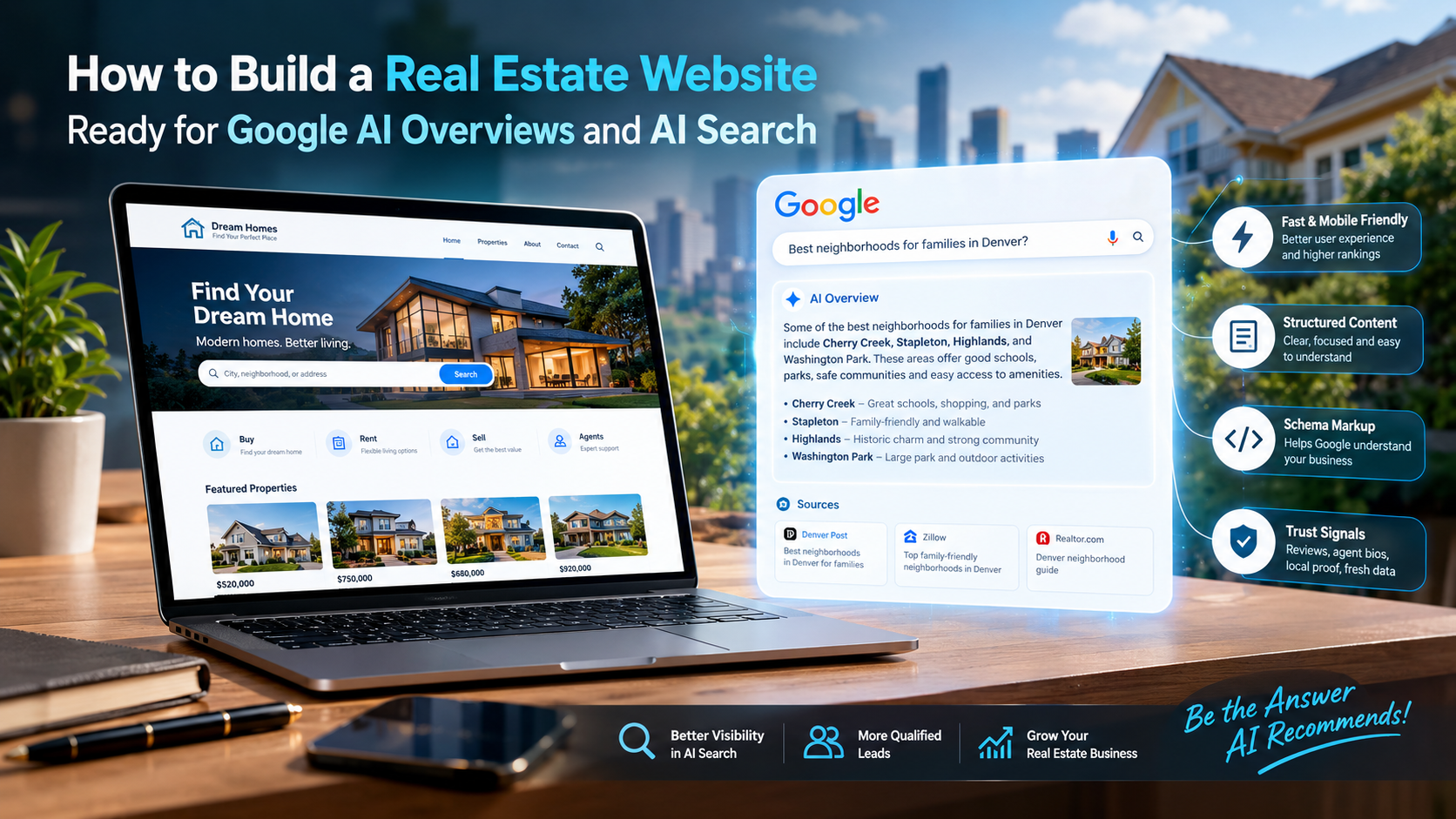
This guide shows you how to build a real estate website that is ready for Google AI Overviews and AI search. You will learn the setup, the content, the code, and the trust signals that matter. Everything is written in simple words, so you can follow it even if you are not technical.
Whether you are a solo agent, a team, or a brokerage working with a partner like HT Business Group, these steps apply to you.
Quick Answer: What Makes a Real Estate Website Ready for AI Overviews?
A real estate website is ready for Google AI Overviews when it has five things:
- Fast, mobile-friendly pages that pass Core Web Vitals.
- Clear structure with one topic per page and question-based headings.
- Short, direct answers placed right under each heading.
- Structured data (schema markup) that tells Google who you are and what you sell.
- Strong trust signals, such as real agent bios, reviews, local proof, and up-to-date facts.
Get these five right, and your pages become easy for Google to understand, trust, and quote.
What Are Google AI Overviews and Why Do They Matter for Real Estate?
Google AI Overviews are AI-generated summaries that appear at the top of some search results. Google builds them by reading many web pages and putting the key points into one short answer. Below the summary, Google shows links to the pages it used.
You can read Google’s own explanation on its page about AI features and your website. It says there are no special tricks. The same basic SEO rules apply, and your pages must be indexed and eligible to show a snippet.
Why this matters for real estate
Real estate searches are full of questions:
- “How much does it cost to sell a house in Austin?”
- “Is now a good time to buy a home in Phoenix?”
- “What are closing costs for a buyer in Florida?”
- “Best neighborhoods for families near Denver”
These are the kinds of questions AI Overviews love to answer. If your site gives the clearest answer, Google may quote you and link to you. That builds your name in the mind of a buyer or seller before they even visit.
What is different about AI search
AI search is a wider idea. It includes Google’s AI Overviews, but also chat tools and AI assistants that answer questions by reading the web. People now ask these tools things like “Who is a good real estate agent for first-time buyers in my city?” The tools then name a few businesses.
The good news is that the same work helps you in all of them. Clear content, trust, and clean structure win everywhere.
How AI Search Chooses Which Websites to Use
You cannot fully control what AI picks. But you can make your site an easy choice. AI systems look for pages that are:
- Helpful: They answer the question fully and honestly.
- Clear: The answer is easy to find and easy to lift out.
- Trusted: The author and the business look real and experienced.
- Fresh: The facts are current, especially for prices and market data.
- Technically sound: The page loads fast, works on phones, and can be crawled.
Google says it wants content made for people first. Its guide on creating helpful, people-first content is worth reading once. It asks simple questions, like whether your content shows first-hand experience and whether a reader would feel they learned enough.
In real estate, this is your edge. You know your local market. A big national site cannot fake that.
Step 1: Set Clear Goals and Pick the Right Keywords
Before you build anything, decide what your site must do. Most real estate sites need to do three jobs:
- Attract buyers and sellers from search.
- Prove you are the local expert.
- Turn visitors into leads.
Choose your main topics
Think about the questions your clients ask you every week. Group them into a few areas:
- Buying: first-time buyer steps, down payments, inspections, closing costs.
- Selling: pricing a home, staging, timing, fees, offers.
- Neighborhoods: schools, commute, parks, prices, lifestyle.
- Market updates: monthly prices, days on market, inventory.
- Investing or renting: if you serve those clients.
Use primary and secondary keywords
Every page needs one main keyword and a few related ones. For example:
- Primary: homes for sale in Plano, TX
- Secondary: Plano neighborhoods, Plano real estate market, moving to Plano
Use these words in the title, the first paragraph, some headings, and the body. Do it in a natural way. If a sentence sounds strange when you read it aloud, fix it.
Focus on question keywords
AI Overviews often match question-style searches. Use tools such as Google’s “People also ask” box, autocomplete, and Search Console to find real questions. You can set up Google Search Console for free. It shows the exact searches that bring people to your site.
Match search intent
Ask what the person wants at that moment:
- Informational: “how does escrow work” → write a guide.
- Local/commercial: “real estate agent near me” → build a local agent page.
- Transactional: “3-bedroom homes in Tampa” → build a listing search page.
One page should serve one intent. Do not mix them.
Step 2: Build a Strong Technical Foundation
AI systems cannot use what they cannot load or read. A weak technical base can hide even great content.
Choose the right platform
You have a few options:
- WordPress with an IDX plugin: flexible and popular. Good for content-heavy sites.
- Real estate platforms (all-in-one): quick to launch but sometimes limited in design and SEO control.
- Custom-built site: best for control and speed, but needs a good developer.
Pick the option that lets you edit titles, headings, URLs, and schema freely. If a platform locks these, it will hold your SEO back.
Use HTTPS
Your site must use HTTPS. It protects visitor data, especially form entries. It is also a basic trust signal for browsers and search engines.
Make it fast: pass Core Web Vitals
Speed matters a lot for real estate, because listing pages carry many large photos. Google measures page experience with Core Web Vitals. These cover three things:
- Loading: how fast the main content appears.
- Interactivity: how quickly the page reacts when someone taps.
- Visual stability: whether the page jumps around as it loads.
To improve these:
- Compress images and use modern formats like WebP or AVIF.
- Use lazy loading for photos below the fold.
- Set width and height on images so the layout does not jump.
- Remove plugins and scripts you do not need.
- Use a good host and a content delivery network (CDN).
- Cache pages when possible.
Test your pages with PageSpeed Insights. Fix the biggest issues first.
Design mobile first
Most home searches happen on phones. Your site should look and work great on a small screen:
- Big, tappable buttons.
- Short forms.
- Click-to-call and click-to-text links.
- Photo galleries that swipe smoothly.
- Text that is easy to read without zooming.
Make it accessible
Accessible sites are easier for everyone, including search engines, to read. Follow the Web Content Accessibility Guidelines (WCAG). Add alt text to images, use good color contrast, and label form fields. Alt text also helps AI understand your photos, such as “Three-bedroom brick home with a front porch in Plano.”
Step 3: Plan a Clear Site Structure
A clear structure helps both people and machines. Think of your site as a well-organized library.
A simple structure that works
- Home page: who you are, where you work, and your top services.
- Buy page: the buying process and guides.
- Sell page: the selling process, pricing, and a home value tool.
- Listings pages: search and individual property pages.
- Neighborhood or community pages: one page for each area you serve.
- Market reports: regular data updates.
- Blog or resources: answers to common questions.
- About and agent pages: real bios, credentials, and reviews.
- Contact page: phone, email, address, and a short form.
Keep URLs short and clear
Good: /homes-for-sale/plano-tx/
Bad: /page?id=48392&cat=7
Clean URLs tell users and Google what the page is about.
Use internal links well
Link related pages to each other. For example, your “Moving to Plano” guide should link to your Plano listings page, your Plano market report, and your buyer guide. Use clear anchor text, such as “Plano market report,” instead of “click here.”
Internal links help Google understand how your topics connect. They also keep visitors on your site longer.
Build topic clusters
A topic cluster has one main page and several supporting pages. For example:
- Main page: The Complete Guide to Buying a Home in Plano
- Support pages: Plano closing costs, Plano school districts, best Plano neighborhoods, first-time buyer programs in Texas
This shows Google that you cover the topic in depth. That depth is a strong sign of expertise.
Step 4: Set Up Listings the Right Way (IDX and Beyond)
Listings are the heart of most real estate websites. They are also a common SEO problem.
What is an IDX website?
IDX stands for Internet Data Exchange. It lets agents show MLS listings on their own sites. Rules for this vary by MLS and region, so check the policy for your area. The National Association of REALTORS® shares general guidance in its MLS policy handbook.
Avoid the iframe trap
Some IDX tools load listings inside an iframe. Search engines often treat iframe content as belonging to another site. That means your listing pages may not help your SEO at all.
Better options:
- Use an IDX solution that creates real pages on your own domain.
- Make sure each listing page has a unique URL.
- Make sure the page can be crawled and indexed.
Improve every listing page
Since many sites show the same MLS data, you must add value. On each listing page:
- Write a short, original summary of the home.
- Add a neighborhood snapshot: schools, parks, shops, commute.
- Show clear photos with alt text.
- Add a map and nearby points of interest.
- Include mortgage payment estimates if you can.
- Add a clear call to action, like “Schedule a tour.”
Handle sold and expired listings with care
Do not just delete old listing pages. Options include:
- Keep sold pages with a “Sold” label and links to similar homes.
- Redirect expired pages to a relevant search page.
This protects your link value and avoids many broken pages.
Follow fair housing rules
Be careful with wording. Avoid language that hints at preferences based on race, religion, family status, or other protected groups. The U.S. Department of Housing and Urban Development explains the law on its Fair Housing pages. Neutral, factual descriptions are safer and build trust.
Step 5: Write Content That AI Can Quote
This is the most important step. AI Overviews pull short, clear answers. Your job is to make those answers easy to find.
Use the answer-first method
Put a direct answer right under every question heading. Keep it to 40–60 words. Then explain in more detail below.
Example:
How much are closing costs for a buyer?
Closing costs for buyers usually run about 2% to 5% of the home’s purchase price. They cover fees such as the lender’s charges, title insurance, appraisal, and prepaid taxes. The exact amount depends on your state, your loan, and the home’s price.
Notice how the short answer stands alone. Google can lift it easily. The rest of the section can go deeper with examples, a list, and tips.
Write in simple words
Simple writing wins. Use short sentences. Explain terms like “escrow,” “contingency,” or “appraisal” the first time you use them. A first-time buyer should never feel lost on your page.
Use question-based headings
Turn headings into real questions:
- “How long does it take to buy a house?”
- “What is a good offer price in a hot market?”
- “Do I need a home inspection?”
This matches how people search and how AI tools look for answers.
Use lists and tables
Steps and comparisons are easy for AI to reuse. For example:
Steps to buy a home
- Check your credit and budget.
- Get pre-approved for a mortgage.
- Find a local agent.
- Tour homes and make an offer.
- Get an inspection and appraisal.
- Close and get your keys.
Buy vs. rent: quick view
| Factor | Buying | Renting |
| Upfront cost | Higher | Lower |
| Monthly cost | May build equity | No equity |
| Flexibility | Lower | Higher |
| Repairs | Your job | Landlord’s job |
Add real local data
This is where you beat national sites. Include facts only a local expert would know:
- Median home price by neighborhood.
- Average days on market.
- School ratings and boundaries.
- Property tax rates.
- New developments and transit plans.
- HOA norms in different communities.
For national context, you can point readers to trusted research, like the National Association of REALTORS® research and statistics page. Then add your own local view on top.
Show first-hand experience
Write like you have done this hundreds of times, because you have. Share stories, lessons, and “what I tell my clients” tips. For example: “In my last five sales in this area, homes with fresh paint and clean landscaping sold faster.” Real experience sets your content apart from generic AI-written text.
Keep content fresh
Old facts hurt trust. Update market pages every month. Add a “Last updated” date to guides. Review your top posts every few months.
Content ideas that work well
- Neighborhood guides for every area you serve.
- “Cost of living in [city]” pages.
- “Cost to sell a home in [state]” guides.
- First-time buyer checklists.
- Monthly market reports.
- Moving guides with local tips.
- Explainers on taxes, insurance, and closing.
- Comparisons, like condo vs. townhouse.
Step 6: Add Structured Data (Schema Markup)
Structured data is code that helps search engines understand your page. Think of it as a label on a box. Without it, Google has to guess what is inside.
Google explains the basics in its introduction to structured data. The shared vocabulary comes from Schema.org.
Schema types real estate sites should use
- RealEstateAgent: describes you or your brokerage, with name, address, phone, service area, and logo. See the RealEstateAgent type.
- Organization or LocalBusiness: builds your business identity.
- Person: for agent profile pages.
- RealEstateListing: for property pages. See the RealEstateListing type.
- FAQPage: for question-and-answer sections on a page.
- BreadcrumbList: shows your page path.
- Review and AggregateRating: only if your reviews are real and follow Google’s rules.
- Article or BlogPosting: for blog content.
A simple example
Here is a short sample of schema for a real estate business in JSON-LD format:
json
{
“@context”: “https://schema.org”,
“@type”: “RealEstateAgent”,
“name”: “Your Brokerage Name”,
“url”: “https://www.example.com”,
“telephone”: “+1-555-555-5555”,
“address”: {
“@type”: “PostalAddress”,
“streetAddress”: “123 Main St”,
“addressLocality”: “Plano”,
“addressRegion”: “TX”,
“postalCode”: “75024”,
“addressCountry”: “US”
},
“areaServed”: “Plano, TX”
}
Test your schema
Always test before you publish. Use Google’s Rich Results Test to catch errors. Fix warnings when you can.
A key rule
Your schema must match what people can see on the page. Do not mark up content that is hidden or false. That can hurt you.
Step 7: Build E-E-A-T Into Every Page
E-E-A-T stands for Experience, Expertise, Authoritativeness, and Trustworthiness. It is a idea Google uses to judge quality. Real estate is a high-stakes topic, since people are spending huge amounts of money. So trust matters even more.
Show real people
- Add an author name and photo to every blog post.
- Write short bios with license numbers, years of experience, and local areas served.
- Create a full “Meet the team” page.
- Link to professional profiles and awards.
Show proof
- Add real client reviews and testimonials.
- Show recent sales and “just sold” results.
- Share case studies, like “How we sold this home 12% over asking.”
- Show badges from real associations or brokerages.
Be open and honest
- Put your business name, address, and phone number in the footer.
- Add a clear privacy policy and terms page.
- State your brokerage and license details.
- Explain how you use client data.
Cite sources
When you share a fact about mortgage rates, housing law, or national trends, link to a trusted source. Citing good sources shows you did your homework.
Review your content for accuracy
Bad advice on taxes, law, or finance can hurt readers. Have an expert check sensitive guides. When needed, add a simple note that your content is general information and not legal or financial advice.
Step 8: Strengthen Your Local SEO
Most real estate searches have a local goal. AI tools also lean on local signals when they name agents or brokerages.
Set up your Google Business Profile
A complete Google Business Profile is a must. Make sure it has:
- The correct business name, address, and phone number.
- The right categories, such as “Real estate agency.”
- Service areas.
- Business hours.
- Fresh photos.
- Regular posts.
- Links to your main pages.
Keep your NAP the same everywhere
NAP means name, address, and phone number. Use the exact same details on your website, your Google profile, and every directory. Small differences can confuse search engines.
Get reviews the right way
Ask happy clients for reviews soon after closing. Make it easy by sending a direct link. Reply to every review, good or bad, in a calm and helpful voice. Never buy fake reviews. It breaks the rules and destroys trust.
Create strong local pages
Build a page for each city or neighborhood you serve. Do not copy and paste the same text with different city names. Each page should have:
- Real local facts.
- Market numbers.
- Photos of the area.
- Homes for sale in that area.
- Links to relevant guides.
Earn local links and mentions
- Sponsor local events or teams.
- Join the local chamber of commerce.
- Partner with lenders, inspectors, and builders.
- Get featured in local news or blogs.
- List your business in trusted directories.
These links and mentions show that your business is a real part of the community.
Step 9: Let Search Engines and AI Systems Access Your Site
Great content is useless if bots cannot reach it.
Check your indexing
In Search Console, make sure your key pages are indexed. Fix any “blocked,” “noindex,” or “crawled but not indexed” problems.
Submit an XML sitemap
A sitemap lists your important pages. Submit it in Search Console. Keep it updated as you add listings and posts. For large listing sites, split sitemaps by type, such as pages, posts, and listings.
Review your robots.txt file
The robots.txt file tells bots which parts of your site they can visit. Learn how it works in Google’s robots.txt guide. Make sure you are not blocking key folders by mistake. Also block low-value pages, like endless filter combinations, to save crawl budget.
Use snippet settings wisely
Google says pages must be eligible to show a snippet to appear in AI features. Avoid extra restrictions such as nosnippet on pages you want quoted.
Fix duplicate and thin pages
Listing sites can create thousands of near-identical pages. Use canonical tags, set clean filters, and merge weak pages. Quality beats quantity.
Step 10: Turn Visitors Into Leads
Traffic is nice. Leads pay the bills. Design your site to help people take the next step.
Make contact easy
- Put your phone number in the header.
- Add a sticky “Contact” or “Call” button on mobile.
- Keep forms short: name, email, and phone are often enough.
Add smart lead tools
- Home value tool: attracts sellers.
- Mortgage calculator: helps buyers plan.
- Saved search and alerts: bring buyers back.
- Neighborhood match quiz: gives useful results and captures details.
Use clear calls to action
Each page should suggest one clear next step. A buyer guide might say “Get a free buyer consultation.” A neighborhood page might say “See homes for sale in this area.”
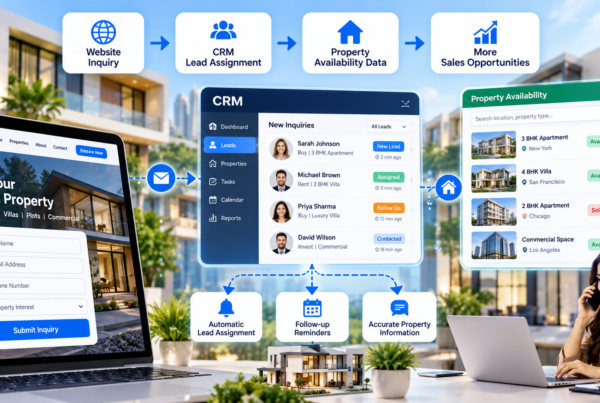
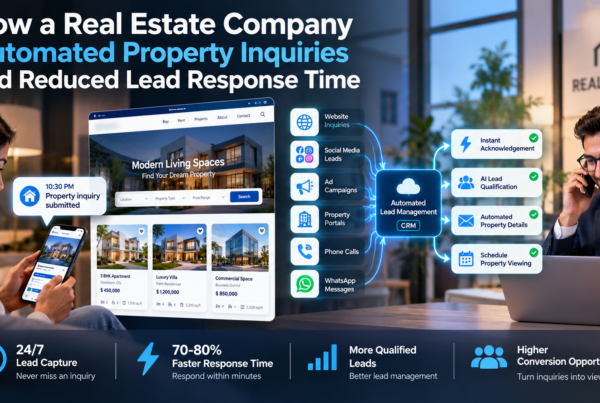
Connect a CRM
Send every lead into a customer relationship system so nothing gets lost. Fast follow-up is often the difference between winning and losing a client. Set up automatic replies and reminders.
Respect privacy rules
Tell people how you will use their data. Get consent where the law requires it, and follow the rules for calls, texts, and email.
Step 11: Measure, Learn, and Improve
You cannot improve what you do not measure.
Track these numbers
- Organic traffic and clicks.
- Impressions and average position.
- Top pages and top queries.
- Leads from organic search.
- Page speed and Core Web Vitals.
- Indexing status.
- Reviews and Google Business Profile actions.
Watch for AI-related changes
AI Overviews may change how many people click. You may see more impressions and fewer clicks on some pages. Do not panic. Look at the whole picture, including lead quality, brand searches, and calls. Being quoted in an AI answer builds awareness, even without a click.
You can also check whether AI tools mention your brand. Ask common questions in AI assistants and note which sites appear. This is not an exact science, but it gives you a useful sense of your visibility.
Follow a simple monthly routine
- Review Search Console for drops or errors.
- Update your top market pages with new numbers.
- Publish one or two new helpful articles.
- Add fresh reviews and sold listings.
- Check speed and fix new issues.
- Test a few forms and phone links.
Small, steady work beats one big push.
Common Mistakes to Avoid
Many real estate sites fail for the same reasons. Avoid these:
- Relying only on IDX feeds with no original content.
- Using iframes for listings.
- Copying content from other agents or from AI tools with no edits.
- Writing thin neighborhood pages with the same text on each.
- Ignoring mobile users.
- Letting the site load slowly because of big photos and heavy plugins.
- Hiding your team and credentials.
- Skipping schema markup.
- Forgetting to update old market data.
- Buying spammy links or fake reviews.
- Chasing every new AI trick instead of building a strong base.
Your Real Estate Website AI-Readiness Checklist
Use this list to review your site.
Technical
- HTTPS is on.
- Pages pass Core Web Vitals.
- The site works well on mobile.
- Sitemap is submitted.
- Robots.txt is correct.
- Key pages are indexed.
Structure
- Clear menu and simple URLs.
- One topic per page.
- Internal links between related pages.
- Topic clusters for buying, selling, and neighborhoods.
Content
- Question-based headings.
- 40–60 word answers under key headings.
- Lists and tables where useful.
- Local data and first-hand advice.
- “Last updated” dates.
Schema
- RealEstateAgent or Organization schema.
- RealEstateListing schema on listings.
- FAQPage and BreadcrumbList where fitting.
- Tested with the Rich Results Test.
Trust
- Real author and agent bios.
- Reviews and testimonials.
- Clear contact details and policies.
- Trusted sources cited.
Local
- Complete Google Business Profile.
- Same NAP everywhere.
- Unique local pages.
- Regular review requests.
Leads
- Clear calls to action.
- Short forms.
- CRM connected.
- Fast follow-up.
Frequently Asked Questions
How do I get my real estate website into Google AI Overviews?
There is no special switch. Google says the same SEO basics apply. Make sure your pages are indexed and eligible for snippets. Write clear, helpful answers, use structured data, keep the site fast, and build trust with real expertise and reviews.
Does schema markup help with AI search?
Schema helps search engines understand your content. It does not guarantee a spot in AI Overviews, but it removes guesswork and supports rich results. For a real estate website, RealEstateAgent, RealEstateListing, and FAQPage are strong choices.
How long should real estate blog posts be?
Length should match the topic. Deep guides, such as a full buyer’s guide, can run 2,000 to 5,000 words. Short questions can be answered in 600 to 1,000 words. What matters most is that the page fully answers the question and is easy to scan.
Can AI-written content rank in Google?
Google has said it focuses on quality, not how the content was made. But copied, thin, or unedited AI text rarely earns trust. Add your own experience, local data, and fact checks. Always have a human review it.
Is an IDX website enough for SEO?
No. IDX pages alone often duplicate what many other sites show. You need original content, local guides, market reports, and strong trust signals to stand out.
How often should I update my real estate website?
Update market data at least monthly. Review your top guides every three to six months. Add new content on a steady schedule, even if it is just a few posts a month.
Do reviews really matter for AI search?
Yes. Reviews show real-world proof. They help your local rankings and give AI tools and users a reason to trust you. Ask for them regularly and reply to each one.
What is the best first step if my site is old?
Start with a simple audit. Check speed, mobile use, indexing, and content quality. Fix the biggest technical problems first, then improve your top pages with clearer answers and schema. If the site is very outdated, a rebuild may save time and money.
How is local SEO connected to AI Overviews?
Local searches, like “best real estate agent in Tampa,” draw on location signals such as your Google Business Profile, reviews, and local pages. A strong local presence makes it easier for search engines and AI tools to recommend you.
Final Thoughts
Building a real estate website for Google AI Overviews and AI search does not need magic. It needs a clear plan and steady work.
Start with a fast, mobile-friendly base. Organize your pages so each topic is easy to find. Write answers in simple words, and put the short answer first. Add structured data so machines can read your content. Show off your real experience, reviews, and local knowledge. Keep everything fresh, and track your results.
The agents and brokerages that win in AI search will not be the ones with the flashiest design. They will be the ones who give the clearest, most honest, most local answers. If you want expert help planning, designing, or upgrading your site, a web development and digital marketing partner like HT Business Group can help you put these steps into action.
Start with one step today. Fix your speed, or rewrite one key page in the answer-first style. Small moves add up, and the sites that begin now will be the ones AI search trusts tomorrow.