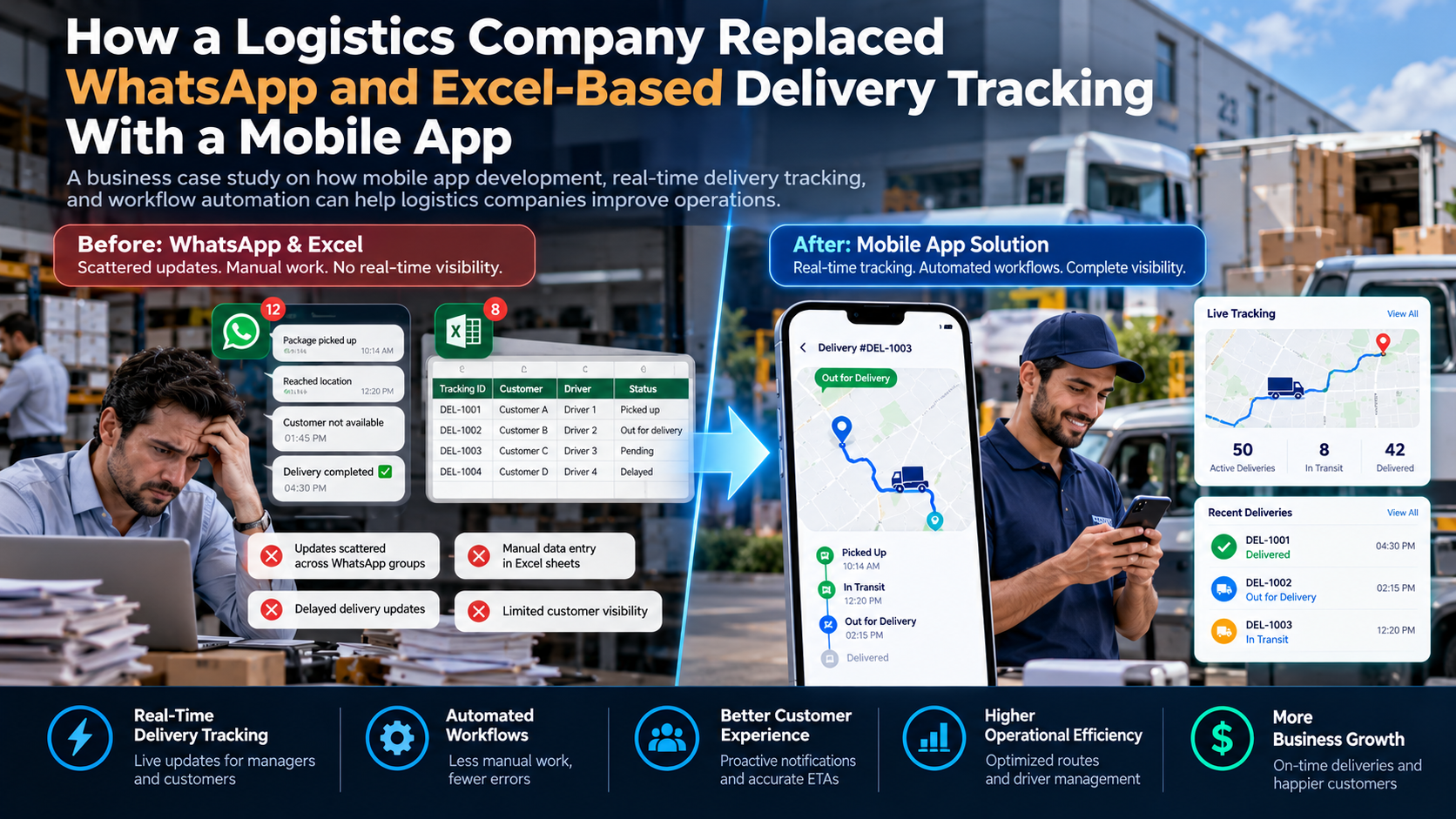
A Business Case Study on How Mobile App Development, Real-Time Delivery Tracking, and Workflow Automation Can Help Logistics Companies Improve Operations
Introduction
Imagine running a logistics company that handles hundreds of deliveries every day.
Your drivers are on the road. Your warehouse team is preparing new shipments. Your customers are calling to ask where their orders are. Your delivery managers are checking WhatsApp messages, updating Excel sheets, and calling drivers to confirm delivery status.
One driver sends a message saying, “Package picked up.”
Another sends a photograph of a delivery receipt.
A third calls to report that a customer was unavailable.
Meanwhile, someone in the office is trying to update the delivery spreadsheet with all this information.
Now imagine this happening across 50 drivers, 500 deliveries, and multiple delivery locations every day.
Managing this process manually becomes difficult.
Messages get buried in WhatsApp groups. Excel files contain outdated information. Delivery updates arrive late. Customers do not know when their orders will arrive. Managers cannot see which drivers have completed their routes or which deliveries are facing problems.
The business is growing, but its delivery management process is struggling to keep up.
This was the type of operational challenge addressed in our illustrative logistics case study.
Instead of depending on WhatsApp messages and Excel spreadsheets, the company needed a centralized mobile application that could connect drivers, delivery managers, warehouse employees, and customers.
The proposed solution was a mobile-based delivery management system with real-time status updates, digital proof of delivery, driver management, automated notifications, and a central administrative dashboard.
The goal was simple:
Replace disconnected manual delivery tracking with one organized digital system that gives logistics businesses better control over their daily operations.
In this article, we explain the business problem, the mobile app solution, the technology behind it, the expected operational benefits, and how other logistics companies can implement a similar system.
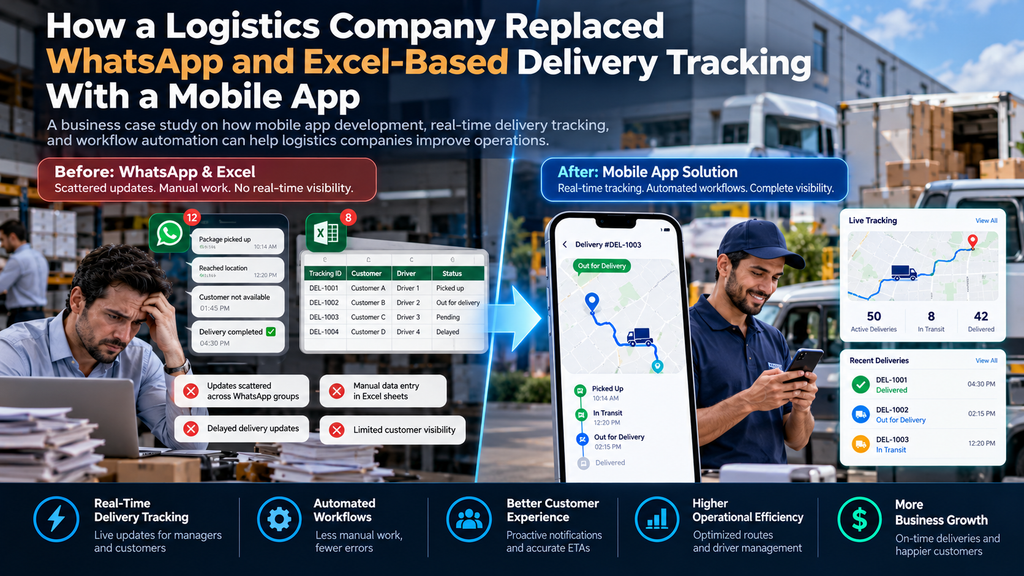
Case study disclosure: This is an illustrative scenario developed to explain a real-world logistics technology solution. It is not a verified HT Business Group client project. All example numbers and performance improvements are hypothetical and should not be interpreted as measured client results.
1. Understanding the Logistics Company’s Business Problem
The company in this example was a growing logistics and distribution business handling local and regional deliveries.
Its operations involved:
- Warehouse employees.
- Delivery drivers.
- Delivery managers.
- Customer support representatives.
- Business customers.
- Individual recipients.
The company received delivery orders from businesses and assigned them to drivers.
However, most delivery updates were managed through WhatsApp groups, phone calls, and Excel spreadsheets.
At first, this system seemed affordable and easy to use.
Employees already knew how to use WhatsApp. Excel was familiar to the operations team. There was no need to invest in a dedicated software platform.
But as the number of daily deliveries increased, the limitations became clear.
Problem 1: Delivery Updates Were Scattered Across WhatsApp Groups
Drivers shared delivery updates through individual chats and group conversations.
For example:
- “Shipment picked up.”
- “Reached customer location.”
- “Customer is not available.”
- “Delivery completed.”
- “Address not found.”
- “Vehicle breakdown.”
The information was available, but it was not organized.
A delivery manager had to search through multiple conversations to find a specific shipment update.
Sometimes a driver shared an update in the wrong group. Other times, important messages were missed because too many conversations were happening at once.
The company had no reliable central record of every delivery event.
Business impact: Employees spent too much time searching for information instead of managing deliveries.
Problem 2: Excel Sheets Were Difficult to Maintain
The company used Excel to track delivery information.
A typical spreadsheet contained:
| Tracking ID | Customer | Driver | Delivery Status |
|---|---|---|---|
| DEL-1001 | Customer A | Driver 1 | Picked up |
| DEL-1002 | Customer B | Driver 2 | Out for delivery |
| DEL-1003 | Customer C | Driver 3 | Delivered |
| DEL-1004 | Customer D | Driver 4 | Pending |
Employees updated the spreadsheet manually whenever drivers shared new information.
This created several problems.
- Updates were delayed.
- Multiple employees could edit different versions.
- Some delivery records were incomplete.
- Errors occurred during data entry.
- Managers could not always identify the latest status.
- Searching for historical delivery information took time.
When the company handled more deliveries, the spreadsheet became increasingly difficult to manage.
Business impact: The business lacked a dependable, up-to-date view of its delivery operations.
Problem 3: Customers Had Limited Delivery Visibility
Customers wanted simple answers to important questions:
- Has my package been picked up?
- Where is my shipment?
- Is my delivery out for delivery?
- When will it arrive?
- Has the driver attempted delivery?
- Can I get proof that the shipment was delivered?
However, the company could not provide consistent answers.
Customer support employees had to contact delivery managers, who then contacted drivers.
This created an unnecessary communication chain.
A customer might call three different times before receiving a clear delivery update.
Business impact: Poor communication affected the customer experience and increased support workload.
Problem 4: Managers Could Not Monitor Drivers Efficiently
Delivery managers needed to know which drivers were working, which shipments were pending, and which routes were facing delays.
But the existing system depended on manual updates.
If a driver forgot to send a message, the manager had no immediate confirmation of the delivery status.
If a vehicle experienced a problem, the office might not know until the driver called.
Managers also had limited information about:
- Driver productivity.
- Completed deliveries.
- Failed delivery attempts.
- Delayed shipments.
- Route performance.
- Daily delivery workload.
Business impact: Managers had limited operational visibility and struggled to make timely decisions.
Problem 5: Proof of Delivery Was Difficult to Organize
After completing a delivery, drivers sometimes shared photographs of signed documents through WhatsApp.
These photographs were stored in different conversations and on different devices.
Finding the proof for a specific delivery could take time.
There was also a risk of losing important information when employees changed phones or deleted messages.
Business impact: Delivery verification and dispute resolution became more difficult.
Problem 6: Delivery Operations Became Harder to Scale
The company wanted to expand its delivery network.
However, adding more drivers and customers would increase the number of WhatsApp messages, spreadsheet records, and manual updates.
The business could not keep increasing its administrative workload every time delivery volume grew.
It needed a better operating model.
The core problem was not a lack of communication. It was a lack of connected communication and delivery management.
2. Why WhatsApp and Excel Were No Longer Enough
WhatsApp and Excel are useful business tools.
WhatsApp makes communication easy, while Excel helps organize and analyze information.
However, neither tool is designed to manage a complete logistics operation by itself.
A logistics company needs to connect different operational activities:
- Delivery order creation.
- Shipment assignment.
- Driver allocation.
- Pickup confirmation.
- Delivery progress updates.
- Exception reporting.
- Proof of delivery.
- Customer notifications.
- Delivery performance reporting.
When each activity happens in a separate conversation or spreadsheet, the business creates information gaps.
For example, a driver might send a delivery completion message, but the customer support team may not know about it.
The operations manager may have a different Excel file, while the warehouse team still sees the previous delivery status.
This creates conflicting information.
A dedicated delivery management application solves this problem by creating one shared operational system.
Instead of asking employees to communicate through multiple disconnected channels, the company can provide each person with the information and functions they need through a single platform.
3. The Proposed Solution: A Centralized Logistics Management Mobile App
The company needed more than a basic mobile application.
It needed a complete delivery management solution that could connect drivers, administrators, warehouse employees, and customers.
The proposed system included four main components:
A. Driver Mobile Application
Drivers would use a mobile app to receive assigned deliveries, view delivery details, update shipment status, and submit proof of delivery.
B. Admin and Operations Dashboard
Managers would use a central dashboard to create orders, assign drivers, monitor deliveries, manage exceptions, and review performance.
C. Customer Tracking Interface
Customers would receive a tracking link to check shipment progress without repeatedly calling customer support.
D. Central Database and Backend System
A central backend would store delivery information and synchronize updates between authorized users.
The result would be one connected system rather than multiple disconnected tools.
4. How the New Logistics Mobile App Works
The new system would manage the complete delivery process, from order creation to final delivery confirmation.
Let’s understand each stage.
Step 1: Delivery Orders Are Created in the System
When a business customer requests a delivery, an employee creates a new shipment record through the admin dashboard.
The record includes:
- Shipment tracking number.
- Customer name.
- Pickup address.
- Delivery address.
- Recipient contact details.
- Package information.
- Delivery instructions.
- Expected delivery date.
- Assigned delivery category.
The system automatically generates a unique tracking ID.
For example:
Tracking ID: DEL-2026-1001
This ID becomes the main reference for the delivery.
Employees no longer need to create separate records in multiple Excel files.
Step 2: Managers Assign Deliveries to Drivers
The operations manager views all pending shipments through the dashboard.
The manager can assign deliveries based on:
- Delivery location.
- Driver availability.
- Current workload.
- Vehicle type.
- Delivery priority.
- Service area.
Once assigned, the driver receives a notification through the mobile app.
The driver can open the application and view the complete delivery information.
This reduces the need for managers to send individual WhatsApp messages.
Step 3: Drivers Receive Delivery Instructions
The driver application displays assigned shipments.
Each delivery card can show:
- Tracking number.
- Recipient name.
- Delivery address.
- Contact information.
- Delivery instructions.
- Current shipment status.
- Navigation option.
Drivers can view their assigned delivery list and open the relevant address using an available navigation application.
The app can also display delivery priority and special instructions.
Step 4: Drivers Update Pickup Status
When a driver collects a shipment, they open the application and select the pickup confirmation option.
The system records:
- Shipment ID.
- Driver ID.
- Pickup status.
- Date and time.
- Relevant location, if location permission is enabled.
The shipment status changes automatically.
For example:
Pending Pickup → Picked Up
The updated status becomes visible to authorized employees.
Customers can also receive a pickup confirmation, depending on the notification settings.
Step 5: The App Records Delivery Progress
As the shipment moves through the delivery process, drivers update its status.
The application could include predefined options such as:
- Picked Up.
- At Sorting Facility.
- In Transit.
- Out for Delivery.
- Delivery Attempted.
- Delivered.
- Delivery Failed.
- Returned to Facility.
Each update is saved against the shipment record.
This creates a clear history of what happened during the delivery process.
Step 6: Customers Receive Automated Notifications
When an important delivery event occurs, the system can automatically notify the customer.
For example:
Pickup Confirmation
“Your shipment has been picked up and is now being processed.”
Out for Delivery
“Your shipment is out for delivery. Please keep your phone available.”
Delivery Completed
“Your shipment has been delivered successfully.”
Notifications can be sent through email, SMS, or approved messaging integrations.
The company can also provide a secure tracking link.
Customers no longer need to contact the office for every routine update.
Step 7: Drivers Submit Digital Proof of Delivery
Once a shipment reaches the customer, the driver opens the delivery record and completes the proof-of-delivery process.
Depending on business requirements, the app can capture:
- Recipient name.
- Digital signature.
- Delivery photograph.
- Delivery confirmation.
- Date and time.
- Location at the time of confirmation.
The system saves the proof against the correct tracking ID.
Authorized employees can retrieve it whenever needed.
This makes delivery verification easier and creates a better record for customer disputes.
Step 8: Failed Deliveries Are Recorded Properly
Not every delivery attempt is successful.
A customer may be unavailable, an address may be incorrect, or access to the delivery location may be restricted.
Instead of sending an unstructured WhatsApp message, the driver selects a predefined delivery exception.
For example:
Delivery Failed – Customer Unavailable
The driver can add a note and, where appropriate, a photograph.
The system updates the shipment status and notifies the operations team.
Managers can then decide whether to:
- Schedule another attempt.
- Contact the customer.
- Correct the delivery address.
- Return the package.
- Escalate the issue.
This creates a more organized exception management process.
Step 9: Management Monitors All Deliveries
The dashboard displays delivery activity in one place.
Managers can monitor:
- Total shipments.
- Pending pickups.
- In-transit shipments.
- Out-for-delivery orders.
- Completed deliveries.
- Failed delivery attempts.
- Active drivers.
- Delayed shipments.
Instead of collecting updates from multiple employees, managers can access the latest recorded information through the application.
5. The Main Features of the Logistics Mobile App
A successful logistics application should solve specific operational problems.
The following features form the foundation of the proposed system.
1. Real-Time Delivery Status Updates
Drivers can update shipment progress directly from their smartphones.
The system synchronizes the information with the central database.
Managers and authorized customer service employees can see the latest recorded status.
This removes the need to manually update delivery spreadsheets.
2. Live GPS-Based Driver Tracking
GPS functionality can help managers understand the location of active drivers.
With appropriate permissions, the app can collect location information while a driver is working.
The admin dashboard can display driver locations on a map.
This may help managers:
- Monitor active routes.
- Identify unexpected delays.
- Check driver availability.
- Support delivery coordination.
- Respond to customer questions.
However, GPS tracking should be implemented responsibly.
Companies should define working-hour tracking policies, obtain required permissions, limit access, and follow applicable privacy laws.
Location tracking should not be treated as proof that a particular shipment was delivered.
3. Digital Proof of Delivery
Paper-based delivery confirmation can create administrative work.
A mobile app can replace much of this process with digital records.
Drivers can capture recipient signatures, photographs, timestamps, and other required information.
This makes delivery confirmation easier to access and organize.
4. Automated Customer Notifications
Customers should not need to call the company to learn whether a shipment has been picked up or delivered.
The application can trigger notifications whenever an important shipment status changes.
This improves communication and reduces routine status inquiries.
5. Driver Management
The admin dashboard can provide a central record of drivers.
Managers can view:
- Driver profiles.
- Contact details.
- Assigned shipments.
- Active delivery status.
- Completed deliveries.
- Failed delivery attempts.
- Workload information.
This helps management distribute deliveries more effectively.
6. Route Management
The application can integrate with mapping and navigation services.
Depending on the requirements, it can help drivers navigate to delivery locations and allow managers to review planned routes.
More advanced systems can support route optimization.
Route optimization can consider:
- Delivery addresses.
- Traffic conditions.
- Delivery time windows.
- Vehicle capacity.
- Driver availability.
- Delivery priorities.
The objective is to reduce unnecessary travel and improve delivery planning.
7. Barcode and QR Code Scanning
Drivers and warehouse employees can scan shipment barcodes or QR codes instead of entering tracking numbers manually.
This can help reduce data entry errors.
A scan can trigger a shipment event such as:
- Received at warehouse.
- Loaded onto vehicle.
- Dispatched.
- Arrived at destination.
- Delivered.
The exact workflow depends on how the company handles packages.
8. Offline Data Capture
Drivers may enter areas with poor internet connectivity.
The mobile application should support offline workflows where possible.
For example, a driver may record a delivery confirmation without an active connection.
The app can store the update securely on the device and synchronize it when connectivity returns.
The interface should clearly show whether an update is saved locally or successfully synchronized with the server.
This distinction is important because an offline update is not yet visible to the central system.
9. Automated Delivery Reports
Managers can generate reports without manually collecting data from different employees.
Reports can include:
- Daily delivery volume.
- Completed shipments.
- Failed deliveries.
- Driver performance.
- Delivery exceptions.
- Average delivery time.
- Delivery success rate.
- Pending shipments.
These reports help businesses identify operational problems and plan improvements.
6. Before and After: WhatsApp and Excel vs. a Dedicated Mobile App
The biggest difference is how delivery information is captured, stored, and shared.
| Operational activity | Before: WhatsApp and Excel | After: Mobile app |
|---|---|---|
| Delivery assignment | Manual messages | Centralized assignment |
| Driver instructions | WhatsApp chats | In-app delivery details |
| Delivery updates | Manual messages | Structured status updates |
| Shipment tracking | Spreadsheet records | Central tracking system |
| Customer updates | Manual phone calls | Automated notifications |
| Proof of delivery | Photos in chats | Digital shipment records |
| Failed deliveries | Unstructured messages | Standardized exception records |
| Driver monitoring | Manual calls | GPS features with permission |
| Delivery reporting | Manual spreadsheets | Automated dashboards |
| Historical records | Scattered conversations | Centralized records |
The new system does not mean WhatsApp must disappear completely.
It can still be useful for general business communication.
The important change is that operational delivery records should be captured in the dedicated system rather than depending on chat messages.
7. The Business Results: What Could Improve After Automation?
The purpose of building a logistics mobile application is to improve business operations.
A well-designed system can reduce administrative work, improve information accuracy, and give managers better visibility.
For this illustrative example, assume the company handles 500 deliveries every day.
The following table shows hypothetical improvement targets that a company could use when planning its digital transformation.
| Business metric | Before implementation | Illustrative target |
|---|---|---|
| Daily deliveries | 500 | 500 |
| Delivery updates | WhatsApp messages | Structured app updates |
| Shipment records | Excel spreadsheets | Centralized database |
| Delivery confirmation | Shared photographs | Digital proof of delivery |
| Customer status updates | Mostly manual | Automated notifications |
| Driver assignment | Manual coordination | Centralized assignment |
| Management reporting | Manual data collection | Automated dashboard |
| Delivery exception tracking | Unstructured messages | Standardized workflows |
The actual improvement depends on the company’s starting point, app adoption, driver training, connectivity, and integration quality.
Improvement 1: Better Delivery Visibility
Managers can see shipment progress without searching through WhatsApp conversations.
This helps the business identify pending deliveries and operational exceptions more quickly.
Improvement 2: Less Administrative Work
Employees spend less time updating spreadsheets, collecting driver messages, and preparing manual reports.
They can focus on delivery coordination and customer support.
Improvement 3: More Organized Delivery Records
Each shipment has a unique tracking ID and a structured history.
This makes it easier to find information and investigate delivery issues.
Improvement 4: Improved Customer Communication
Automated notifications help customers receive important updates without repeatedly contacting the company.
Improvement 5: Better Driver Coordination
Drivers receive their delivery instructions through one application.
Managers can assign shipments and monitor progress through a central system.
Improvement 6: Easier Business Expansion
A centralized platform can support additional drivers, delivery areas, customers, and shipments without relying on a growing number of spreadsheets and chat groups.
8. How to Calculate the Business Value of a Logistics Mobile App
Logistics companies should evaluate mobile app development based on measurable operational improvements.
Consider the following hypothetical example.
A logistics business has 20 employees involved in delivery coordination and administration.
Suppose each employee spends an average of 45 minutes per day collecting updates, checking WhatsApp messages, and updating Excel spreadsheets.
That means:
20 employees × 45 minutes = 900 minutes per day.
900 minutes ÷ 60 = 15 hours per day.
If the company reduces this manual work by 40% through automation:
15 hours × 40% = 6 hours saved per day.
Assuming 22 working days per month:
6 hours × 22 days = 132 hours saved per month.
These are illustrative calculations, not guaranteed savings.
The company should also consider:
- Mobile app development costs.
- Server and hosting expenses.
- Third-party API charges.
- Mapping service costs.
- Maintenance and support.
- Employee training.
- Device requirements.
- Integration expenses.
The financial value should be calculated using actual labor costs and measured time savings.
A useful formula is:
Monthly operational savings = Hours saved × Average fully loaded hourly labor cost.
This helps management evaluate whether the application provides a meaningful return on investment.
9. The Technology Behind the Logistics Mobile App
A reliable logistics application requires more than a mobile interface.
It needs a connected technology system that manages users, shipments, locations, delivery events, and customer notifications.
Here are the major components.
A. Mobile Application Development
The driver application should be easy to use while working in the field.
Depending on the business requirements, the company could choose native Android and iOS development or cross-platform technologies.
The application may include:
- Driver authentication.
- Shipment lists.
- Delivery details.
- Status updates.
- Barcode scanning.
- GPS integration.
- Digital signatures.
- Camera access.
- Offline data storage.
- Push notifications.
The design should prioritize simple navigation and large, easy-to-use controls.
Drivers should not have to navigate complicated screens while completing delivery tasks.
B. Backend Development
The backend manages the business logic and connects the mobile application to the central database.
It handles activities such as:
- User authentication.
- Shipment creation.
- Driver assignment.
- Delivery status changes.
- Location event processing.
- Customer notifications.
- Reporting.
- Data synchronization.
A properly designed backend should also support access controls, error handling, and secure API communication.
C. Central Database
The database stores the information required to manage the logistics operation.
For example:
- Users.
- Drivers.
- Customers.
- Shipments.
- Delivery addresses.
- Status history.
- GPS events.
- Proof-of-delivery records.
- Delivery exceptions.
Each delivery should have a reliable history of its recorded events.
D. Admin Dashboard
The dashboard provides managers with a central view of the operation.
It can display shipment statuses, driver assignments, exceptions, delivery performance, and other business metrics.
It should also allow authorized employees to create and update shipments.
E. GPS and Mapping Integration
Mapping services can help drivers navigate to delivery addresses.
GPS integration can also support authorized driver location tracking.
The choice of mapping provider should consider geographic coverage, pricing, API limitations, and expected usage.
F. Push Notifications and Messaging Integrations
Push notifications can alert drivers about new assignments and changes.
Email and SMS integrations can notify customers about shipment progress.
WhatsApp Business integrations may also be used when they fit the company’s communication requirements.
G. Analytics and Reporting
A reporting layer can convert delivery events into useful business insights.
For example, management can compare delivery completion rates across different locations and time periods.
This makes it easier to identify recurring delays and improve operations.
10. Why Structured Delivery Data Matters
One important advantage of replacing WhatsApp and Excel is the ability to create structured delivery records.
A WhatsApp message such as “Package delivered” provides limited information.
A structured delivery event can include:
- What happened: Delivery completed.
- Which shipment: DEL-2026-1001.
- When it happened: Recorded date and time.
- Where it happened: Recorded delivery location, where permitted.
- Who recorded it: Authorized driver account.
- Supporting evidence: Signature or photograph.
This approach is useful because different teams can work with the same information.
It also creates a foundation for future integrations with warehouse systems, customer portals, enterprise resource planning platforms, and supply chain applications.
The GS1 EPCIS standard provides a framework for capturing and sharing supply chain visibility events across organizations and systems.
Although a logistics company does not need to implement EPCIS in every mobile app project, its event-based approach is a useful reference when designing shipment tracking and traceability workflows.
11. How AI Can Improve Logistics Delivery Management
Once the company has reliable digital delivery records, it can explore AI-powered improvements.
AI should be introduced where it solves a clear business problem.
AI-Based Delivery Delay Detection
An AI system can analyze delivery history and operational signals to identify shipments that may be delayed.
For example, it may consider:
- Previous delivery durations.
- Current shipment status.
- Recorded location events.
- Route information.
- Traffic information from approved services.
- Historical delivery exceptions.
The system can flag shipments that need attention.
However, predictions should be treated as estimates, not confirmed delivery times.
Intelligent Route Planning
AI and optimization algorithms can help logistics companies plan more efficient routes.
The system can consider multiple delivery locations, traffic conditions, vehicle capacity, and time windows.
This may reduce unnecessary travel and improve delivery planning.
Automated Customer Support
An AI-powered customer assistant can answer routine questions such as:
- Where is my shipment?
- Has my package been dispatched?
- Is my delivery out for delivery?
- What was the last recorded shipment update?
- How can I report a delivery issue?
The assistant should retrieve answers from the actual shipment database.
It should not invent tracking information.
Predictive Delivery Analytics
Once enough reliable historical data is available, AI can help identify patterns.
For example:
- Which locations experience frequent delivery delays?
- Which delivery routes have higher failure rates?
- Which time windows create more delivery exceptions?
- Which operational factors are linked to late deliveries?
These insights can support better planning.
Automated Exception Management
AI can help categorize delivery problems based on driver notes.
For example, it can classify messages into categories such as:
- Customer unavailable.
- Incorrect address.
- Vehicle problem.
- Access restriction.
- Damaged shipment.
The system can then direct the issue to the right team.
Important decisions should remain under human supervision.
12. Common Mistakes to Avoid When Building a Logistics Mobile App
Developing a mobile app without understanding operational requirements can create more problems than it solves.
Here are some mistakes logistics companies should avoid.
Mistake 1: Building an App Without Understanding the Delivery Process
Every logistics company operates differently.
A local courier business may have different requirements from a regional freight company.
Solution: Map the complete delivery workflow before designing the application.
Understand how orders are created, assigned, collected, transported, delivered, and verified.
Mistake 2: Creating a Complicated Driver Interface
Drivers work under time pressure.
If the app requires too many steps to update delivery status, they may avoid using it.
Solution: Keep the interface simple.
Use clear buttons, predefined status options, barcode scanning, and minimal data entry.
Mistake 3: Ignoring Poor Internet Connectivity
Drivers may travel through areas where mobile internet is unreliable.
An app that only works with a strong internet connection can disrupt daily operations.
Solution: Design offline capabilities for essential tasks and reliable synchronization when the connection returns.
Mistake 4: Failing to Protect Location Data
GPS tracking can provide useful operational information, but it also creates privacy responsibilities.
Solution: Use permission-based tracking, role-based access, secure storage, clear employee policies, and appropriate retention periods.
Mistake 5: Treating GPS Location as Proof of Delivery
A vehicle reaching a customer’s address does not prove that a package was handed over.
Solution: Use a proper proof-of-delivery process with the required confirmation, timestamp, and supporting evidence.
Mistake 6: Ignoring Integration Requirements
A mobile app may need to connect with existing warehouse software, ERP platforms, customer portals, or accounting systems.
Solution: Identify required integrations before development and plan how information will move between systems.
Mistake 7: Not Training Drivers and Employees
Even a well-designed application may fail if employees do not understand how to use it.
Solution: Provide practical training, user guides, support, and a gradual rollout.
Mistake 8: Launching Without Testing Real Delivery Scenarios
Testing only basic functionality is not enough.
Solution: Test real-world scenarios such as failed deliveries, duplicate shipment IDs, offline updates, incorrect addresses, reassigned drivers, and delayed synchronization.
13. A Practical Roadmap to Replace WhatsApp and Excel With a Mobile App
Logistics companies should implement their digital delivery management system in phases.
This makes it easier to control development costs, test functionality, and reduce operational disruption.
Phase 1: Analyze Existing Operations
Understand how the company currently manages deliveries.
Review:
- WhatsApp groups.
- Excel tracking sheets.
- Driver assignments.
- Customer communication.
- Warehouse operations.
- Proof-of-delivery processes.
- Delivery reporting.
Identify the biggest sources of delay and manual work.
Phase 2: Define Application Requirements
Decide which features are essential for the first release.
A practical initial version may include:
- Admin login.
- Driver login.
- Shipment creation.
- Driver assignment.
- Delivery status updates.
- Customer tracking.
- Proof of delivery.
- Basic reports.
Advanced features can be introduced later.
Phase 3: Design the Mobile App and Dashboard
Create simple interfaces for drivers and administrators.
The driver app should prioritize speed and ease of use.
The admin dashboard should provide a clear overview of shipment activity.
Phase 4: Develop the Backend and Database
Build the central system that stores delivery information and manages application workflows.
Define shipment status rules, user permissions, event history, and synchronization requirements.
Phase 5: Integrate GPS and Notifications
Connect approved mapping services and configure driver notifications.
Add customer notifications through suitable communication channels.
Phase 6: Test With a Small Driver Team
Before rolling out the app to every employee, test it with a small group.
Monitor:
- App usability.
- Status update accuracy.
- GPS behavior.
- Offline synchronization.
- Notification delivery.
- Proof-of-delivery records.
- System performance.
Collect feedback from drivers and managers.
Phase 7: Launch Across the Business
After successful testing, gradually move the remaining delivery operations to the new platform.
Train employees and establish clear rules about where official delivery updates must be recorded.
Phase 8: Monitor and Improve
Track adoption and operational performance.
Review whether employees are using the app consistently and whether the system is reducing manual work.
Introduce additional capabilities based on real business needs.
14. What Should Logistics Companies Look for in a Mobile App Development Partner?
Choosing the right development partner is an important decision.
A logistics application connects business-critical operations, so the development team should understand more than basic mobile app design.
Before selecting a technology partner, consider these factors.
Logistics workflow understanding: The partner should understand shipment management, driver assignments, delivery status updates, and proof of delivery.
Mobile app development experience: The team should be capable of developing applications that work reliably on the devices used by drivers.
Backend development: The application needs a secure backend that can handle shipments, users, tracking events, and data synchronization.
GPS and mapping integration: The partner should understand location permissions, mapping APIs, and location data management.
Offline functionality: The app should handle poor connectivity where essential business workflows require it.
Data security: Shipment details, customer information, and driver records must be protected.
Scalability: The system should support growing shipment volumes and additional users.
Ongoing maintenance: Logistics applications require regular updates, monitoring, bug fixes, and technical support.
The right partner should focus on solving operational problems rather than simply delivering a mobile application.
15. How HT Business Group Can Help Logistics Companies
Logistics businesses need technology that connects their operations and helps employees work more efficiently.
Replacing WhatsApp-based delivery tracking and Excel spreadsheets with a centralized application can be an important step toward digital transformation.
HT Business Group provides technology and digital services that can support this transformation.
Application Development for Delivery Management
A dedicated business application can help logistics companies manage shipments, drivers, delivery updates, and customer information.
Depending on operational requirements, the application may include:
- Driver mobile app.
- Admin dashboard.
- Shipment management.
- Delivery tracking.
- GPS integration.
- Digital proof of delivery.
- Customer notifications.
- Delivery reports.
- Role-based access.
Explore HT Business Group’s Application Development Services to understand how business applications can support operational workflows.
Web Development for Logistics Operations
A logistics business may also need a web-based platform for shipment management, customer access, reporting, and internal administration.
A well-developed web platform can connect employees and customers through a centralized interface.
Explore HT Business Group’s Web Development Services for business-focused website and web application solutions.
Graphic Designing for Business Applications
An application should be easy to understand and use.
Professional interface design can help create clear dashboards, simple driver screens, and consistent visual experiences.
Digital Marketing for Logistics Businesses
Technology can improve internal operations, while digital marketing can help logistics companies reach more business customers.
SEO, content marketing, and other digital channels can help businesses attract companies looking for delivery, distribution, and transportation services.
Connected Technology for Business Growth
The real value comes from connecting the different parts of the operation.
A logistics company can gradually move from manual delivery tracking to a connected digital platform that supports shipment management, employee coordination, customer communication, and business reporting.
Want to replace manual delivery tracking with a dedicated mobile application?
HT Business Group can help you evaluate your requirements and explore a technology solution aligned with your logistics operations.
Visit HT Business Group to discuss your project.
16. Key Lessons From This Logistics Digital Transformation Case Study
Replacing WhatsApp and Excel with a dedicated mobile application is not simply a software upgrade.
It changes how a logistics business collects information, coordinates employees, and manages deliveries.
Here are the most important lessons:
- Centralize delivery information: Every shipment should have one reliable record.
- Make driver updates simple: Drivers should be able to update delivery status quickly.
- Automate routine communication: Customers should receive important shipment notifications without repeated manual calls.
- Improve delivery visibility: Managers need access to current shipment events and operational exceptions.
- Digitize proof of delivery: Delivery evidence should be stored against the correct shipment.
- Plan for poor connectivity: Offline workflows can help drivers continue working when internet access is limited.
- Protect customer and employee data: Location tracking and personal information require appropriate security and privacy controls.
- Use data to improve operations: Delivery reports can help identify delays, recurring problems, and opportunities for improvement.
- Build for future growth: The platform should support additional drivers, locations, and shipment volumes.
The most important point is that technology should make everyday work easier.
A successful logistics application should help drivers complete deliveries, help managers control operations, and help customers receive accurate information.
Conclusion: Move From Manual Delivery Tracking to a Connected Logistics Operation
Managing deliveries through WhatsApp messages and Excel spreadsheets may work when a logistics business handles a small number of shipments.
But as delivery volumes increase, manual coordination becomes harder to manage.
Messages get lost. Spreadsheet records become outdated. Managers struggle to monitor drivers. Customers repeatedly ask for delivery updates. Employees spend valuable time collecting information instead of improving operations.
A centralized logistics mobile application can address these problems.
By connecting driver applications, shipment management, GPS features, digital proof of delivery, customer notifications, and administrative dashboards, businesses can create a more organized delivery process.
The goal is not to remove every existing communication tool.
It is to establish one reliable system for recording and managing delivery operations.
For logistics companies planning to grow, this type of digital transformation can provide a stronger foundation for operational efficiency, customer experience, and long-term scalability.
HT Business Group helps businesses explore technology solutions that turn manual processes into more connected and efficient digital operations.
Ready to modernize your logistics operations?
Visit HT Business Group to discuss your mobile app development and business technology requirements.
Frequently Asked Questions
1. How can logistics companies replace WhatsApp and Excel delivery tracking?
Logistics companies can replace WhatsApp and Excel-based delivery tracking with a centralized mobile application. The app allows drivers to receive delivery assignments, update shipment status, submit proof of delivery, and share updates with managers. All information is stored in one central system instead of separate chats and spreadsheets.
2. What features should a logistics delivery management app include?
A logistics delivery management app should include driver login, shipment assignment, delivery status updates, GPS tracking, barcode scanning, digital proof of delivery, customer notifications, offline functionality, and an administrative dashboard. Advanced systems can also include route optimization and automated reporting.
3. How does a mobile app improve delivery tracking?
A mobile app allows drivers to record shipment updates directly from their smartphones. Managers can access the latest recorded information through a central dashboard. Customers can also receive delivery notifications and track shipment progress without contacting the company repeatedly.
4. Can logistics companies track drivers in real time?
Yes. A mobile application can use GPS technology to share driver locations with authorized managers. Businesses can monitor active drivers, review routes, and support delivery coordination. Location tracking should follow appropriate employee consent, privacy, and data security requirements.
5. How can logistics companies automate proof of delivery?
Companies can use a mobile app to collect digital signatures, delivery photographs, recipient details, timestamps, and other required confirmation information. These records are automatically connected to the shipment ID, making delivery verification and record retrieval easier.
6. Can a logistics mobile app work without an internet connection?
Yes. A mobile app can support offline functionality by temporarily saving delivery updates on the device. When an internet connection becomes available, the app synchronizes the information with the central system. Businesses should also include clear synchronization and error-handling features.
7. How much does it cost to develop a logistics mobile app?
The development cost depends on the required features, number of users, Android and iOS requirements, GPS integration, backend infrastructure, third-party APIs, security requirements, and maintenance needs. A basic delivery tracking app generally requires less development than a complete logistics management platform.
8. Why should logistics companies invest in custom business applications?
A business application can be designed around a company’s actual delivery workflows. It can connect drivers, managers, customers, and shipment information in one platform. This helps reduce disconnected processes and provides a foundation for future automation and business growth.
9. Can a logistics mobile app integrate with existing ERP or warehouse software?
Yes. A logistics application can integrate with existing ERP, warehouse management, CRM, and accounting systems through APIs and other integration methods. The integration requirements depend on the capabilities of the existing software.
10. How can HT Business Group help logistics companies?
HT Business Group provides application development, web development, graphic designing, and digital marketing services. These capabilities can help logistics companies explore mobile applications, digital platforms, business automation, and technology solutions that support their operational goals.