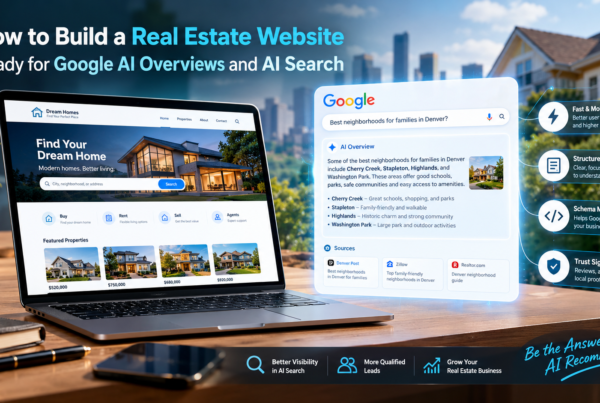
A home buyer in Austin opens her phone and types, “Who is the best real estate agent for first-time buyers near me?” She does not scroll through ten blue links. She reads a short answer at the top of the screen. That answer names two or three agents, explains why, and links to their sites.
If your name is not in that answer, you do not exist for that buyer.
This is the new reality of search. People now ask Google, ChatGPT, Perplexity, and other AI tools to find agents, explain the market, and compare neighborhoods. The AI reads the web, picks a few trusted sources, and writes one clear answer.
Quick answer: AI search-ready real estate websites development means building your site so that AI tools can easily find it, understand it, trust it, and quote it. To do this, a US agent needs fast pages, clean code, schema markup, clear answers to buyer and seller questions, strong local signals, real reviews, and open access for AI crawlers.

In this guide, I will explain every step in very simple words. You will learn what AI search is, how it picks real estate sources, what your website must have, and how to build it. You will also get a checklist and a 90-day plan you can follow.
Let’s start.
What Are AI Search-Ready Real Estate Websites?
An AI search-ready real estate website is a site built for both people and machines. It answers questions in plain words, uses structured data so machines can read it with ease, and proves that the agent behind it is real, local, and trusted.
Think of it like this. A normal real estate website is made to look good for a human visitor. An AI search-ready website does that too, but it also works like a clear book for a robot. The robot needs to know:
- Who are you?
- What do you sell or do?
- Where do you work?
- Why should anyone trust you?
- What are the best short answers to common questions?
If your site gives clear answers to these five points, AI tools can pick it up with less guesswork. That is the heart of AI search-ready real estate website development.
The Main Parts of an AI Search-Ready Site
Here is the short list. We will go deep on each one later.
- Clear entity data. Your name, brand, market, license, and contact details are the same everywhere.
- Strong technical base. Fast, mobile-friendly, secure, and easy to crawl.
- Schema markup. Code that labels your content for machines.
- Answer-first content. Short, direct answers followed by detail.
- Local proof. Neighborhood pages, a Google Business Profile, and real reviews.
- Open doors for AI bots. Your robots rules let the right crawlers in.
- Off-site trust. Mentions on other trusted sites.
Why Real Estate Agents in the US Must Care About AI Search Now
Real estate is a local, high-value, high-trust business. A single client can mean tens of thousands of dollars in commission. That is why agents have always fought hard for the top spot on Google.
But the top spot is changing. Google now shows AI Overviews at the top of many search results. These are short AI-written summaries with links to sources. ChatGPT, Perplexity, Microsoft Copilot, and Gemini do something similar. They read many pages and give one answer.
Here is why this matters for you.
1. Buyers Ask Full Questions Now
People no longer type only “homes for sale Denver.” They type, “What is a good neighborhood in Denver for a young family with a $550,000 budget?” AI tools love full questions. They give long, helpful answers. If your site answers that exact question well, you can be the source.
2. Fewer Clicks, More Trust Per Click
When AI gives an answer on the page, some people never click. But the people who do click on a cited source tend to be more ready to act. Being named as a source also builds trust before they even visit.
3. The Big Portals Are Hard to Beat
Sites like Zillow and Realtor.com have huge budgets and millions of pages. A single agent cannot beat them on listing data. But AI tools also want local, expert, human answers. That is where an agent can win. Your local knowledge is the edge that big portals do not have.
4. Early Movers Win
Most agent websites today are built on old templates. They have thin pages, no schema, slow load times, and copied text. If you build the right way now, you stand out to both Google and AI tools while your local rivals are still asleep.
How AI Search Tools Choose Which Real Estate Sources to Show
Nobody outside these companies knows the exact formulas. But Google has shared a lot of guidance, and patterns are clear. AI tools tend to pick sources that are:
- Easy to find and crawl. If a bot cannot reach your page, it cannot use it.
- Easy to understand. Clear headings, short answers, and labeled data help.
- Helpful and original. Google asks for helpful, people-first content. Copy-paste text from other sites does not win.
- Trusted. Google’s quality systems look for Experience, Expertise, Authoritativeness, and Trust, often called E-E-A-T. You can read more in the Search Quality Rater Guidelines.
- Fresh. Real estate changes fast. Old market data loses value.
- Confirmed elsewhere. If other trusted sites mention you, AI is more sure you are real.
Google AI Overviews vs. ChatGPT vs. Perplexity
Each tool works a little differently. Here is a simple view.
Google AI Overviews pull from Google’s own search index. According to Google, AI features in Search use the same basic SEO best practices. There is no special trick. If your page is indexed and eligible for a normal snippet, it can show up in AI Overviews.
ChatGPT can search the web and cite sources. OpenAI explains how its crawlers work in its bots documentation. It uses different bots for training and for search. If you block the search bot, you may not appear in ChatGPT answers.
Perplexity shows sources right next to its answers. Its crawler details are in the Perplexity bots guide.
Microsoft Copilot uses Bing’s index. That means your site should also be set up in Bing Webmaster Tools.
The good news: the same strong foundation helps you on all of them.
Step 1: Build a Rock-Solid Technical Foundation
AI cannot use what it cannot read. So the first job is a clean technical base. This is where real estate website development makes the biggest difference.
Make the Site Fast
Speed matters for people and for crawlers. Slow sites lose visitors and may be crawled less. Google measures speed with Core Web Vitals. The three main metrics are:
- Largest Contentful Paint (LCP): how fast the main content loads. Aim for under 2.5 seconds.
- Interaction to Next Paint (INP): how fast the page reacts to taps and clicks. Aim for under 200 milliseconds.
- Cumulative Layout Shift (CLS): how much the page jumps while loading. Aim for under 0.1.
Test your site for free with PageSpeed Insights.
Real estate sites are often slow because of huge photos, heavy sliders, many plugins, and IDX widgets. Here is how to fix that:
- Compress images and use modern formats like WebP or AVIF.
- Lazy load images below the fold.
- Remove plugins you do not use.
- Use a good host and a CDN (content delivery network).
- Load the IDX feed in a smart way so it does not block the page.
Make It Mobile-First
Most home searches happen on phones. Google uses mobile-first indexing, which means it mostly looks at the mobile version of your site. Your mobile pages must have the same content, schema, and links as your desktop pages. Buttons must be big enough to tap. Forms must be short.
Use HTTPS and Clean URLs
Your site should use HTTPS everywhere. Use short, readable URLs, like:
yoursite.com/austin-tx/hyde-park/
Avoid long strings of numbers and symbols.
Build a Clear Site Structure
A clean structure helps bots and people. A good real estate site layout looks like this:
- Home
- About (your story, license, team, awards)
- Buy (guides, buyer process, financing help)
- Sell (home value, selling guide, pricing)
- Neighborhoods or Communities (one page per area)
- Market Reports (monthly or quarterly)
- Blog or Resource Center
- Reviews
- Contact
Link these pages to each other. For example, your “Hyde Park” page should link to your “Buy in Austin” guide and your “Austin market report.” Good internal links tell AI how your topics connect.
Create an XML Sitemap and Submit It
A sitemap is a list of your important pages. Submit it in Google Search Console and Bing Webmaster Tools. Keep it updated. If you want faster discovery on Bing and some other engines, look at IndexNow, a simple protocol that tells search engines when a page changes.
Avoid Hiding Key Content
Some real estate sites load important text only after a user clicks or scrolls, using heavy JavaScript. Some bots cannot run that code well. Put your main text in the plain HTML of the page. Keep it simple.
Step 2: Let the Right AI Crawlers Visit Your Site
This is a step many agents miss. Your robots.txt file tells bots where they can go. If it blocks the wrong bots, AI tools may never see you.
Know the Main Bots
- Googlebot: Google’s main crawler. Needed for Google Search and AI Overviews.
- Google-Extended: A control for whether your content is used to train some Google AI models. Blocking it does not remove you from Google Search.
- OAI-SearchBot: OpenAI’s search crawler. Allow it if you want to appear in ChatGPT search results.
- GPTBot: OpenAI’s training crawler. You can allow or block it based on your own choice.
- PerplexityBot: Perplexity’s crawler.
- Bingbot: Needed for Bing and Copilot.
Check each company’s own documentation, since names and rules can change. Links to OpenAI and Perplexity are above.
A Simple Robots.txt Example
User-agent: *
Allow: /
User-agent: OAI-SearchBot
Allow: /
User-agent: PerplexityBot
Allow: /
Sitemap: https://www.yoursite.com/sitemap.xml
Also check that your security tool, firewall, or host is not blocking these bots by mistake. Many hosts add bot blocks without telling you.
What About llms.txt?
You may hear about llms.txt, a proposed file that gives AI tools a clean map of your best content. It is a new idea. Google has said it does not use it for AI Overviews. It does not hurt to add one, but do not expect it to replace good content and good structure. Treat it as a small extra, not a main tactic.
Step 3: Add Schema Markup So Machines Understand You
Schema markup is code that labels your content. It tells machines, “This is a person. This is an office. This is a review. This is a question and its answer.” You can learn the basics in Google’s guide to structured data.
The shared vocabulary comes from Schema.org. Most sites use JSON-LD format, which Google prefers.
Why Schema Matters for AI Search
Schema does not guarantee you will appear in AI answers. But it removes guesswork. It helps search systems link your name, your brand, your office, and your reviews into one clear picture. That clarity is what AI tools want.
The Most Useful Schema Types for Real Estate
1. RealEstateAgent. This describes you or your brokerage. See the RealEstateAgent type. Include your name, URL, logo, phone, address, service area, and social profiles.
2. LocalBusiness or Organization. If you run a team or brokerage, mark it up as an organization with a clear address and contact info.
3. Person. Mark up each agent on your team with name, job title, license details in text, and links to profiles.
4. FAQPage. Use it for real question-and-answer sections. Note that Google now shows FAQ rich results in a limited way, but clear Q&A content still helps people and machines. Keep the questions real and the answers short.
5. Article or BlogPosting. Add it to guides and blog posts with author, date published, and date modified.
6. BreadcrumbList. Shows the page path, such as Home > Austin > Hyde Park.
7. Review and AggregateRating. Use these with care. Google has rules about self-serving reviews. Read the guidelines before adding review schema to your own business pages.
8. RealEstateListing and Offer. If your site lists homes, listing markup can help describe price, address, and photos. Check Schema.org’s RealEstateListing for current fields.
A Sample JSON-LD for a Real Estate Agent
{
“@context”: “https://schema.org”,
“@type”: “RealEstateAgent”,
“name”: “Jane Smith Realty”,
“url”: “https://www.janesmithrealty.com”,
“logo”: “https://www.janesmithrealty.com/logo.png”,
“image”: “https://www.janesmithrealty.com/jane.jpg”,
“telephone”: “+1-512-555-0100”,
“address”: {
“@type”: “PostalAddress”,
“streetAddress”: “123 Main St”,
“addressLocality”: “Austin”,
“addressRegion”: “TX”,
“postalCode”: “78701”,
“addressCountry”: “US”
},
“areaServed”: [“Austin”, “Round Rock”, “Cedar Park”],
“sameAs”: [
“https://www.linkedin.com/in/janesmith”,
“https://www.facebook.com/janesmithrealty”
]
}
This is only an example. Replace each value with your real data.
Test Your Markup
Always test. Use Google’s Rich Results Test and the Schema Markup Validator. Fix errors and warnings. Then watch the Enhancements reports in Search Console.
Step 4: Make Your Entity Clear Across the Web
AI tools think in “entities.” An entity is a real thing with a name, like a person, a company, or a place. Your goal is to make your agent or brokerage entity crystal clear.
Keep Your NAP the Same Everywhere
NAP means Name, Address, Phone. Use the exact same details on:
- Your website footer and contact page
- Your Google Business Profile
- Zillow, Realtor.com, Homes.com, and Redfin profiles
- Your brokerage page
- Your social media profiles
- Local directories and your chamber of commerce listing
Even small differences, like “Suite” vs. “Ste.”, can confuse some systems. Choose one format and stick to it.
Build a Strong About Page
Your About page is one of the most important pages on the site. AI tools and people both check it to decide if you are real. Include:
- Your full name and photo
- Your license state and, where allowed, your license number
- Years of experience and areas you serve
- Number of homes sold, if you can share it honestly
- Awards, certifications, and your brokerage
- Links to your social profiles and press mentions
- A short, human story about why you do this work
Use sameAs Links
In your schema, add sameAs links to your official profiles. This ties together all the places you exist online.
Claim and Fix Your Google Business Profile
Your Google Business Profile is a key local signal. Fill every field. Pick the right primary category, such as “Real estate agent.” Add your service areas, hours, photos, and a short description. Post updates. Answer questions. Reply to every review.
Step 5: Write Answer-First Content That AI Wants to Quote
This is where most of the magic happens. AI tools quote pages that give clear, direct answers. You can make your content easy to quote with a few simple habits.
Use the Answer-First Format
Start each section with a short answer, usually 40 to 60 words. Then explain in more detail below it. For example:
How much are closing costs for buyers in Texas? Buyers in Texas usually pay about 2% to 5% of the home price in closing costs. This includes lender fees, title insurance, appraisal, and prepaid taxes. The exact amount depends on your loan type, your lender, and the county.
Then add a list, a table, or a short example below. This style helps you win featured snippets on Google and gets picked up by AI tools.
Use Question Headings
Write headings the way people ask questions:
- How much does it cost to sell a house in Phoenix?
- Is now a good time to buy in Tampa?
- What is a good credit score to buy a home in 2026?
- How long does it take to close on a house in Ohio?
To find ideas, use Google’s “People also ask” box, autocomplete, and the questions your clients ask you on the phone. Your real client questions are gold.
Add Real Local Data
Generic content is everywhere. AI tools can write it for free. What they cannot make up is your real local knowledge. Share things like:
- Median sale prices and days on market in your area (cite the source and date)
- School zone details and commute times
- Property tax ranges by county
- HOA fee ranges in popular communities
- Flood zones, new builds, and zoning changes
- Local events, parks, and food spots you actually like
For national data, link to trusted sources like the National Association of Realtors research page. For mortgage and buying guidance, the Consumer Financial Protection Bureau has helpful public resources.
Show Real Experience
Google talks a lot about “Experience” in E-E-A-T. Show that you have really done this work:
- Write short case stories: “How we helped a first-time buyer win in a 6-offer situation.”
- Add your own photos and videos from real listings and neighborhoods.
- Add a clear author bio and byline to every article.
- Say what you saw, not just what you read.
Use Tables, Lists, and Short Paragraphs
AI tools extract content easily from clean formats. Use:
- Numbered lists for steps (like “How to buy a home in 7 steps”).
- Bullet lists for features or tips.
- Tables for comparisons (like FHA vs. Conventional loans).
- Short paragraphs of two to four lines.
Here is a simple example of a table that AI tools can easily read:
| Loan Type | Typical Minimum Down Payment | Best For |
| Conventional | 3% to 5% | Buyers with good credit |
| FHA | 3.5% | Buyers with lower credit scores |
| VA | 0% | Eligible veterans and service members |
| USDA | 0% | Buyers in eligible rural areas |
Always confirm current loan rules with a licensed lender before you publish numbers, since they change.
Keep Your Writing Simple
Write at about an 8th-grade reading level. Use short words. Avoid jargon, or explain it in one line. A clear sentence is easier for both humans and machines to understand and quote.
Step 6: Build Neighborhood and Community Pages That Truly Help
Neighborhood pages are one of the best tools for a real estate agent. People ask AI tools about areas all the time. A strong neighborhood page can be your biggest win.
But thin pages with two lines of text and a map will not work. Build each page with real depth.
What to Put on Each Neighborhood Page
- A short summary. Two or three lines on who the area is best for.
- Key facts. Median price, typical home types, average lot size, and year built range.
- Lifestyle. Walkability, parks, restaurants, and nightlife.
- Schools. Name the districts and link to official school data. Be careful and neutral here, and follow fair housing rules.
- Commute. Drive times to main job centers and highways.
- Pros and cons. An honest view builds trust.
- Market trend. A simple chart or short note with a date.
- Current listings. From your IDX feed, if you have one.
- FAQs. Three to five real questions with short answers.
- Your take. A personal note from you as the local expert.
Stay Fair Housing Compliant
Real estate content must follow fair housing law. Do not describe areas in ways that suggest preference for or against people based on race, religion, family status, disability, or other protected classes. Stick to facts about the place, not the people. The U.S. Department of Housing and Urban Development explains the rules on its Fair Housing page. When in doubt, check with your broker or a legal expert.
Do Not Copy Template Text
Many IDX vendors give you ready-made area descriptions that hundreds of agents use. Google sees the same text across many sites. Rewrite every page in your own words and add your own facts, photos, and opinions.
Step 7: Handle IDX and Listings the Smart Way
Most agent sites use IDX, which is the feed that shows MLS listings on your site. IDX is useful for visitors, but it can hurt your SEO if you set it up the wrong way.
Common IDX Problems
- Iframes. Some IDX tools show listings inside an iframe. Search engines often credit the content to the vendor, not to you.
- Duplicate content. The same listing text appears on hundreds of other sites.
- Slow loading. Heavy search widgets can slow the page.
- Thousands of thin pages. Auto-made pages with no unique value can waste crawl time.
Better IDX Choices
- Choose a vendor that puts listing pages on your own domain with real HTML, not an iframe.
- Make sure listing pages have clean titles, headings, and schema.
- Add your own comments to featured listings. Even three or four sentences about why a home is special can make the page unique.
- Do not let expired or sold listings pile up as broken pages. Redirect them or keep them as “sold” pages with helpful links to similar homes.
- Block low-value search result pages from indexing with the right meta tags, and keep your best community and category pages open.
Remember that listing data rules come from your local MLS. Read your MLS rules before you reuse or change any listing content.
Put Your Own Content Around the Listings
A page that is only a grid of homes is weak. A page that has a helpful intro, local tips, a short FAQ, and then the listings is much stronger. For example, a page for “Condos in Downtown Miami” can start with a short guide to HOA fees, flood insurance, and building rules, and then show the live listings.
Step 8: Collect and Show Real Reviews
Trust is the heart of real estate. AI tools look for signs that real people have had good experiences with you. Reviews are one of the best signs.
Where to Get Reviews
- Google Business Profile (most important for local search)
- Zillow and Realtor.com agent profiles
- Yelp, where it is active in your market. See Yelp for Business.
- Homes.com and Redfin agent pages where you are listed
How to Ask for Reviews the Right Way
- Ask right after a happy closing, when the memory is fresh.
- Send a short, direct link to your Google review page.
- Make it easy. One tap, not five steps.
- Ask for details, such as “Tell us what the process was like for you.” Detailed reviews that mention the city, the neighborhood, and the type of service carry real value.
- Reply to every review, good or bad, in a calm and helpful way.
Never buy fake reviews or offer gifts for positive reviews in a way that breaks platform rules. It can get your profile removed, and it hurts trust. Always follow each platform’s own review policy and the ethics rules of your industry, such as the NAR Code of Ethics.
Show Reviews on Your Website
Add a Reviews page and place a few strong quotes on your home page and service pages. Include the reviewer’s first name and the area, when they agree. Link to the source so that visitors can see that the reviews are real.
Step 9: Build Off-Site Trust and Mentions
AI tools do not only read your website. They also read what others say about you. If many trusted sources mention you in the same way, AI becomes more sure that you are the right answer.
Ways to Earn Mentions the Honest Way
- Local news. Share market commentary with local reporters. Offer a quick quote when a story about housing comes up.
- Local business groups. Join your chamber of commerce and get listed on its website.
- Community sponsorships. Support a youth team, a charity run, or a school event. Many give a link back to your site.
- Guest posts. Write helpful pieces for local blogs, relocation sites, and lender or title company blogs.
- Partner pages. Ask lenders, inspectors, stagers, and attorneys you work with to list you on their sites.
- Podcasts and videos. Appear on local shows. Post your own market updates on YouTube. Video titles and descriptions are also read by AI systems.
- Awards and lists. Apply for legit local and national awards.
Keep Your Brand Name Consistent
Pick one clear version of your name and brand, like “Jane Smith Realty,” and use it everywhere. If every site calls you something different, AI may treat them as different entities.
Step 10: Create the Content Types AI Loves to Cite
Not all content is equal. Some formats are easier for AI tools to pull from. Build a mix of the types below.
1. Local Market Reports
Publish a short report each month or each quarter for your city and top neighborhoods. Include median price, number of sales, days on market, and months of supply. Add a short plain note on what the numbers mean for buyers and for sellers. Always show the date and the data source. Fresh, dated, local data is hard for generic AI content to match.
2. Step-by-Step Guides
Guides such as “How to Buy a Home in Charlotte, NC: 9 Steps” or “How to Sell a House in Dallas Fast” are perfect for AI tools. Use numbered steps, short answers, and a clear summary at the top.
3. Cost Breakdown Pages
People search for costs all the time. Write pages like:
- Cost to sell a house in Florida
- Closing costs in Georgia
- Property tax rates in your county
- Moving costs in your metro area
Give ranges, explain what changes the cost, and show a simple example with numbers.
4. Comparison Pages
Compare options that buyers and sellers argue about: renting vs. buying, new construction vs. resale, cash offer vs. traditional sale, or one suburb vs. another. A table with a short summary on top works well.
5. Glossary Pages
Explain terms like earnest money, escrow, contingency, appraisal gap, and title insurance in one or two simple lines each. Short definitions are easy for AI to quote.
6. Checklists and Tools
Offer a home buyer checklist, a seller prep checklist, a moving checklist, or a simple mortgage payment calculator. Tools earn links and keep visitors on your site.
7. Video With Transcripts
Short videos of you walking through a neighborhood or answering a common question build trust. Add a written transcript or summary on the page so that machines can read it too.
Keep Content Fresh
Review your top pages every quarter. Update the numbers, the date, and any rules that have changed. Show an “Updated on” date on the page and keep it honest. Do not change the date unless you really change the content.
Step 11: Use AI Responsibly in Your Own Content
Many agents now use AI tools to write faster. That is fine. But there is a right way to do it.
Google’s guidance says it cares about the quality and helpfulness of content, not how it was made. But mass-made, low-value content made only to rank is a problem. So follow these rules:
- Add real expertise. Use AI for a first draft or an outline, then add your own stories, facts, and local insight.
- Check every fact. AI tools can make mistakes. In real estate, wrong numbers or wrong legal claims can hurt your clients and your license.
- Avoid copy-paste at scale. Publishing hundreds of near-identical neighborhood pages is a risk.
- Add a human byline. Show who wrote or reviewed the page.
- Follow advertising and fair housing laws. Review all text before publishing.
Step 12: Turn AI Traffic Into Real Leads
Getting seen is only half the job. Once a buyer or seller lands on your site, you need to help them take the next step.
Make Contact Easy
- Put your phone number, a short contact form, and a call-to-action on every key page.
- Offer one clear action per page: “Get your home value,” “Book a buyer call,” or “See homes in this area.”
- Keep forms short. Name, email, and phone are enough for a first step.
- Add click-to-call buttons on mobile.
Offer Useful Lead Magnets
Give something helpful in return for contact details. Good ideas include a home value report, a neighborhood guide PDF, a first-time buyer checklist, or a monthly market email.
Speed to Lead
A fast reply wins. If someone fills out a form and you answer in five minutes, you are far more likely to win them than if you wait a day. Set up auto-replies, text alerts, and a CRM to help you.
Build Trust Right on the Page
Show your photo, your reviews, your license state, and your brokerage name near each form. People are more willing to share details when they can see who is behind the page.
Step 13: Measure Your AI Search Results
You cannot manage what you do not measure. AI search is new, and tracking is still hard, but you can still learn a lot.
Use These Free Tools
- Google Search Console. See which queries and pages bring impressions and clicks. Watch for long, question-style queries, since they often trigger AI answers. Start with Search Console.
- Google Analytics. Track visits, leads, and conversions in Google Analytics. Check traffic from sources such as chatgpt.com, perplexity.ai, and bing.com.
- Bing Webmaster Tools. See how your site performs on Bing and Copilot.
- Google Business Profile Insights. See calls, direction requests, and searches.
Do Manual Checks Each Month
Open Google, ChatGPT, Perplexity, and Copilot. Ask the questions your clients ask. For example:
- “Best real estate agent in [your city]”
- “Best neighborhoods in [your city] for families”
- “How much does it cost to sell a house in [your city]?”
- “Is it a good time to buy in [your city]?”
Write down whether you are named, which sources are cited, and what the answers say. This simple habit shows you what to fix. Results can change from one day to the next, so look for trends, not single results.
Track These Key Numbers
| Metric | Where to Find It | Why It Matters |
| Impressions for question-style queries | Search Console | Shows reach for AI-style searches |
| Clicks and click-through rate | Search Console | Shows how well your titles win clicks |
| Referrals from AI tools | Analytics | Shows direct traffic from AI platforms |
| Leads and form fills | CRM or Analytics | Shows real business results |
| Review count and rating | Google Business Profile | Shows trust and local strength |
| Core Web Vitals | PageSpeed Insights | Shows site health |
The AI Search-Ready Real Estate Website Checklist
Use this list to check your own site today.
Technical
- Site loads fast on mobile and passes Core Web Vitals
- HTTPS is on for every page
- XML sitemap is submitted to Google and Bing
- Robots.txt allows Googlebot, Bingbot, and the AI search bots you want
- Main text is in plain HTML, not hidden behind scripts
- Clean URLs and a clear site structure
Structured Data
- RealEstateAgent or Organization schema on the home page
- Person schema for each agent
- Article or BlogPosting schema on posts
- BreadcrumbList on inner pages
- Schema tested with the Rich Results Test
Content
- Answer-first sections with short, clear answers
- One strong page for each main neighborhood
- Monthly or quarterly local market reports
- Guides for buyers, sellers, and relocators
- Cost, comparison, and glossary pages
- Author names and dates on all articles
Trust and Local
- Google Business Profile is complete and active
- Same name, address, and phone everywhere
- Fresh reviews coming in every month
- Mentions on local news, groups, and partner sites
- Strong About page with real proof
Conversion
- Clear call-to-action on every key page
- Short forms and click-to-call buttons
- Fast follow-up system in place
A Simple 90-Day Plan to Become AI Search-Ready
You do not need to do everything at once. Here is a plan you can follow.
Days 1 to 30: Fix the Foundation
- Run a full site check with PageSpeed Insights and Search Console.
- Fix speed, mobile, and crawl issues.
- Check your robots.txt and firewall settings for bot blocks.
- Add or fix schema on your home, About, and contact pages.
- Clean up your NAP details across the web.
- Complete your Google Business Profile.
- Submit your sitemap to Google and Bing.
Days 31 to 60: Build Your Core Content
- Rewrite your About page with strong proof.
- Build or upgrade pages for your top three neighborhoods.
- Publish a buyer guide and a seller guide in answer-first format.
- Write two cost breakdown pages for your area.
- Add FAQ sections with real client questions.
- Start a simple review request process.
Days 61 to 90: Grow Trust and Reach
- Publish your first local market report.
- Add three more neighborhood pages.
- Earn at least five new mentions or links from local sources.
- Record two short neighborhood or Q&A videos with transcripts.
- Run your first monthly manual check on AI tools.
- Review your numbers and plan the next quarter.
Common Mistakes That Keep Agents Out of AI Answers
1. Blocking all bots by mistake. A security plugin or host setting can shut out the very crawlers you want.
2. Thin neighborhood pages. A page with a map and two lines of text will not be picked.
3. Copying IDX or vendor text. Duplicate text adds no value.
4. No clear author or proof. Without names, dates, and credentials, trust drops.
5. Old data. Market numbers from two years ago make your page look stale.
6. Slow, heavy design. Big sliders and auto-play videos hurt speed.
7. Ignoring Bing. Copilot and some other tools lean on Bing’s index.
8. Messy contact details. If your phone or address differs across sites, AI may not be sure who you are.
9. Chasing tricks. Keyword stuffing, hidden text, and link schemes can harm you. Google’s SEO Starter Guide says to focus on helpful content and a good user experience. That is still the best path.
10. Expecting overnight results. SEO and AI visibility take time. Most agents see steady gains over several months, not days.
Frequently Asked Questions
What is an AI search-ready real estate website?
It is a real estate website built so that both people and AI tools can easily find, read, understand, and trust it. It uses fast pages, clean code, schema markup, answer-first content, local proof, and open access for search and AI crawlers.
How do I get my real estate website to show in Google AI Overviews?
There is no special switch. Google says the same SEO basics apply. Make sure your pages are indexed, fast, helpful, and easy to read. Write clear answers to real questions, add structured data, build local trust, and keep your content fresh.
Can ChatGPT recommend my real estate business?
Yes, it can. ChatGPT can search the web and cite sources. To help, allow its search crawler, keep your business details the same across the web, earn reviews and mentions, and publish clear, local, expert content.
Does schema markup help with AI search?
Schema does not guarantee a spot in any AI answer. But it labels your content clearly, which helps search systems understand who you are and what each page is about. It is a smart, low-cost step for every real estate site.
Do I need a new website to be AI search-ready?
Not always. Many sites can be fixed with speed work, better content, schema, and cleaner structure. If your site is on a very old template, has an iframe-based IDX, or cannot be edited with ease, a rebuild may save time and money in the long run.
How long does it take to see results?
Technical fixes can show effects within weeks. Content and trust signals usually take three to six months or more to build. Local markets with fewer competitors may move faster.
Should I block AI crawlers to protect my content?
This is your choice. If you want to appear in AI search answers, you should allow the search-focused bots. You can choose to block bots that only collect training data. Review each company’s documentation, and think about your business goals before you decide.
Is AI search going to replace Google for finding agents?
Nobody knows for sure. What we do know is that people now use both traditional search and AI tools, and the two are growing closer. A site that is strong for one is usually strong for the other.
How often should I update my website content?
Check top pages every quarter. Update market reports monthly or quarterly. Add new helpful content at least a few times each month if you can.
What is the most important step to start with?
Start with the basics: make sure your site is fast, crawlable, and clear about who you are. Then build deep, honest neighborhood and guide pages, and collect real reviews. Those three things carry the most weight.
Final Thoughts: Be the Agent AI Trusts
Search is changing, but the heart of real estate has not. Buyers and sellers want a local expert who is clear, honest, and easy to reach. AI tools are simply trying to find that same person for them.
When you build an AI search-ready real estate website, you make it easy for machines to see what people already love about you. You show your name, your area, your proof, and your answers in a clear, simple way.
To sum up the main points:
- Build a fast, clean, mobile-first site.
- Let the right search and AI crawlers in.
- Add schema so machines know who you are.
- Write answer-first content full of real local detail.
- Build deep neighborhood pages and fresh market reports.
- Earn real reviews and trusted mentions.
- Measure, learn, and improve each month.
You do not need to be perfect on day one. Start with one step this week, then take the next.
Need Help Building an AI Search-Ready Real Estate Website?
At HT Business Group, we help US real estate agents, teams, and brokerages build modern websites that are fast, clear, and ready for Google AI Overviews, ChatGPT, and other AI search tools. From technical setup and schema to neighborhood pages, content, and lead capture, we help you get found and get chosen.
Ready to see where your site stands today? Reach out to HT Business Group for a site review and a clear plan to grow your visibility in the new world of search.