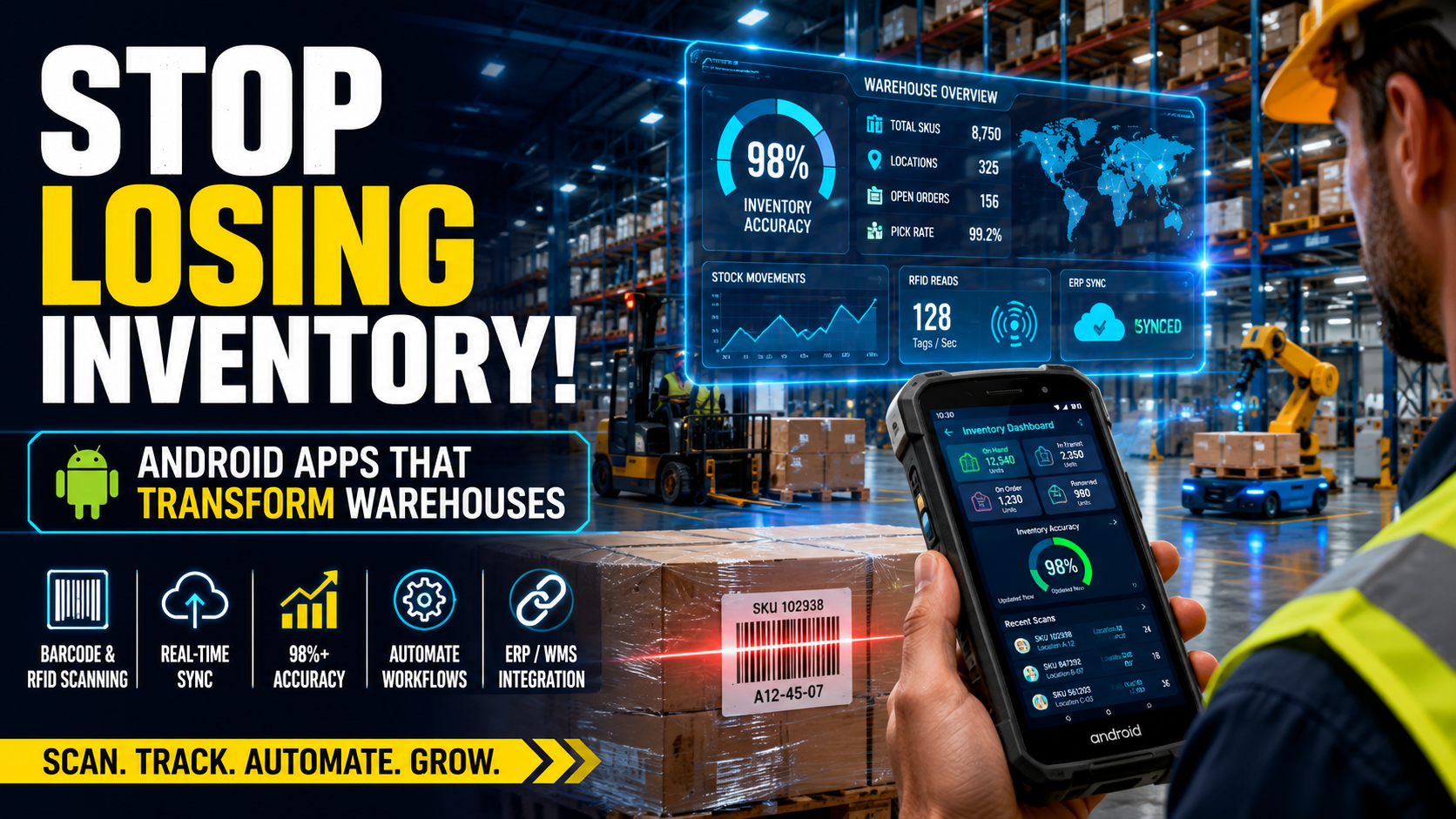
Manufacturers lose money every day inventory counts are wrong. A misplaced pallet, a miscounted SKU, or a stockout on the production line can stop a shop floor cold. Android apps running on rugged handhelds and tablets have become the fastest, most affordable way for manufacturers to fix this — turning barcode scans, RFID reads, and real-time data into accurate, connected warehouse operations.
This guide breaks down exactly how Android-based inventory and warehouse apps work, what results manufacturers are seeing, how to choose hardware and software, and how to roll out a deployment without the common mistakes that sink projects.
Quick Answer
Android apps improve manufacturer inventory tracking by replacing paper logs and spreadsheets with real-time barcode and RFID scanning, live stock counts, and automated data sync to ERP or warehouse management systems (WMS). This cuts counting time, reduces stockouts, raises inventory accuracy to 98%+, and speeds up receiving, picking, and cycle counts across the warehouse floor.
Key Takeaways
- Real-time visibility: Android inventory apps sync scan data instantly to your ERP/WMS, eliminating the lag between what happens on the floor and what your system shows.
- Fewer errors, higher accuracy: Manufacturers using mobile scanning report inventory accuracy rates of 98% or higher, up from the 60–70% typical of manual, paper-based tracking.
- Lower hardware cost, faster deployment: Android devices are generally cheaper to buy and easier to deploy at scale than legacy Windows CE/Mobile handhelds, and Google’s Android Enterprise Recommended program certifies rugged devices built for warehouse conditions.
- Workforce impact: Zebra’s 2025 Warehouse Vision Study found the large majority of frontline associates say modern devices and automated task tools are essential to doing their jobs well and to staying with an employer.
- Faster ROI than full WMS overhauls: A mobile-first Android rollout can often be completed in weeks, not the months or years a full ERP/WMS replacement takes.
- Works across the whole operation: The same Android platform can support receiving, put-away, cycle counting, picking and packing, shipping, and asset/tool tracking — not just one warehouse function.
Why Manufacturers Are Moving Warehouse Operations to Android
Direct answer: Manufacturers are adopting Android because it gives them real-time inventory data, lower device costs, and an app ecosystem built for barcode and RFID scanning — all running on hardware Google actively certifies for enterprise use.
For decades, warehouse handhelds ran on Windows CE or Windows Mobile. Microsoft ended support for those platforms years ago, forcing manufacturers onto Android as the only modern, actively maintained mobile OS with strong enterprise device management. That forced migration turned into a genuine upgrade.
On the shop floor, this shows up as fewer clipboards, fewer spreadsheet reconciliations at month-end, and fewer “where did this pallet go?” conversations. A production planner can look at a dashboard and see, to the unit, what’s on hand, what’s in transit, and what’s already been consumed by a work order — because the data was captured the moment it happened, not typed in hours later.
Bullet summary:
- Windows Mobile/CE end-of-life pushed the industry toward Android
- Android devices cost less than legacy rugged handhelds
- Google’s Android Enterprise program gives IT teams certified, manageable devices
- Real-time data replaces end-of-day or end-of-week reconciliation
How Android Apps Improve Inventory Tracking
Direct answer: Android inventory apps improve tracking by capturing every stock movement — receiving, put-away, picking, transfers, cycle counts — through a barcode or RFID scan the moment it happens, then pushing that data instantly to a central system.
1. Barcode and RFID Scanning Replace Manual Counting
Most Android enterprise devices include a built-in or attachable barcode scanner, and many now support RFID for reading dozens or hundreds of tags per second. Instead of a worker writing item numbers and quantities on a clipboard, they scan a code and the app records the SKU, quantity, location, lot number, and timestamp automatically.
Example: A worker receiving a pallet of raw material scans the shipping label once. The app cross-checks it against the purchase order, updates on-hand quantity, and assigns a bin location — a process that used to take a supervisor 10–15 minutes of manual entry now takes under a minute.
2. Real-Time Sync to ERP and WMS
Android apps connect over Wi-Fi or cellular data to push scan data straight into the company’s ERP or warehouse management system. This closes the gap between the physical warehouse and the digital system of record — the two are no longer allowed to drift apart for days at a time.
3. Lot, Batch, and Serial Number Tracking
For manufacturers under regulatory or quality requirements (food and beverage, pharmaceuticals, automotive, electronics), Android apps can capture lot numbers, expiration dates, and serial numbers at every touchpoint. This creates a traceable chain of custody that supports recalls, audits, and warranty claims.
4. Automated Reorder Alerts
When live stock counts hit a defined threshold, Android apps can trigger reorder notifications automatically, reducing the chance that a production line runs out of a critical component mid-shift.
5. Multi-Location and Multi-Warehouse Visibility
For manufacturers with more than one facility, Android apps give a consolidated view of inventory across every location, so planners can transfer stock between sites instead of over-ordering material that already exists elsewhere in the network.
Bullet summary:
- Scan-based data capture removes manual entry errors
- Real-time sync keeps ERP/WMS data current to the minute
- Lot/serial tracking supports compliance and recalls
- Automated alerts prevent stockouts
- Centralized visibility spans multiple warehouses
How Android Apps Improve Core Warehouse Operations
Direct answer: Beyond inventory counts, Android apps streamline the physical workflows of receiving, put-away, picking, packing, cycle counting, and shipping by guiding workers step-by-step and validating every action with a scan.
Receiving
Workers scan incoming shipments against purchase orders on the device screen. Discrepancies (wrong item, wrong quantity, damaged goods) are flagged immediately instead of being discovered during a later count.
Directed Put-Away
The app tells the worker exactly which bin or rack location to use based on space availability, item velocity, or storage rules (e.g., keeping fast-moving items near the pick face). This reduces wasted travel time and prevents random, undocumented storage.
Pick, Pack, and Ship
Order pickers follow optimized pick paths on their device, scan each item to confirm the correct SKU, and the app updates inventory the instant the item leaves the shelf. This is one of the most measurable improvements — mis-picks and shipping errors are among the costliest mistakes in a warehouse because they trigger returns, replacement shipments, and customer complaints.
Cycle Counting and Physical Inventory
Instead of shutting down operations for a full physical inventory once a year, Android apps make continuous cycle counting practical. Workers count small sections on a rotating schedule, and RFID-capable devices can scan entire pallets or racks of tagged inventory in seconds.
Work-in-Process (WIP) and Production Tracking
On the manufacturing floor itself, Android apps track raw materials as they’re consumed by work orders and finished goods as they’re produced, giving production managers a live view of what’s actually happening versus what the production schedule assumed would happen.
Asset and Tool Tracking
Manufacturers also use Android apps to track tools, fixtures, and equipment — recording check-in/check-out, location, and maintenance status, which cuts down on lost tools and unplanned downtime from missing equipment.
Bullet summary:
- Receiving: scan-verified against purchase orders
- Put-away: system-directed bin locations
- Picking: guided paths with scan validation
- Cycle counting: continuous, low-disruption accuracy checks
- WIP tracking: live production floor visibility
- Asset tracking: tools and equipment accountability
Real-World Example: Measurable Results from Mobile Inventory
A useful case comes from Real Máquinas, a John Deere dealer in Brazil that deployed Zebra Android mobile computers and an inventory application built specifically to solve a lack of warehouse visibility. According to Zebra, the deployment brought inventory accuracy to 98% in under two months, improved stock levels by 40%, sped up warehouse operations by 20%, and lifted worker productivity by 25%.
While Real Máquinas is a dealership rather than a manufacturer, the same operational pattern — low visibility, manual counting, delayed corrections — is exactly what manufacturing warehouses face, and the fix (rugged Android devices plus a purpose-built scanning app) is directly transferable to a plant floor or raw materials warehouse.
Bullet summary:
- 98% inventory accuracy achieved within two months of go-live
- 40% improvement in stock-level reliability
- 20% faster warehouse operations
- 25% increase in worker productivity
Industry Statistics on Mobile Inventory and Warehouse Technology
Direct answer: Independent industry research consistently shows that manufacturers and warehouse operators still struggle with visibility and manual processes, and that mobile technology is now viewed by both leadership and frontline workers as essential to fixing it.
- Zebra’s Warehouse Vision Study found that a large majority of warehouse associates say too much of their time goes to tasks that could be automated, and most decision-makers cite reducing errors as their top reason for investing in warehouse automation.
- The same study found that most associates say out-of-stocks and inventory inaccuracy are significant problems affecting productivity, and a similarly large share say their facility needs better tools to keep inventory accurate.
- Zebra’s Manufacturing Vision Study reported that only a small minority of manufacturers currently have real-time visibility into production, underscoring how much room there still is for mobile and connected-factory technology to close the gap.
- Zebra’s manufacturing research also found that most frontline associates consider task management technology critical for solving day-to-day operational problems, and a large share say having modern devices makes them feel more valued at work — a factor that matters for retention in an industry with persistent labor shortages.
- Google’s Android Enterprise program noted that Android has been on pace to become the largest operating system for rugged devices by shipment volume, growing far faster than the rugged device market as a whole — a sign of how thoroughly the industry has shifted away from legacy handheld operating systems.
Bullet summary:
- Most associates want more automation; most leaders want fewer errors
- Inventory inaccuracy remains a top-cited productivity problem
- Real-time production visibility is still rare among manufacturers
- Modern devices improve worker retention, not just accuracy
- Android has overtaken legacy OSes as the dominant rugged-device platform
Android vs. Windows Handhelds vs. Paper-Based Tracking
| Factor | Android Apps | Legacy Windows Handhelds | Paper/Spreadsheet |
| Real-time data sync | Yes, via Wi-Fi/cellular | Limited, often batch sync | No |
| Ongoing OS support | Actively updated by Google | End-of-life (Windows CE/Mobile) | N/A |
| Hardware cost | Lower, wide device range | Higher, fewer vendors | Lowest upfront, highest hidden cost |
| App development ecosystem | Large, modern tooling | Small, shrinking | N/A |
| Barcode/RFID support | Native and third-party options | Limited, aging SDKs | None |
| Error rate | Low (scan-validated) | Low-moderate | High (manual entry) |
| Deployment/management | Android Enterprise MDM | Legacy MDM, limited features | N/A |
| Typical inventory accuracy | 95–99% | 90–95% | 60–75% |
Pros and Cons of Android Inventory Apps for Manufacturers
Pros
- Real-time inventory accuracy, often reaching 98% or higher
- Lower total cost of ownership than legacy handheld platforms
- Wide selection of rugged, Android Enterprise Recommended devices
- Scales across receiving, picking, cycle counts, and production tracking
- Strong support for barcode and RFID scanning
- Integrates with most modern ERP and WMS platforms via APIs
- Improves worker experience and retention
Cons
- Requires reliable Wi-Fi or cellular coverage across the facility
- Upfront investment in rugged devices and integration work
- Staff need training to adopt new workflows
- Poorly configured apps can create new bottlenecks if screens are cluttered or slow
- Integration with older, on-premise ERP systems can require custom middleware
- Device fleet management (updates, security patches) needs an ongoing IT process
Choosing the Right Android Hardware
Direct answer: Choose Android Enterprise Recommended rugged devices with an appropriate IP (ingress protection) rating, a 5+ year support commitment, and native barcode or RFID scanning suited to your facility’s conditions.
Google’s Android Enterprise Recommended program certifies devices that meet minimum hardware standards, support zero-touch bulk enrollment, and — for the rugged device category — pass drop testing and dust/moisture ingress standards, with vendors committing to extended security patch support (historically five years) rather than the two-to-three years typical of consumer phones.
Key hardware considerations:
- Form factor: handheld scanners for pickers, tablets for supervisors and receiving docks, wearable ring scanners for high-volume picking
- IP rating: higher ratings for facilities with dust, moisture, or temperature extremes
- Battery life and hot-swap batteries: for multi-shift operations
- Scan engine: 1D/2D barcode as a baseline; RFID readers where pallet- or case-level tagging is used
- GMS (Google Mobile Services) certification: ensures compatibility with commercial WMS apps and long-term app support
- MDM compatibility: for remote provisioning, OTA updates, and kiosk-mode lockdown
Bullet summary:
- Look for Android Enterprise Recommended certification
- Match IP rating to your facility’s environment
- Choose scan technology (barcode vs. RFID) based on tagging strategy
- Confirm GMS support and MDM compatibility for fleet management
Choosing the Right Android Inventory Software
Direct answer: The right software depends on facility size and complexity — small manufacturers often do well with an off-the-shelf mobile inventory app connected to accounting software, while larger operations need a full warehouse management system with configurable workflows and ERP integration.
Common categories manufacturers evaluate:
- Inventory apps tied to accounting platforms (e.g., QuickBooks-integrated tools): good fit for small and mid-sized manufacturers that need multi-location tracking, work orders, and bills of materials without a full WMS.
- Cloud manufacturing/inventory platforms: centralize stock visibility, purchase orders, and production tracking with omnichannel and e-commerce integrations for manufacturers who also sell direct.
- Dedicated warehouse management systems (WMS): built for high-volume, multi-client, or omnichannel fulfillment, supporting receiving, directed put-away, pick/pack, cycle counting, and returns as end-to-end mobile workflows.
- Digital checklist and operations platforms: originally built for inspections, now extended to asset tracking and frontline task management alongside inventory.
When comparing options, weigh:
- Native Android support (not just a mobile browser wrapper)
- Offline mode for areas with weak connectivity
- API or pre-built connectors to your ERP/accounting system
- Configurable workflows (your warehouse’s rules, not a rigid template)
- Reporting and analytics for available-to-promise and demand planning
Step-by-Step Implementation Guide
- Audit current inventory processes. Document how receiving, put-away, picking, and counting happen today, and where errors or delays occur most often.
- Define success metrics. Set targets for inventory accuracy, cycle count time, and order accuracy before you buy anything.
- Choose software first, hardware second. Pick the inventory/WMS app that fits your workflows and ERP, then select Android devices certified to run it well.
- Pilot in one area. Roll out to a single warehouse zone or product line before a facility-wide launch.
- Integrate with ERP/accounting. Confirm data flows correctly in both directions — scans update the system, and system changes (like new SKUs) reach the app.
- Train workers hands-on. Use real inventory and real devices during training, not slideshows.
- Go live with support on-site. Have IT and a super-user available on the floor for the first days of go-live.
- Measure against your baseline metrics. Compare accuracy, speed, and error rates to your pre-project audit.
- Expand facility-wide. Once the pilot hits target metrics, extend the rollout to remaining zones or locations.
- Review and refine quarterly. Warehouse layouts, product lines, and staffing change — revisit workflows regularly rather than treating the app as “set and forget.”
Best Practices for Android Inventory Deployments
- Standardize barcode formats (GS1 or your own consistent scheme) before scanning goes live, so every label is scannable and unambiguous.
- Design screens for gloved hands and bright warehouse lighting — large tap targets, high-contrast text.
- Use offline-capable apps in areas with spotty Wi-Fi, with automatic sync once connectivity returns.
- Involve frontline workers in device selection. Zebra’s research found that most decision-makers who involve associates in automation decisions see stronger acceptance of new tools.
- Set up device management (MDM) from day one so IT can push updates, lock down unnecessary apps, and remotely troubleshoot without physically collecting devices.
- Track device battery health and replacement cycles to avoid mid-shift downtime.
- Keep security patching current — rugged Android devices with extended support windows reduce this burden but still require an active patch schedule.
Common Mistakes to Avoid
- Buying hardware before finalizing software. This often leads to devices that can’t run the chosen app efficiently or lack the right scan engine.
- Skipping a pilot phase. Facility-wide rollouts without testing tend to surface workflow problems at the worst possible time.
- Ignoring offline scenarios. Warehouses have dead zones; an app that fails without connectivity will get abandoned by workers.
- Underestimating training time. Workers who don’t trust the new process will quietly revert to paper backups, which defeats the purpose.
- Not integrating with ERP. A mobile app that doesn’t sync with the system of record just creates a second, disconnected data source.
- Choosing consumer-grade phones. Consumer devices lack the durability, battery life, and long-term security support enterprise operations need — and Android Enterprise Recommended’s rugged category exists specifically to solve this.
- Failing to plan for label/barcode quality. Faded, smudged, or inconsistent labels undermine even the best scanning app.
Expert Tips
- Start with the highest-error, highest-cost workflow first (often receiving or picking) to prove ROI quickly and build internal support for a wider rollout.
- Use RFID selectively — for high-value, high-volume, or hard-to-scan items — rather than replacing barcodes everywhere at once; the two technologies work well together.
- Build a “super-user” group of frontline workers who get extra training and act as on-floor troubleshooters during rollout.
- Treat device fleet management as an ongoing IT function, not a one-time setup task — battery health, OS updates, and app version control need a regular cadence.
- Review cycle count data monthly in the first year to catch systemic issues (a specific bin, shift, or product line generating repeat errors) rather than only reacting to failed year-end audits.
Frequently Asked Questions
Do Android inventory apps work without internet or Wi-Fi in the warehouse?
Many are built with offline modes that store scans locally and sync automatically once a connection is available, which is important for large facilities with weak Wi-Fi coverage in certain zones.
How much does an Android warehouse inventory app cost?
Costs vary widely depending on whether you choose an off-the-shelf app, a cloud inventory platform, or a full WMS, plus the number of users and devices. Most vendors offer tiered or per-user pricing, so it’s best to request quotes based on your worker count and feature needs.
Can Android apps integrate with our existing ERP system?
Most modern Android inventory and WMS apps offer APIs or pre-built connectors for common ERP and accounting platforms. Older, heavily customized on-premise ERP systems may require additional middleware or a developer to build the integration.
What’s the difference between an Android inventory app and a full WMS?
A basic inventory app tracks stock counts and locations, often tied to accounting software. A full WMS manages entire warehouse workflows — receiving, directed put-away, wave picking, labor management, and shipping — with much deeper configurability, typically needed by higher-volume operations.
Do we need RFID, or is barcode scanning enough?
Barcode scanning is sufficient for most manufacturers. RFID adds value when you need to scan large volumes of tagged items simultaneously (like full pallets) or track high-value assets without line-of-sight scanning.
How long does it take to deploy an Android inventory system?
A single-zone pilot can often go live in a few weeks. Facility-wide rollouts with full ERP integration typically take a few months, depending on data cleanup, integration complexity, and training needs.
Are rugged Android devices necessary, or can we use regular smartphones?
For warehouse and manufacturing environments, rugged Android Enterprise Recommended devices are strongly advised. Consumer phones lack the drop resistance, battery life, dust/moisture protection, and extended security support that industrial use requires.
How does mobile inventory tracking improve regulatory compliance?
By capturing lot numbers, batch numbers, and timestamps at every scan, manufacturers create an auditable trail that supports recalls, quality audits, and industry-specific traceability requirements (such as those in food, pharmaceutical, or automotive supply chains).
What inventory accuracy rate should we expect after implementation?
Manufacturers commonly report inventory accuracy in the 95–99% range after mobile deployment, compared to 60–75% typical of manual, paper-based tracking.
Can Android apps help reduce stockouts on the production line?
Yes. Real-time visibility into raw material levels, combined with automated reorder alerts, helps planners replenish materials before a shortage stops a production line.
Do workers need extensive training to use these apps?
Most modern Android inventory apps are designed with simple, guided workflows, but hands-on training with real inventory and devices — not just documentation — significantly improves adoption speed.
Can we track tools and equipment with the same app used for inventory?
Many platforms support asset and tool tracking alongside inventory tracking, using the same scan-based check-in/check-out model, which consolidates data into a single system instead of separate tools.
What happens to our data if a device is lost or damaged?
Because most Android inventory apps sync data to a central cloud or on-premise system in real time or near-real time, losing a device typically doesn’t mean losing data — though it does require reissuing and re-provisioning through your MDM.
How do we choose between competing Android inventory software vendors?
Compare native Android support, offline capability, ERP integration options, configurability of workflows, and whether the vendor supports your specific industry’s compliance needs (lot tracking, expiration dates, serialization).
Is switching from a legacy Windows handheld system difficult?
It requires planning around data migration and retraining, but because Windows CE and Windows Mobile are no longer supported by Microsoft, most manufacturers on those platforms are migrating to Android regardless, making it less a question of “if” than “when” and “how smoothly.”
Final Conclusion
Manufacturers don’t need to overhaul their entire ERP system to fix inventory accuracy and warehouse efficiency. Android apps, paired with certified rugged hardware, give plants a fast, lower-cost way to replace manual counting with real-time, scan-verified data across receiving, put-away, picking, cycle counts, and production tracking. The results — accuracy rates climbing from the 60–75% range typical of paper tracking to 95–99% with mobile scanning, along with measurable gains in speed and productivity — are consistent across the manufacturing and logistics case data available today. The path to those results is straightforward: audit your current process, pick software that matches your workflows, choose Android Enterprise Recommended hardware suited to your facility, pilot before you scale, and treat the rollout as an ongoing operational practice rather than a one-time project.