Quick Answer
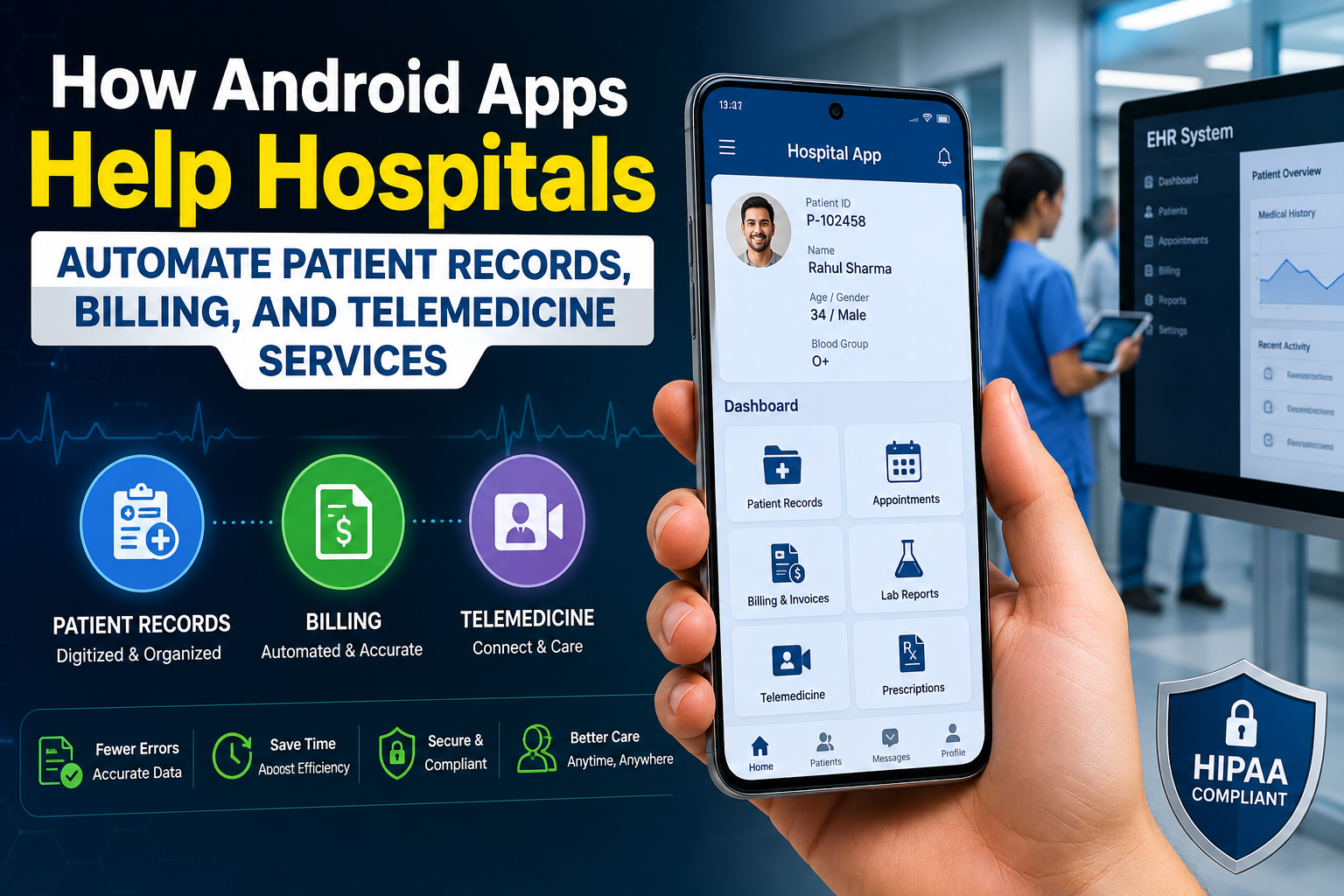
Android apps help hospitals automate patient records, billing, and telemedicine by connecting front-desk, clinical, and financial systems into one mobile workflow. They digitize intake and EHR updates, auto-generate and track invoices and insurance claims, and enable secure video consultations and remote monitoring — cutting paperwork, reducing billing errors, and letting patients access care from home.
Key Takeaways
- Hospital management software is projected to grow from roughly $30–39 billion in 2026 to $70–90 billion by the early 2030s, and mobile/web delivery is now the fastest-growing segment.
- Android’s global device reach and open development ecosystem make it the most cost-effective platform for hospitals rolling out patient- and staff-facing apps at scale.
- Automating patient records reduces duplicate data entry, supports interoperable formats like FHIR and HL7, and gives clinicians real-time access to charts at the bedside.
- Automated billing modules cut claim errors, speed up reimbursement, and integrate directly with insurance and revenue cycle management (RCM) systems.
- Telemedicine features — video visits, remote monitoring, e-prescriptions — extend hospital reach to rural and homebound patients while meeting HIPAA and data-security requirements.
- Any hospital Android app handling patient data must be built as HIPAA-compliant (or the applicable regional equivalent) from day one, not retrofitted later.
Why Hospitals Are Turning to Android Apps
Hospitals run on information — patient histories, lab results, insurance details, appointment schedules, and clinical notes — all moving between departments that used to rely on paper charts, fax machines, and phone calls. Android apps give hospitals a low-cost, widely compatible way to move that information digitally, in real time, on devices that staff and patients already own or can be issued cheaply.
Android holds the largest global smartphone operating system share by a wide margin, which matters for two practical reasons. First, patients in almost any country can download and use a hospital’s app without buying new hardware. Second, hospitals equipping nurses, technicians, or community health workers with tablets can source Android devices at a fraction of the cost of alternative platforms, which matters for large-scale rollouts across dozens of departments or rural clinics.
Bullet summary:
- Android’s open ecosystem lowers device and licensing costs for hospital-wide rollouts.
- Broad global device compatibility supports both urban and rural patient populations.
- Android supports deep integration with cloud EHR, billing, and telehealth platforms via open APIs.
The Core Problem: Fragmented, Manual Hospital Workflows
Before automation, most hospital departments operate as separate silos. Registration staff record patient details on paper or in a standalone system. Clinicians write notes that get transcribed later. Billing staff manually cross-check treatment codes against insurance rules. Patients seeking a follow-up consult have to call, wait on hold, and physically visit the facility even for a five-minute check-in.
This fragmentation creates three measurable problems:
- Data duplication and errors. The same patient information gets typed multiple times across systems, increasing the chance of mismatched records.
- Slow revenue cycles. Manual billing and claims processing delays reimbursement and increases denial rates.
- Limited patient access. Patients in rural areas, those with mobility limitations, or those simply short on time skip care they need because an in-person visit is the only option.
Android apps address all three by acting as the connective layer between the hospital’s backend systems (EHR, billing/RCM software, scheduling databases) and the people who need to interact with that data — clinicians, administrative staff, and patients — wherever they are.
How Android Apps Automate Patient Records
Direct Answer
Android apps automate patient records by digitizing intake forms, syncing data directly with a hospital’s Electronic Health Record (EHR) system, and giving authorized staff real-time, role-based access to patient charts from any device.
Supporting Explanation
Instead of a patient filling out a paper form at check-in that a clerk later re-types into the EHR, an Android intake app captures the same information directly into structured fields. That data is validated in real time (correct date formats, valid insurance ID patterns, required fields flagged before submission) and pushed into the EHR through a secure API, often using the HL7 FHIR standard, which is the interoperability format widely adopted by health systems for exchanging clinical data between different software platforms.
For clinicians, an Android tablet app at the bedside or nurses’ station means:
- Vitals captured from connected devices (Bluetooth-enabled blood pressure cuffs, pulse oximeters) flow directly into the patient’s chart, removing manual transcription.
- Medication administration can be verified by scanning a patient’s wristband barcode against the electronic medication record, reducing administration errors.
- Discharge summaries and referral letters are auto-populated from structured data rather than dictated and typed afterward.
Real Example
A community hospital replaced paper-based nursing rounds with an Android tablet app that logs vitals directly into the EHR. Nurses scan a patient’s wristband, the app pulls up the current chart, and any recorded vitals sync instantly — removing the end-of-shift backlog of writing notes from memory.
Bullet Summary
- Digital intake reduces duplicate data entry and transcription errors.
- FHIR/HL7-based sync keeps mobile app data consistent with the central EHR.
- Barcode and Bluetooth device integration improves accuracy at the point of care.
- Role-based access ensures only authorized staff see specific parts of a patient’s record.
How Android Apps Automate Hospital Billing
Direct Answer
Android billing apps automate invoicing, insurance claims, and payment collection by auto-generating charges from treatment codes, checking them against payer rules before submission, and letting patients view and pay bills directly from their phones.
Supporting Explanation
Hospital billing is one of the most error-prone and labor-intensive back-office functions in healthcare, largely because it depends on correctly matching clinical documentation to billing codes (CPT, ICD-10) and payer-specific rules. Automated revenue cycle management (RCM) software connected to an Android front end can:
- Pull treatment and procedure data directly from the clinical record instead of requiring manual re-entry by billing staff.
- Flag coding mismatches or missing documentation before a claim is submitted, reducing denial rates.
- Send patients real-time bill notifications and let them pay copays or outstanding balances through an in-app payment gateway.
- Track claim status end-to-end, so administrative staff can see which claims are pending, denied, or paid without switching between systems.
The global healthcare revenue cycle management software market is projected to grow from roughly $48 billion in 2026 to over $75 billion by 2033, reflecting how central automated billing has become to hospital financial operations.
Case Study Snapshot
A multi-location clinic group introduced an Android billing companion app for administrative staff that cross-checked claims against payer rules before submission. Denial rates dropped noticeably within the first two billing cycles, largely because coding errors were caught before claims left the building rather than after a payer rejection came back weeks later.
Comparison: Manual vs. Automated Billing Workflow
| Task | Manual Process | Android-Automated Process |
| Charge capture | Re-typed from paper charts | Pulled automatically from EHR |
| Coding accuracy check | Reviewed after submission | Flagged before submission |
| Claim status tracking | Phone calls to payer | Real-time in-app dashboard |
| Patient payment | Mailed paper invoice | In-app notification and payment |
| Time to reimbursement | Weeks | Days |
Bullet Summary
- Automated charge capture removes manual re-entry between clinical and billing systems.
- Pre-submission validation reduces claim denials and rework.
- In-app payments speed up patient collections and improve the patient experience.
- Real-time dashboards give billing teams visibility without manual follow-up calls.
How Android Apps Power Telemedicine Services
Direct Answer
Android apps power telemedicine by hosting secure video consultations, enabling remote patient monitoring through connected devices, and letting doctors issue e-prescriptions and follow-up instructions — all without the patient visiting the hospital in person.
Supporting Explanation
Telemedicine functionality inside a hospital’s Android app typically includes:
- Virtual visits: Encrypted video and audio consultations scheduled and joined directly from the app, often integrated with the hospital’s existing calendar and EHR so the visit notes attach to the patient’s chart automatically.
- Remote patient monitoring (RPM): Wearables and home devices (glucose monitors, blood pressure cuffs, pulse oximeters) sync readings to the app, which flags abnormal values for a care team to review between visits.
- E-prescriptions: After a virtual consult, prescriptions are sent electronically to the patient’s pharmacy of choice, removing the need for a paper script.
- Secure messaging: Patients can message their care team with non-urgent questions, reducing avoidable phone calls and in-person visits.
The web/mobile delivery segment already accounts for the large majority of telemedicine delivery-model revenue, and it is also the fastest-growing segment, driven by rising smartphone penetration and growing comfort with virtual care. Separately, survey data cited by Deloitte found that a large share of U.S. adults who had a virtual visit in the past year said they would use telehealth again, showing that patient satisfaction with virtual care remains high once they try it.
Real Example
A regional hospital network launched an Android app enabling rural patients to complete post-surgical follow-up visits by video instead of a multi-hour drive. Recovery check-ins that once required a full-day trip were completed from the patient’s living room, with vitals from a home blood pressure cuff synced into the visit in real time.
Bullet Summary
- Video visits reduce no-shows and travel burden for rural or mobility-limited patients.
- Remote monitoring catches abnormal readings between scheduled visits.
- E-prescriptions and secure messaging cut down on avoidable phone calls and repeat visits.
- Integration with the EHR means telemedicine visits become part of the permanent patient record automatically.
Industry Statistics and Market Growth
Recent market research puts these numbers in context (figures vary by research firm and methodology, so ranges are shown where sources disagree):
| Metric | Figure |
| Global hospital management software market, 2026 | Approximately $30–39 billion, with most forecasts projecting a CAGR between 9% and 18% through the early 2030s |
| Global mHealth apps market, 2026 | Roughly $45–46 billion, projected to more than double by 2034 |
| Global telemedicine/telehealth market, 2026 | Estimated between roughly $88 billion and $123 billion depending on the source, with strong double-digit CAGR forecasts |
| Healthcare revenue cycle management software market, 2026 | Approximately $48 billion, projected to reach $75 billion by 2033 |
| Web/mobile delivery share of telemedicine market | Accounts for the large majority of delivery-model revenue and is the fastest-growing segment |
Why this matters: These figures show that mobile-first, cloud-connected hospital software — including Android apps — is not a niche add-on. It is becoming the primary channel through which hospitals manage records, collect payments, and deliver care outside their walls.
Real-World Example: A Mid-Size Hospital Workflow
Consider a 200-bed hospital that introduced a single Android app ecosystem across three functions:
- Front desk: Registration staff use an Android tablet to capture new patient intake, which syncs directly to the EHR and flags insurance eligibility issues before the patient reaches a clinician.
- Clinical floor: Nurses use Android phones to scan medication barcodes and log vitals at the bedside, syncing to the same patient chart in real time.
- Billing office: As soon as a procedure is documented, the billing module auto-generates a claim, checks it against payer rules, and routes it for review — cutting the average time between service and claim submission from several days to under 24 hours.
- Patients at home: After discharge, patients use the same hospital app to schedule a telemedicine follow-up, receive their e-prescription, and pay their remaining balance — all without a phone call to the hospital.
This kind of end-to-end automation is what separates a basic “patient portal” app from a true hospital automation platform: every department works from the same synchronized data source, accessed through role-specific Android interfaces.
Android vs. iOS for Hospital App Development
| Factor | Android | iOS |
| Global device reach | Broader, especially in emerging markets and rural regions | Strong in North America and parts of Western Europe |
| Hardware cost for staff devices | Lower-cost device options widely available | Higher device cost |
| Development flexibility | More device fragmentation to test against | More consistent hardware/software combinations |
| Enterprise deployment tools | Android Enterprise supports managed, kiosk-style hospital devices | Apple Business Manager offers similar managed deployment |
| Integration with wearables | Wide support via Health Connect and manufacturer SDKs | Deep integration with Apple Health ecosystem |
Expert tip: Many hospitals don’t choose one platform exclusively — they build for Android first to reach the broadest patient base and lowest staff-device cost, then release an iOS version for patients who prefer Apple devices.
Must-Have Features Checklist
- [ ] Secure patient registration and identity verification
- [ ] Real-time EHR sync (FHIR/HL7-compliant)
- [ ] Role-based access control for staff
- [ ] Barcode/QR scanning for medication and identity verification
- [ ] Automated charge capture and claims validation
- [ ] In-app bill viewing and payment
- [ ] HD video consultation with end-to-end encryption
- [ ] Remote patient monitoring device integration
- [ ] E-prescription generation and pharmacy routing
- [ ] Secure in-app messaging between patients and care teams
- [ ] Offline mode with sync-on-reconnect for low-connectivity areas
- [ ] Multi-language support for diverse patient populations
- [ ] Audit logging of every access to patient data
Step-by-Step: How Hospitals Implement an Android Automation App
- Assess current workflows. Map out exactly where paper, phone calls, or duplicate data entry slow down registration, billing, and follow-up care.
- Define compliance scope. Determine which regulations apply (HIPAA in the U.S., GDPR in the EU, or local health-data laws) before writing a line of code.
- Choose a HIPAA-eligible technical stack. Select cloud hosting (AWS, Azure, or Google Cloud healthcare-specific services), encrypted databases, and authentication providers that support signed Business Associate Agreements (BAAs).
- Design role-specific interfaces. Build separate views for front-desk staff, clinicians, billing teams, and patients so each sees only what their role requires.
- Integrate with existing EHR and billing systems. Use FHIR/HL7 APIs to connect the app to the hospital’s existing systems rather than building a parallel data store.
- Build telemedicine infrastructure. Add encrypted video, scheduling, and e-prescription capabilities, tested for low-bandwidth conditions.
- Run a pilot in one department. Test with a single unit (e.g., outpatient billing or one nursing floor) before a hospital-wide rollout.
- Train staff and patients. Provide short, task-specific training rather than a single long onboarding session.
- Monitor, audit, and iterate. Track error rates, claim denial rates, and patient adoption, then refine the app based on real usage data.
HIPAA and Data Security Requirements
Any Android app that collects, stores, or transmits Protected Health Information (PHI) in the U.S. must meet HIPAA’s Security and Privacy Rule requirements. Key technical baselines include:
- Encryption everywhere: PHI must be encrypted at rest and in transit, with TLS 1.2 or higher for all API calls — no unencrypted fallback.
- Signed Business Associate Agreements (BAAs): Every third-party vendor that touches PHI — cloud hosting, analytics, push notifications, AI/LLM providers — must have a signed BAA before handling patient data. Standard consumer-grade analytics or notification services are typically not HIPAA-eligible by default.
- Role-based, minimum-necessary access: Each staff role should see only the PHI required for their specific job function.
- Audit logging: Every view, edit, export, or deletion of PHI must be logged with who, what, and when.
- Multi-factor authentication: Required for any account accessing PHI; SMS-based 2FA is discouraged because SMS is not encrypted.
- No PHI in push notifications: Notification text should stay generic (“You have a new message from your care team”) rather than including clinical details.
- On-device caching limits: PHI should not persist unencrypted on a device, since a lost or stolen phone with cached PHI can constitute a reportable breach.
Google Cloud’s Healthcare API and Microsoft’s Azure Health Data Services both offer HIPAA-eligible, FHIR-compliant infrastructure, but the platform itself is only “HIPAA-eligible” — the hospital and its developers remain responsible for correct configuration, signed BAAs, and ongoing compliance under HIPAA’s shared-responsibility model.
Important note: Compliance is not a single feature checkbox. It requires an architecture decision made at the start of development, not something added after the app is built.
Pros and Cons of Android-Based Hospital Automation
Pros
- Lower device and licensing costs for hospital-wide staff rollouts
- Broad patient reach across geographies and income levels
- Deep integration options with wearables and IoT medical devices
- Flexible, open development ecosystem that supports custom EHR and billing integrations
- Strong support for managed, kiosk-mode enterprise deployment
Cons
- Greater device fragmentation can complicate testing and support
- Security configuration requires more manual diligence than fully closed ecosystems
- Achieving full HIPAA compliance across all third-party services (analytics, notifications, AI tools) demands careful vendor vetting
- Rural or low-bandwidth areas may need extra investment in offline-first design
Common Mistakes Hospitals Make
- Treating HIPAA compliance as an afterthought. Retrofitting encryption, access controls, and audit logging after launch is far more expensive than designing for compliance from day one.
- Building a parallel data silo instead of integrating with the EHR. An app that doesn’t sync with the hospital’s core EHR just creates another fragmented system.
- Skipping a pilot phase. Rolling out to the entire hospital at once makes it hard to isolate and fix workflow issues early.
- Ignoring low-connectivity scenarios. Apps that require constant internet access fail in rural clinics or hospital basements with poor signal.
- Overloading the first release with features. Trying to launch records, billing, and telemedicine simultaneously often delays all three; phased rollouts tend to succeed more reliably.
- Using non-HIPAA-eligible third-party tools. Standard analytics or AI APIs without a signed BAA can create compliance violations even if the core app is well-built.
Expert Tips for a Successful Rollout
- Start with the workflow causing the most friction today (often billing or intake), not the most technically impressive feature.
- Involve nurses, billing staff, and patients in usability testing before writing final specifications — frontline staff will catch workflow gaps that a specification document won’t reveal.
- Build offline-first for any department where connectivity isn’t guaranteed, and sync automatically once a connection returns.
- Keep patient-facing screens simple: a confused patient trying to join a video visit generates more support calls than the app saves.
- Revisit HIPAA and vendor BAAs any time you add a new third-party service, including AI features — this is one of the most common post-launch compliance gaps.
Frequently Asked Questions
What is a hospital automation app?
A hospital automation app is mobile software that digitizes and connects hospital workflows — patient records, billing, and telemedicine — so staff and patients can complete tasks that once required paper, phone calls, or in-person visits.
Why do hospitals choose Android over iOS for staff devices?
Android generally offers lower-cost hardware options and stronger enterprise device-management tools for large-scale rollouts across many staff members, though many hospitals also release a companion iOS app for patients.
How do Android apps keep patient records accurate?
By capturing data directly into structured, validated fields and syncing in real time with the hospital’s EHR using interoperability standards like HL7 FHIR, reducing manual re-entry and transcription errors.
Are hospital Android apps HIPAA-compliant by default?
No. HIPAA compliance depends on how the app is built and configured — including encryption, access controls, audit logs, and signed BAAs with every vendor handling patient data — not on the operating system itself.
Can Android apps handle insurance billing automatically?
Yes. Billing modules can pull treatment codes from the clinical record, validate them against payer rules before submission, and track claim status, which reduces denials and speeds up reimbursement.
What is remote patient monitoring (RPM)?
RPM is the use of connected devices — like blood pressure cuffs or glucose monitors — that send readings to a care team through the app, allowing clinicians to catch abnormal results between scheduled visits.
Do patients need special equipment for telemedicine visits?
Usually not. Most Android telemedicine apps only require a smartphone with a camera and a stable internet connection; some also support connected home health devices for monitoring.
How long does it take to build a HIPAA-compliant telemedicine app?
Industry estimates typically range from six to nine months for a full-featured, HIPAA-compliant telemedicine app, depending on the complexity of integrations and features like AI-assisted triage.
What happens if a hospital app uses a non-compliant third-party service?
Using a vendor without a signed BAA to process patient data — for analytics, notifications, or AI features — can constitute a HIPAA violation even if the core app is otherwise secure.
Can Android apps integrate with existing hospital EHR systems?
Yes, through standardized APIs such as HL7 FHIR, which most modern EHR platforms support for exchanging patient data with external applications.
What’s the difference between a patient portal and a full hospital automation app?
A patient portal typically only lets patients view records or messages, while a full automation app connects registration, clinical documentation, billing, and telemedicine into one synchronized system used by both staff and patients.
How do hospitals handle poor internet connectivity in rural areas?
Well-designed apps include offline modes that store data locally and sync automatically once a connection is available, which is essential for rural clinics and community health workers.
Is remote patient monitoring covered by insurance?
Coverage varies by payer and region; in the U.S., reimbursement codes for certain remote monitoring and digital therapeutic services have expanded in recent years, but hospitals should confirm current payer policies before deployment.
What is the biggest cost driver in building a hospital Android app?
Compliance-related architecture — encryption, audit logging, secure hosting, and vendor BAAs — along with EHR integration complexity, typically drive more cost than the user interface itself.
Should a hospital build its app in-house or use an existing platform?
This depends on budget, existing IT staff, and how customized the workflow needs to be; many hospitals start with an established HIPAA-compliant platform and customize it, rather than building entirely from scratch.
Final Conclusion
Android apps have moved from a “nice to have” convenience to a core piece of hospital infrastructure. By connecting patient records, billing, and telemedicine into a single mobile-first workflow, hospitals reduce administrative errors, speed up reimbursement, and reach patients who would otherwise go without timely care. The technology itself — FHIR-based EHR sync, automated claims validation, encrypted video visits — is well established. The real differentiator is disciplined implementation: building for compliance from day one, integrating with existing systems instead of creating new silos, and rolling out in phases that let staff and patients adapt.