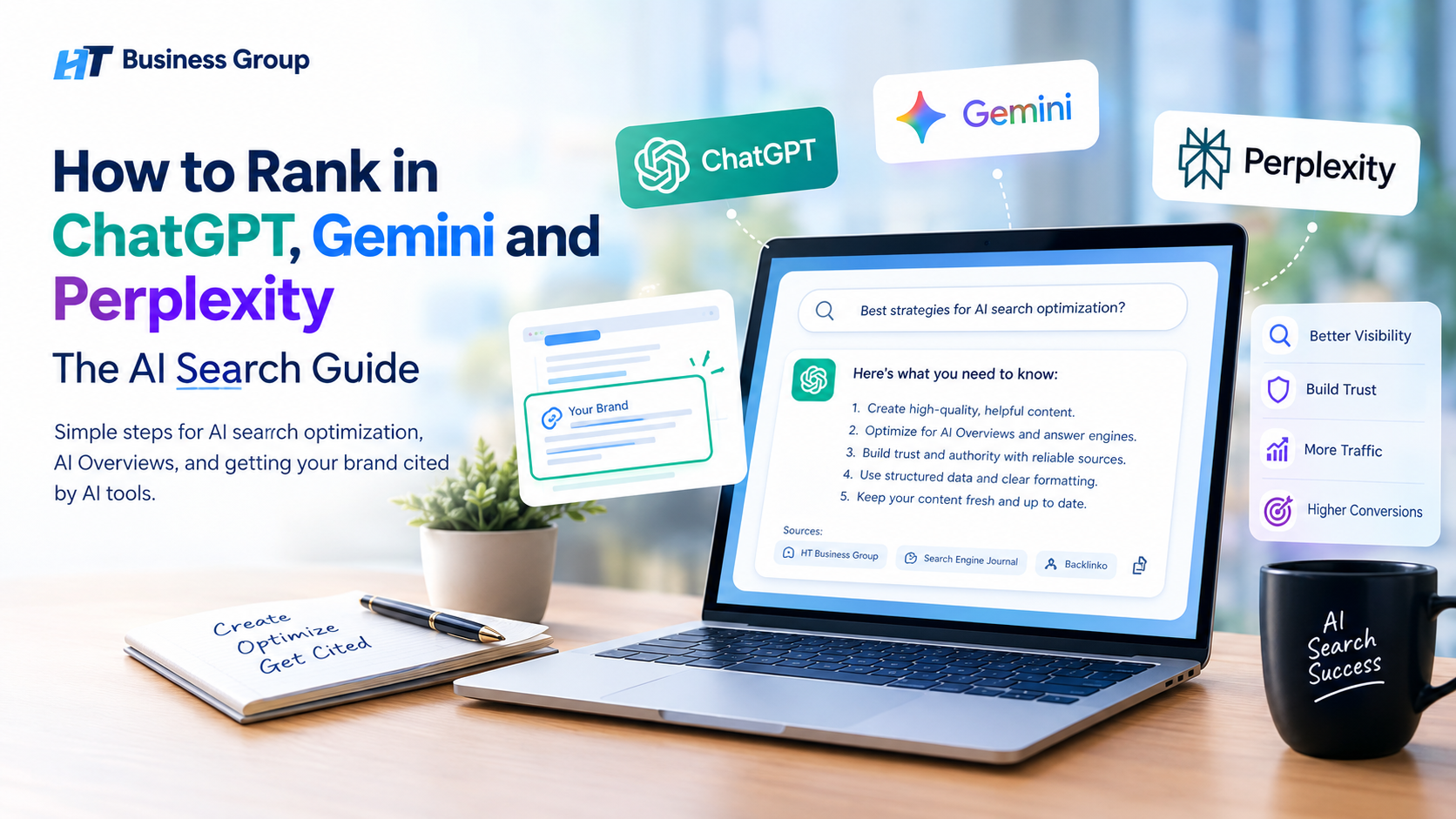
To rank in ChatGPT, Gemini and Perplexity, you need to become a source these tools trust and want to quote. This means letting AI crawlers open your site, writing clear answers to real questions, showing real expertise, adding structured data, and earning mentions on trusted websites. Keep your content fresh, and your chances of being cited will grow over time.
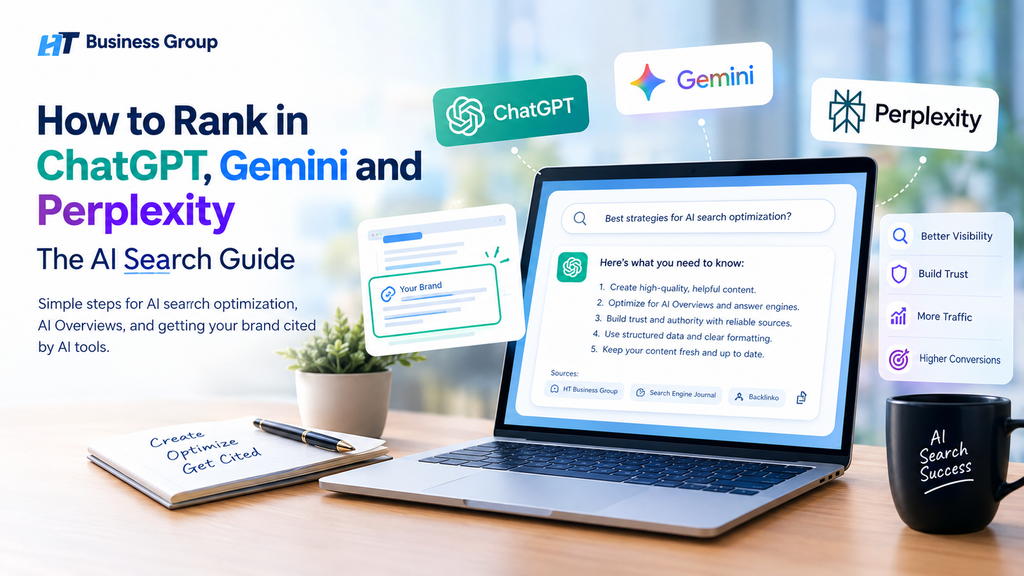
There is no fixed “rank one” spot in AI search. Instead of a list of ten blue links, tools like ChatGPT, Gemini, and Perplexity write one answer and pick a few sources to back it up. Your goal is to be one of those sources. This work is called AI search optimization, generative engine optimization (GEO), or answer engine optimization (AEO). It builds on classic SEO, so the good habits you already have still matter.
Why This Matters Right Now
Think about how you search today. Many people no longer scroll through pages of results. They ask a full question and read the answer that appears at the top, whether it comes from Google AI Overviews, ChatGPT search, or Perplexity. If your brand is not inside that answer, a buyer may never see you.
The good news is that most websites are still written only for old-style search. That means you have a real chance to stand out. When an AI tool names your brand or links to your page, it works like a trusted friend saying, “Go here, they know this well.” People who click from an AI answer often know what they want, so the visit can lead to a sale or a call much faster.
What You Will Learn in This Guide
In this guide, I will explain how these three tools choose their sources, and how AI search is different from normal SEO. Then I will walk you through eight simple steps, with special tips for each tool, a plan to win featured snippets, and a way to track your AI visibility. I use simple words and short steps, so you can follow along even if you are new to SEO. At the end, you will find a 30-day action plan, so you can start today.
Quick Answer: How Do You Rank in ChatGPT, Gemini and Perplexity?
To rank in ChatGPT, Gemini and Perplexity, do six things well:
- Let AI crawlers reach your site.
- Write clear, direct answers to real questions.
- Show real expertise and use original facts.
- Add structured data (schema).
- Build mentions of your brand on trusted websites.
- Keep your content fresh and easy to read.
AI tools do not have “rankings” like Google’s ten blue links. They pick sources to quote or cite in their answers. Your goal is to be one of those sources. This is called AI search optimization, generative engine optimization (GEO), or answer engine optimization (AEO).
That is the short version. The rest of this guide explains each step in simple words, so you can follow along even if you are new to SEO.
Table of Contents
- What Is AI Search and Why Does It Matter?
- How ChatGPT, Gemini and Perplexity Pick Their Sources
- SEO vs. GEO: What Is the Difference?
- Step 1: Let AI Bots Crawl Your Website
- Step 2: Write for Questions, Not Just Keywords
- Step 3: Use the “Answer First” Format
- Step 4: Build E-E-A-T (Experience, Expertise, Authority, Trust)
- Step 5: Add Structured Data
- Step 6: Build Brand Mentions Across the Web
- Step 7: Fix Your Technical SEO
- Step 8: Keep Your Content Fresh
- How to Rank in ChatGPT (Specific Tips)
- How to Rank in Gemini and Google AI Overviews (Specific Tips)
- How to Rank in Perplexity (Specific Tips)
- How to Win Featured Snippets
- How to Track Your AI Visibility
- Common Mistakes to Avoid
- A 30-Day AI Search Action Plan
- FAQs
- Final Thoughts
What Is AI Search and Why Does It Matter?
AI search is when a person asks a question and an AI tool gives a full answer, instead of a list of links. The tool reads many web pages, picks the best parts, and writes one clear reply.
Here are the main AI search tools people use today:
- ChatGPT from OpenAI, which can search the web and show sources.
- Gemini from Google, which is tied closely to Google Search and its data.
- Google AI Overviews, the AI summary at the top of many Google results.
- Perplexity, an “answer engine” that shows citations for every claim.
Why does this matter for your business? Because people now get answers without clicking. If your brand is not inside the answer, you may not be seen at all.
But there is good news too. When an AI tool cites your page, it acts like a trusted friend saying, “Go read this.” People who click from an AI answer often know what they want. That can mean better leads and more sales.
The people who learn this early will have a big edge. Most websites are still writing only for old-style search. You can be ahead.
How ChatGPT, Gemini and Perplexity Pick Their Sources
Before you try to rank in ChatGPT or any AI tool, you need to know how these tools work. Let’s keep it simple.
They use two kinds of knowledge
1. Training knowledge. The AI learned from a huge pile of text before it was released. This is like what a student remembers from school.
2. Live search knowledge. The AI looks up fresh pages on the web when you ask a question. This is like the student opening a book to check facts.
Most brand visibility work is about the second kind. When these tools search the web, they pick pages that are:
- Easy to crawl. The bot can open the page.
- Easy to understand. The answer is clear and well organized.
- Trusted. Other good sites mention or link to the source.
- Fresh. The information is up to date.
- Relevant. The page matches the exact question.
Each tool has its own style
ChatGPT has a search feature that finds web sources and shows links in its answers. OpenAI explains how this works in its post on ChatGPT search. It has its own crawler, and it also relies on partner search data.
Gemini and Google AI Overviews lean on Google’s own search index and quality systems. If you already do well in Google, you have a head start. Google shares its advice in AI features and your website.
Perplexity searches the web in real time and shows numbered citations. It loves clear, factual, well-sourced pages. You can learn more on the Perplexity Hub.
The core idea is the same for all three: be the clearest, most trusted answer to a question.
SEO vs. GEO: What Is the Difference?
Many people ask, “Is SEO dead?” No. SEO is not dead. It is the base that AI search stands on. But the goal is a little different now.
| Traditional SEO | GEO / AI Search Optimization | |
| Goal | Rank high on a results page | Get cited or mentioned in an AI answer |
| Main unit | A web page | A short, clear passage or fact |
| Success looks like | Clicks and traffic | Mentions, citations, and brand trust |
| Key signals | Links, keywords, speed | Clarity, authority, mentions, freshness |
| Format | Long pages that rank | Pages with quick, quotable answers |
Think of it this way. Old SEO asked, “How do I get on page one?” New AI SEO asks, “How do I become the answer?”
The best part is that good GEO also helps normal SEO. Clear writing, real expertise, and strong structure help you everywhere.
Step 1: Let AI Bots Crawl Your Website
This is the easiest step, and many sites get it wrong. If AI bots cannot open your pages, you cannot show up in their answers.
Check your robots.txt file
Your robots.txt file tells bots what they can and cannot visit. Some sites block AI bots by mistake, sometimes through a security plugin or a CDN setting.
Here are the main bots to know:
- OAI-SearchBot is used by OpenAI to find pages for ChatGPT search results.
- GPTBot is used by OpenAI for training its models.
- ChatGPT-User visits pages when a person asks ChatGPT to open a link.
- PerplexityBot is used by Perplexity to find and link to sites.
- Googlebot is Google’s main crawler, and it feeds Search and AI Overviews.
- Google-Extended is a control that lets you manage whether your content is used for Gemini training and grounding in some Google AI products. It does not change how you appear in normal Google Search.
You can read each company’s rules in the OpenAI bots guide and the Perplexity bots guide. Google explains robots.txt basics in its robots.txt introduction.
A simple example
If you want to be found in AI answers, do not block the search bots. A simple, open setup looks like this:
User-agent: OAI-SearchBot
Allow: /
User-agent: PerplexityBot
Allow: /
User-agent: Googlebot
Allow: /
You may choose to block training bots like GPTBot if you do not want your content used for training. That is your business choice. Just know that blocking search bots can remove you from AI answers.
Other crawl checks
- Make sure your important pages are not hidden behind logins or pop-ups.
- Do not put your main content only inside images or heavy JavaScript. Many bots do not run complex scripts well.
- Keep your XML sitemap clean and up to date.
- Submit your site to Google Search Console and Bing Webmaster Tools. Bing matters because several AI tools use Bing-related data.
- Consider using IndexNow so search engines learn about new or changed pages fast.
Step 2: Write for Questions, Not Just Keywords
People talk to AI tools like they talk to a friend. They ask full questions. They add details. They ask follow-ups.
Old-style searches looked like this: “best crm small business.”
AI-style searches look like this: “What is the best CRM for a small business with five employees that needs email tools and a low price?”
So your content must match how people really ask.
How to find real questions
- Use the “People also ask” box on Google.
- Read comments on Reddit and Quora in your niche.
- Look at questions your sales and support teams hear each week.
- Type your topic into ChatGPT and Perplexity and read the follow-up questions they suggest.
- Check your Search Console for long, question-style queries.
Group questions by intent
Sort each question into one of these buckets:
- Learn: “What is generative engine optimization?”
- Compare: “ChatGPT vs. Perplexity for research”
- Decide: “Which AI search agency should I hire?”
- Do: “How do I add FAQ schema to my site?”
Then build a page for each key question, or add a clear section to a strong page. One page should have one clear job.
Use natural language
Do not stuff keywords. AI tools understand meaning, not just exact words. Write the way people speak. Use your primary keyword, like “rank in ChatGPT,” where it fits naturally. Use secondary keywords, like “AI search optimization,” “AI Overviews,” and “Perplexity ranking,” in headings and sentences where they make sense.
Step 3: Use the “Answer First” Format
This is one of the most powerful tricks for both AI answers and featured snippets. Give the answer right away. Then explain.
The pattern
- Ask the question in a heading.
- Answer in 40 to 60 words right below it.
- Add details, steps, examples, and proof after that.
Example
What is generative engine optimization?
Generative engine optimization, or GEO, is the practice of making your content easy for AI tools like ChatGPT, Gemini, and Perplexity to find, understand, and cite. It focuses on clear answers, strong expertise, structured data, and brand mentions across trusted websites.
See how that short block can stand alone? An AI tool can lift it straight into an answer. Google can also use it as a featured snippet.
Make passages “liftable”
AI tools often pull small chunks of text, not whole pages. So each section should make sense on its own. Follow these rules:
- Start each section with the point.
- Use the topic name in the text, not just “it” or “this.”
- Keep paragraphs short, about two to four sentences.
- Use lists for steps and tables for comparisons.
- Define terms in one clean sentence.
Use simple words
Simple writing wins. Short words and short sentences are easier for both people and machines to read. If a fifth grader can follow your point, an AI tool can too.
Step 4: Build E-E-A-T (Experience, Expertise, Authority, Trust)
AI tools do not want to share wrong information. So they lean toward sources that look trustworthy. Google calls this E-E-A-T, and it explains the idea in its guide on creating helpful, people-first content.
- Experience: Have you actually done this?
- Expertise: Do you know the topic deeply?
- Authoritativeness: Do others see you as a leader?
- Trustworthiness: Is your site honest, safe, and clear?
How to show E-E-A-T on your site
Add real author names and bios. Show who wrote the page, their job, and why they know the topic. Link to their LinkedIn or other profiles.
Share first-hand experience. Say things like “In our tests…” or “When we helped a client…” Real stories stand out from generic AI text.
Publish original data. Surveys, case studies, and your own numbers give AI tools something new to cite. Original facts are cited more than copied ones.
Cite good sources. When you make a claim, link to a trusted source. This shows care and helps readers check your work.
Be clear about your business. Have a strong About page, contact details, a physical address if you have one, and clear policies.
Keep your facts correct. Wrong facts hurt trust. Check dates, names, and numbers.
Collect reviews. Real customer reviews on Google, industry sites, and other platforms send strong trust signals.
Write for people first
Do not write only for machines. Write the best possible page for a human reader. If a real person finds your page useful, the AI tools are more likely to trust it too.
Step 5: Add Structured Data
Structured data is code that tells search engines what your page is about. It uses a shared language called Schema.org. It does not guarantee that you will be cited, but it helps machines understand your content with less guessing.
Google has a helpful starting point in its intro to structured data.
Useful schema types
- Organization: Tells machines who you are, your logo, and your profiles.
- Article / BlogPosting: Shows the author, date published, and date updated.
- FAQPage: Marks up questions and answers on a page.
- HowTo: Marks up step-by-step guides.
- Product and Review: Helps with store pages and ratings.
- LocalBusiness: Helps local companies show address, hours, and services.
- Person: Helps connect authors to their expertise.
Tips for using schema well
- Only mark up content that is truly on the page.
- Keep the schema data matching what people see.
- Use JSON-LD, the format most search engines prefer.
- Test your pages with Google’s Rich Results Test and fix any errors.
- Use the sameAs property to link your brand to your social profiles and other official pages. This helps machines know your brand is one clear “entity.”
Build a strong entity
An “entity” is a clear thing, like a company, a person, or a product. AI tools understand the world through entities. The more clearly they know who you are, the more likely they are to mention you correctly.
To build your entity:
- Use the same brand name everywhere.
- Keep your description consistent across your site, social profiles, and directories.
- Claim your profiles on Google Business Profile, LinkedIn, Crunchbase, and industry sites.
- Consider a Wikipedia or Wikidata presence if you qualify. Follow their rules and do not try to game them.
Step 6: Build Brand Mentions Across the Web
Here is something many people miss. AI tools do not only read your site. They read the whole web. What others say about you matters a lot.
If ten trusted sites say “HT Business Group is a great choice for AI search help,” AI tools notice. Mentions, even without links, help build trust.
Where to get mentions
- Industry blogs and news sites. Offer expert quotes or guest posts.
- Podcasts and webinars. Being a guest creates transcripts and show notes that get indexed.
- Review sites. G2, Trustpilot, Capterra, Clutch, and similar sites matter in many niches.
- Forums like Reddit and Quora. Perplexity and other AI tools often pull from these. Join the talk honestly. Help people. Do not spam.
- YouTube. Video titles, descriptions, and transcripts often appear in AI answers.
- “Best of” and comparison lists. Many AI answers copy the shape of these lists.
- Wikipedia and reference sites, where appropriate.
- Digital PR. Share a real story, study, or trend that reporters want to cover.
Be honest and helpful
Do not fake reviews or spam forums. Search engines and AI tools are getting better at spotting fake signals, and it can hurt your brand. Earn mentions by being useful.
Get listed where your buyers look
Ask yourself, “Where would a person look when they need what I sell?” Then make sure you show up there with strong, accurate info. AI tools often echo what they find on those trusted third-party pages.
Step 7: Fix Your Technical SEO
Great content will not help if your site is slow, broken, or confusing. Technical basics still matter for every kind of search.
Technical checklist
- Speed: Make pages load fast. Check your Core Web Vitals with Google’s web.dev guide to Web Vitals.
- Mobile-friendly design: Most people use phones. Bhāgalpur or Boston, the story is the same: your site must work well on a small screen.
- HTTPS: Use a secure site.
- Clean URLs: Short and readable.
- Internal links: Link related pages together with clear anchor text. This helps bots understand your topics.
- No broken links or endless redirects.
- Canonical tags: Prevent duplicate content problems.
- Server-side rendering: Make sure your main text appears in the HTML, not only after heavy scripts run.
- Clear headings: Use one H1 and a logical H2 and H3 structure.
Consider an llms.txt file
Some site owners add an llms.txt file. It is a proposed simple file that gives AI tools a short guide to your best content. It is not a proven ranking factor, and major AI companies have not confirmed they rely on it. It takes little time to add, but do not expect it to work miracles. Focus first on content, crawl access, and trust.
Step 8: Keep Your Content Fresh
AI tools that search live like fresh, correct information. An old page with old numbers can lose to a newer page.
How to keep pages fresh
- Review your top pages every quarter.
- Update stats, screenshots, and examples.
- Show a “Last updated” date, and make it honest. Do not change the date without changing the content.
- Add new sections when the topic changes.
- Remove or merge weak, outdated pages.
- Publish new content on topics people are asking about right now.
Build topic clusters
Instead of writing random posts, build a hub-and-spoke set:
- One main guide (like this one) on a big topic.
- Several supporting posts on smaller questions.
- Internal links between all of them.
This shows depth. AI tools and search engines both prefer sites that cover a topic in full.
How to Rank in ChatGPT (Specific Tips)
Now let’s get specific. Here is how to boost your chance to rank in ChatGPT and be named in its answers.
1. Allow OpenAI’s search crawler. Make sure OAI-SearchBot is not blocked. This is the bot that helps ChatGPT search find pages.
2. Rank well in Bing. ChatGPT search has relied on partner search data, and Bing is a big part of the wider web ecosystem. Set up Bing Webmaster Tools, submit your sitemap, and fix any issues there.
3. Get listed as a top result for “best” and “vs.” questions. Many ChatGPT queries are about choices. Publish honest comparison pages. Include pros, cons, prices, and who each option is best for.
4. Be mentioned on trusted third-party sites. ChatGPT often echoes what many sources say. If several sources name you as a leader in your niche, you are more likely to be named too.
5. Write clear, factual, quotable text. Give short definitions, numbers, and steps. Avoid vague fluff.
6. Keep brand details consistent. Use the same name, description, and key facts everywhere.
7. Use your own words and your own data. Original research gives ChatGPT a reason to cite you as the source.
8. Answer follow-up questions. ChatGPT users chat back and forth. Cover the next question in the same article, so your page stays useful through the whole chat.
9. Test it yourself. Ask ChatGPT the questions your customers ask. See who gets named. Study those pages and find what they do well. Then do it better.
A note on honesty: nobody outside these companies knows the exact formula. Be careful of anyone who promises a guaranteed ChatGPT ranking. The best approach is to build real authority and clear content, then measure and adjust.
How to Rank in Gemini and Google AI Overviews (Specific Tips)
Gemini and Google AI Overviews connect closely to Google Search. So classic SEO is your strongest base here.
1. Follow Google’s own guidance. Read AI features and your website. Google says the same core SEO best practices apply. Your page must be indexed and eligible to show a snippet to appear as a supporting link.
2. Do not block Googlebot or use “nosnippet” on pages you want featured. Limits on snippets can also limit how your content appears in AI features.
3. Create helpful, people-first content. This is Google’s repeated message. Solve the reader’s problem well.
4. Use strong E-E-A-T signals. This is especially important for “Your Money or Your Life” topics like health, money, and safety.
5. Add structured data and keep it accurate. It helps Google understand your page.
6. Optimize your Google Business Profile. For local businesses, a full and active profile is very valuable. Add correct hours, photos, services, and get regular reviews. You can manage it at Google Business Profile.
7. Use good images and video. Google’s AI results can show visuals. Use clear original images with descriptive file names and alt text. Add video on YouTube for key topics.
8. Answer the “long tail.” AI Overviews often show up for longer, more detailed questions. Cover these in your content.
9. Watch Search Console. Track queries and pages that get impressions and clicks. Look for pages that show for question-style searches and improve them.
10. Earn links and mentions. Google’s systems still use signals of authority from across the web.
How to Rank in Perplexity (Specific Tips)
Perplexity is built around citations. It shows where each fact came from. That makes it a great place to win visibility if your content is clear and trusted.
1. Allow PerplexityBot. Check your robots.txt and your firewall rules.
2. Write fact-rich, well-organized pages. Perplexity likes pages that answer a question directly and back it up with data.
3. Cite your own sources. Pages that link to good references look stronger. Use descriptive anchor text so readers know where each link goes.
4. Show fresh dates. Perplexity searches live, so recent content can have an edge for time-sensitive topics.
5. Be present on discussion sites. Perplexity often pulls from forums, Q&A pages, and community posts. Have honest, helpful members of your team join relevant discussions.
6. Publish deep, expert content. Long, detailed guides with clear sections tend to give the tool many quotable parts.
7. Use clear headings that match questions. Headings like “How much does X cost?” or “Is X worth it?” map well to user queries.
8. Make comparisons. Perplexity is often used for research. Tables, side-by-side lists, and clear pros and cons are handy.
9. Test your brand in Perplexity. Search for your brand, your products, and your topic. See which sources get cited. If a competitor is cited often, study why.
How to Win Featured Snippets
Featured snippets are the boxed answers at the top of Google results. They are a smart target because the same style of content also helps AI tools.
The four common snippet types
- Paragraph: A short definition or answer.
- List: Steps or ranked items.
- Table: Comparisons or data.
- Video: A clip that answers a query.
How to get a featured snippet
1. Find questions that already show snippets. Search your topic and note which queries show a snippet box.
2. Answer in 40 to 60 words. Place the answer right under a heading that repeats the question.
3. Use the right format. Use a numbered list for steps, bullet lists for items, and tables for comparisons.
4. Use clear headings. Write H2 and H3 headings as questions or “how to” phrases.
5. Add extra detail after the short answer. This lets you rank for both the quick answer and the deeper query.
6. Match search intent. Do not go off topic. Give what the person wants.
7. Improve your page overall. Snippets usually come from pages that already rank on page one.
Example of a snippet-friendly answer
How long does it take to rank in AI search?
Most sites start to see early AI search results in about two to six months, but the time can vary. Sites with strong authority, clean technical SEO, and clear, expert content usually move faster than new or weak sites.
Short. Clear. Direct. That is the goal.
How to Track Your AI Visibility
You cannot improve what you do not measure. Tracking AI search is still new, but you can start with simple steps.
Manual checks
- Make a list of 20 to 50 questions your customers ask.
- Ask each question in ChatGPT, Gemini, and Perplexity.
- Record whether your brand is named, whether your site is cited, and who else is named.
- Repeat every month and compare.
Use a simple spreadsheet with columns for the question, the tool, the date, whether you were cited, and which competitors appeared.
Analytics checks
- In Google Analytics, look at referral traffic from sources like chatgpt.com, perplexity.ai, and gemini.google.com.
- Watch for growth in branded searches. When AI tools mention you more, more people search your name.
- In Google Search Console, watch impressions and clicks for question-style queries.
- Ask new customers, “How did you find us?” Add “AI tool” as an option on forms.
Tools
Several SEO platforms now offer AI visibility tracking. Look at what your current SEO tool provides. The Ahrefs blog is a good place to follow ongoing research and tests in this area. Whatever tool you choose, treat the numbers as directional. AI answers can change from one moment to the next, even for the same question.
Metrics that matter
- Share of voice: How often you are named compared with competitors.
- Citation rate: How often your pages are linked.
- Accuracy: Does the AI say correct things about you?
- Sentiment: Is the tone about your brand positive?
- Leads and sales from AI traffic: The number that matters most.
Common Mistakes to Avoid
1. Blocking AI bots by accident. Check your robots.txt, CDN, and firewall.
2. Publishing thin, AI-written filler. If your page says nothing new, there is no reason to cite it. Use AI as a helper, but add real experience, data, and human review.
3. Keyword stuffing. It hurts readability and trust.
4. Ignoring third-party mentions. Your own site is only part of the picture.
5. Hiding answers deep in long text. Put the answer first.
6. Using vague claims with no proof. Back up statements with data and sources.
7. Letting content go stale. Old pages lose trust.
8. Forgetting about brand consistency. Different names and descriptions confuse machines.
9. Chasing tricks. Hidden text, fake reviews, and spammy tactics can backfire.
10. Expecting instant results. AI visibility takes time, just like SEO.
11. Ignoring your own customers. Real reviews, case studies, and stories are gold.
12. Not measuring. If you never test, you will never know what works.
A 30-Day AI Search Action Plan
Here is a simple plan you can follow. Adjust it to fit your team.
Week 1: Audit and fix the basics
- Check robots.txt for AI bots.
- Set up Google Search Console and Bing Webmaster Tools.
- Run a technical audit for speed, mobile use, and broken pages.
- List 30 to 50 customer questions.
- Test those questions in ChatGPT, Gemini, and Perplexity. Save the results.
Week 2: Improve your best pages
- Pick your top 10 pages by traffic or business value.
- Add a short, direct answer at the top of each section.
- Add author bios, dates, and source links.
- Add clear headings that match real questions.
- Add FAQ sections with short, helpful answers.
Week 3: Add structure and trust
- Add Organization, Article, and FAQ schema where they fit.
- Clean up your About page and contact page.
- Update your Google Business Profile and other listings.
- Ask happy customers for reviews.
- Make sure your brand description is the same everywhere.
Week 4: Build reach and start tracking
- Publish one original piece with your own data or a real case study.
- Pitch two or three industry sites or podcasts.
- Join helpful conversations on forums in your niche.
- Set up your monthly AI visibility tracking sheet.
- Plan next month’s content based on gaps you found.
Then repeat the cycle. AI search rewards steady work.
How HT Business Group Can Help
Doing all of this alone can feel like a lot. HT Business Group helps businesses grow their visibility across search, content, and digital marketing. If you want a team to audit your AI search readiness, improve your content, and build your authority across the web, that is where an experienced partner can save you time. Start by sharing your goals, your audience, and your current site, and build a plan from there.
FAQs
What does it mean to rank in ChatGPT?
Ranking in ChatGPT means your brand, content, or website is named or cited in ChatGPT’s answers. There is no fixed list of positions like Google’s page one. Instead, ChatGPT picks sources it finds useful and trustworthy for each question.
Is AI search optimization different from SEO?
Yes and no. AI search optimization builds on SEO. It uses the same base of quality content, technical health, and authority. But it puts extra focus on clear short answers, brand mentions, structured data, and being a trusted source that AI tools want to cite.
What is generative engine optimization (GEO)?
GEO is the practice of improving your content so generative AI tools can find, understand, and cite it. It is closely related to answer engine optimization (AEO), which focuses on getting direct answers in results.
Do I need to block or allow GPTBot?
It depends on your goals. GPTBot is used for training OpenAI’s models. OAI-SearchBot is tied to search results in ChatGPT. If you want to appear in ChatGPT search answers, do not block OAI-SearchBot. Whether to allow GPTBot is a separate choice about training use.
Does Google-Extended affect my Google Search ranking?
No. Google-Extended is a control for certain Google AI uses like Gemini. Blocking it does not remove you from normal Google Search results, according to Google’s documentation on its crawlers. For AI Overviews, follow the guidance in Google’s AI features documentation.
How do I get my website cited by Perplexity?
Allow PerplexityBot, publish clear and well-sourced content, keep pages fresh, use question-style headings, and earn mentions on trusted sites and forums. Then test your key questions in Perplexity to see how you appear.
How long does it take to see results?
Many businesses see early signs within two to six months, but it depends on your site’s authority, your competition, and how much you improve. Brand mentions and trust take time to build.
Does schema markup help me rank in AI tools?
Schema helps machines understand your page. It is not a magic switch, and companies have not promised that it guarantees citations. But it is a smart, low-risk step that supports clarity and eligibility for rich results.
Can I use AI tools to write my content?
You can use AI to help with research and drafts, but do not publish raw output. Add real experience, original data, expert review, and fact-checking. Content that only repeats what is already online gives AI tools no reason to cite you.
Are backlinks still important?
Yes. Links still signal trust, especially for Google. But unlinked brand mentions and a strong presence across the web also matter for AI tools. Aim for both.
How can I check if my brand appears in AI answers?
Test your target questions in ChatGPT, Gemini, and Perplexity. Record which brands and sources appear. Repeat monthly. Also check your analytics for traffic from AI tools and watch for growth in branded search.
Should small businesses care about AI search?
Yes. Small and local businesses can do very well, because AI tools often look for specific, helpful, local answers. A full Google Business Profile, real reviews, and clear service pages can go a long way.
Final Thoughts
AI search is changing how people find answers. But the winning plan is not a secret. It is a mix of clear writing, real expertise, strong structure, open access for bots, and a good name across the web.
To rank in ChatGPT, Gemini, and Perplexity, remember these key points:
- Let the bots in. Do not block the crawlers you want.
- Answer first. Put the best answer right at the top of each section.
- Show real expertise. Use real names, real data, and real stories.
- Use structured data. Help machines understand who you are and what you do.
- Earn mentions. Be talked about on trusted sites.
- Stay fresh. Update your best pages often.
- Measure and improve. Test your key questions every month.
Start small. Pick your top ten pages. Fix your robots.txt. Add clear answers. Then build from there, step by step.
The brands that act now will be the ones AI tools mention next year. Be one of them.