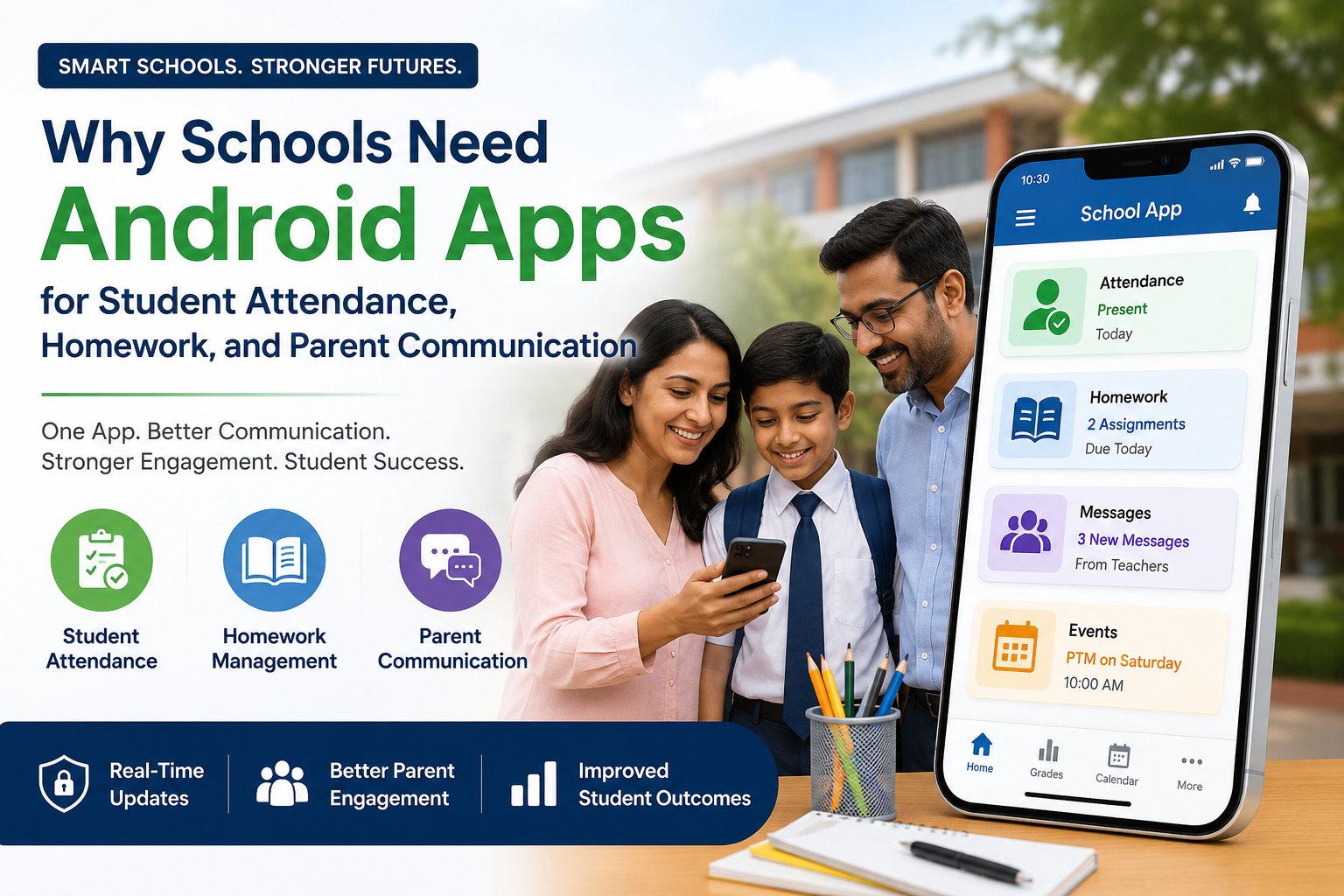
Quick Answer
Schools need a dedicated Android app because manual attendance tracking, scattered homework updates, and fragmented parent outreach create real learning loss. Android now runs on roughly 70% of smartphones worldwide and dominates among lower-income families, so an Android-first app closes communication gaps that email, paper notes, and iOS-only tools leave open — while keeping schools compliant with FERPA and COPPA.
Key Takeaways
- Chronic absenteeism remains a national crisis. Over 14 million U.S. students were chronically absent in a single recent school year, and research links missed school days directly to lower reading and math scores.
- Parent-teacher app fatigue is now a documented problem. More than a third of school districts report that scattered, non-integrated communication tools are hurting family engagement, not helping it.
- Android reaches families other platforms miss. Android holds roughly 70% of the global smartphone market and is the dominant, more affordable option for many lower-income households — the same households most affected by the “homework gap.”
- Text and app-based outreach measurably improves attendance and literacy outcomes, according to federally funded research from the Institute of Education Sciences (IES).
- Data privacy law is not optional. Any Android app that touches student data must be built or vetted against FERPA, COPPA, and state student-privacy rules.
- Consolidation beats fragmentation. Districts that combine attendance, homework, and communication into one Android app reduce “portal fatigue” and cut administrative time spent chasing parents.
The Problem: Why Schools Are Struggling Right Now
Direct answer: Schools without a dedicated Android app struggle because attendance data arrives late, homework information gets lost between platforms, and parent outreach depends on whichever channel a given teacher happens to prefer. Each of these gaps compounds the others.
Attendance Tracking Is Still Reactive, Not Proactive
Paper roll calls and end-of-day robocalls tell a school what already happened. They rarely help staff intervene before a pattern becomes chronic absenteeism.
The scale of the problem is large. Over 14 million U.S. students were chronically absent — missing at least 10% of the school year — according to Institute of Education Sciences data cited by the U.S. Department of Education. In roughly half of urban school districts, more than 30% of students were chronically absent during the 2024–2025 school year, per RAND Corporation research based on the American School District Panel.
The academic cost is measurable. Federal analysis of 2022 Nation’s Report Card data found that absenteeism accounted for a substantial share of the decline in test scores between 2019 and 2022 — including 45% of the reading score drop among fourth graders, after controlling for demographic shifts.
Bullet summary:
- 14+ million students chronically absent in a recent year (IES/U.S. Dept. of Education)
- Chronic absenteeism above 30% in half of large urban districts (RAND, 2024–25)
- Absenteeism explains a meaningful share of pandemic-era score declines (NCES/NAGB)
The Homework Visibility Gap
Homework problems rarely start with the assignment itself. They start when parents have no reliable way to see what was assigned, what’s missing, or when it’s due. Many schools rely on tools like Google Classroom’s guardian email summaries, but these only work if a teacher opts in, and they cover only that teacher’s course — not the whole school day. Families juggling five or six different teacher tools for one child end up with no single source of truth.
Real example: A district using five separate teacher apps for homework updates found that parents, especially those with multiple children, simply stopped checking most of them. Consolidating into one Android-based system tied to attendance and grades restored regular parent engagement because families only had to check one place.
Parent Communication Has Become Fragmented, Not Simplified
The parent-teacher communication software market grew to roughly $2.1 billion in 2025 and is projected to nearly double by 2032, reflecting how many tools schools have adopted. But more tools have not meant better communication. In one industry survey, 38.1% of school districts named scattered data and non-integrated systems as a top communications challenge — a phenomenon now widely called “portal fatigue.”
This fragmentation has real consequences:
- Communications staff report time constraints and low family engagement despite having more tools than ever.
- Licensing changes at popular platforms (for example, Seesaw limiting free accounts to 10 students per class starting in 2024) have forced districts into costlier, less flexible arrangements.
- Data hosted across multiple third-party vendors multiplies the number of places student information can leak or be mishandled.
Bullet summary:
- $2.1B market in 2025, nearly doubling by 2032 — but more tools ≠ more engagement
- 38.1% of districts cite scattered, non-integrated systems as a leading challenge
- Vendor policy changes and multi-app sprawl increase both cost and privacy risk
Why This Isn’t Just an Inconvenience
Research consistently shows that stronger family engagement predicts better attendance and achievement. Schools with stronger pre-existing family engagement saw chronic absenteeism rates about 6 percentage points lower after remote learning than schools with weaker engagement, according to a 2023 study from Learning Heroes and TNTP. That gap is the direct, measurable cost of poor communication infrastructure.
Why Android Specifically — Not Just “An App”
Direct answer: Android matters because it is the platform most families — especially lower-income families — actually use. Building or requiring an iOS-first tool quietly excludes the families schools most need to reach.
Android’s Global and Domestic Reach
- Android holds approximately 70% of the global smartphone operating system market, compared to roughly 29% for iOS, according to StatCounter’s 2026 data.
- Android dominates in many of the communities served by U.S. public schools with significant immigrant or lower-income populations, since Android devices are generally more affordable across price tiers.
- Globally, Android’s share climbs even higher in emerging markets — for example, over 90% in some countries — a relevant data point for districts serving recently arrived immigrant families who may be more familiar with Android devices from their home countries.
The Equity Angle Matters More Than Most Districts Realize
The federal “homework gap” is well documented. Pew Research Center found that in 2015, 35% of lower-income households with school-age children lacked a home broadband connection, forcing many students onto whatever mobile device the family owned. More recent research shows this reliance on mobile-only access has grown, not shrunk: smartphone dependence rose from 12% to 27% among people with incomes under $30,000 between 2013 and 2021.
This has a direct implication for app design: if the school’s primary communication tool is clunky on a budget Android phone, or worse, effectively iOS-only, it disproportionately fails the exact families most at risk of chronic absenteeism and academic gaps.
Important note: A mobile-only household is not the same as a fully connected household. Research from the Joan Ganz Cooney Center found that mobile-only families use the internet for a narrower range of tasks and less frequently overall than families with home broadband. A school Android app should be designed for low-bandwidth conditions and older, lower-spec devices — not just the newest flagship phones.
Bullet summary:
- Android: ~70% global market share; often the more affordable choice for budget-conscious families
- Homework gap and mobile-only reliance are highest among lower-income households — the same population most likely to be chronically absent
- App performance on budget/older Android hardware is an equity issue, not just a technical one
Core Features Every School Android App Needs
Direct answer: An effective school Android app combines three functions in one interface: attendance capture and alerts, homework and assignment visibility, and two-way parent communication — all built on a single student data record.
1. Attendance Capture and Real-Time Alerts
- One-tap or QR/barcode check-in for teachers, reducing roll-call time to under a minute per class.
- Automatic parent notification the moment a student is marked absent or tardy — not at the end of the day.
- Early-warning dashboards that flag attendance patterns (not just single absences) so staff can intervene before a student crosses the chronic-absenteeism threshold.
- Support for period-by-period, homeroom, or daily attendance models depending on school structure.
2. Homework and Assignment Visibility
- A single feed showing assignments, due dates, and missing work across all of a student’s classes — not one feed per teacher.
- Push notifications for upcoming deadlines, reducing reliance on parents remembering to check a portal.
- Support for attaching resources, rubrics, or instructions directly to assignments so parents can help without guessing.
3. Two-Way Parent Communication
- In-app messaging between parents, teachers, and administrators, replacing scattered texts, emails, and paper notices.
- Broadcast tools for school-wide or class-wide announcements (weather closures, event reminders, deadline changes).
- Multi-language support, since many of the families most affected by fragmented communication are also non-English-dominant households.
- Read-receipt or acknowledgment features for time-sensitive notices like permission slips or safety alerts.
4. Unified Reporting for Administrators
- Class-wise, grade-wise, and school-wide reports generated automatically instead of assembled manually from spreadsheets.
- Role-based access so teachers, office staff, and administrators see only what’s relevant to their role.
- Exportable data for state and federal attendance reporting requirements.
Bullet summary: attendance + homework + communication + reporting, unified under one login, is the minimum viable feature set — anything less recreates the fragmentation problem this article opened with.
Real-World Examples and Case Studies
Direct answer: Districts that have consolidated attendance, homework, and communication into fewer, better-integrated tools report measurable gains in both engagement and academic outcomes.
Case Study: Proactive Attendance Strategies at Scale
SchoolStatus analyzed attendance data from more than one million students across 143 districts over three consecutive school years (2022–23 through 2024–25). Districts that used proactive, technology-enabled attendance strategies — including automated family outreach — saw continued attendance improvement even as high schoolers remained more at risk than younger students. The takeaway for administrators: automation and early outreach through a connected app produce steadier gains than reactive, manual follow-up.
Case Study: Learning Management Communication Improves Outcomes
A 2026 study at Epsom College in Malaysia found that a web-based learning management system increased the effectiveness of academic communication between teachers and parents by 31.4%, according to reporting from The Learning Standard. While not Android-specific, the finding reinforces a broader pattern: structured, app-based communication outperforms ad hoc methods.
Case Study: Text and App-Based Outreach Improves Literacy
The Institute of Education Sciences funded research on text-message programs designed to reduce chronic absence using evidence-based messaging. Separately, a peer-reviewed study in the Journal of Education for Students Placed at Risk found that a low-cost parent text-messaging program delivered three times per week over 25 weeks measurably improved pre-kindergartners’ literacy development. These findings support the case for lightweight, mobile-first (often Android-first, given the demographics involved) outreach rather than assuming families will proactively check a web portal.
Bullet summary:
- 1M+ student dataset: proactive, automated attendance outreach sustains improvement over years, not just one semester
- 31.4% improvement in academic communication effectiveness after LMS adoption (Epsom College, 2026)
- Federally funded research supports lightweight text/app outreach as an evidence-based literacy and attendance intervention
Build vs. Buy: Comparing Your Options
| Option | Best For | Attendance & Homework in One App | Typical Cost Model | Data Privacy Control |
| Custom-built Android app | Large districts with in-house dev capacity or a dedicated vendor contract | Yes, if scoped that way | High upfront, lower long-term licensing | Full control, but full responsibility |
| All-in-one vendor platform (e.g., school management systems with attendance + homework + messaging) | Most K-12 schools and small-to-mid districts | Yes | Per-student or per-school annual licensing | Shared responsibility via vendor contract |
| Multiple point solutions (separate attendance app, separate homework app, separate messaging app) | Schools that adopted tools piecemeal over time | No — this is the fragmentation problem | Multiple licenses, often overlapping | Higher risk — more vendors touching student data |
| Free teacher-level apps (e.g., free tiers of classroom communication tools) | Individual classrooms, not school-wide rollout | Rarely — usually communication-only | Free for small use, paid at scale | Limited district-level oversight |
Direct answer: For most K-12 schools, an all-in-one vendor platform with a strong Android experience offers the best balance of cost, coverage, and compliance oversight — custom builds only make sense at large-district scale, and point-solution sprawl should be actively avoided.
Pros and Cons of a Dedicated School Android App
Pros:
- Reaches the largest share of parent smartphones worldwide, including budget devices
- Consolidates attendance, homework, and messaging into one login, reducing portal fatigue
- Enables real-time, automated alerts instead of end-of-day or end-of-week updates
- Supports early-warning attendance interventions backed by federal research
- Improves equity for lower-income and immigrant families who are more likely to rely on Android
Cons:
- Requires upfront investment in either development or vendor licensing
- Android device and OS fragmentation (many manufacturers, many OS versions) can complicate testing and support
- Still requires an iOS-compatible version or web fallback for families who use iPhones, so it’s rarely truly “Android-only”
- Ongoing responsibility for FERPA/COPPA compliance and data security, regardless of vendor
- Adoption depends on teacher buy-in — a great app with low teacher usage delivers little value
Step-by-Step Implementation Guide
Direct answer: Rolling out a school Android app successfully takes roughly five phases: needs assessment, vendor or build decision, pilot, district-wide training, and ongoing measurement.
- Audit current tools first. List every attendance, homework, and communication tool currently in use across the school or district, including teacher-adopted free apps. Identify overlap and gaps before evaluating new options.
- Define non-negotiable features. At minimum: real-time attendance alerts, a unified homework feed, two-way messaging, multi-language support, and exportable reporting for state compliance.
- Vet vendors on privacy, not just features. Require written confirmation of FERPA and COPPA compliance, data storage location, and data-use limitations before signing any contract.
- Pilot with a small group of teachers. Run a one-grade or one-department pilot for a full grading period before a school-wide rollout. Collect teacher and parent feedback specifically on the Android experience, since that’s where most of your families will interact with the tool.
- Train staff and communicate with families in their preferred language. Provide short video tutorials and printed quick-start guides, since not every parent will read a lengthy onboarding email.
- Set a consistent communication policy. Decide how often teachers should post homework updates and how quickly office staff should respond to attendance alerts, so families experience consistency across classrooms.
- Measure attendance and engagement data after 90 days. Compare chronic absenteeism trends and parent response rates against the same period the previous year.
- Review and renew based on data, not vendor promises. Use your own attendance and engagement numbers, not marketing claims, when deciding whether to expand or switch tools the following year.
Data Privacy and Compliance: FERPA, COPPA, and State Law
Direct answer: Any Android app that collects or displays student data must comply with FERPA, and any app aimed at or used by children under 13 must also satisfy COPPA — and schools, not just vendors, carry compliance responsibility.
- FERPA (Family Educational Rights and Privacy Act) restricts how schools disclose personally identifiable information from education records. Schools can share data with an app vendor under the “school official” exception, but only if the contract keeps the vendor under the district’s direct control and limits data use strictly to the purpose disclosed.
- COPPA (Children’s Online Privacy Protection Act) requires operators of apps directed at children under 13 to obtain verifiable parental consent before collecting personal information. Schools can sometimes consent on a parent’s behalf, but only when the app is used strictly for an educational purpose the school authorized — not for the vendor’s independent commercial use.
- State student-privacy laws often go further than federal law. Districts should confirm requirements with their state department of education before finalizing any contract.
- Google Workspace for Education and Family Link illustrate the complexity well: a school-managed Google account (subject to the district’s device management) and a parent-managed Family Link account are treated as separate account types, and Family Link cannot manage a Workspace for Education account. Administrators rolling out any Android app alongside Google Workspace for Education should account for this separation when planning parent access.
Expert tip: Ask any vendor directly where student data is hosted, whether it’s used for advertising, and what happens to the data if the district ends the contract. Vague answers to any of these three questions are a red flag.
Mistakes to Avoid
- Choosing an app based on features alone, without checking Android performance on older or budget devices used by many families.
- Skipping a written data-privacy agreement, relying instead on a vendor’s general terms of service.
- Rolling out to the entire school at once without a pilot period to catch usability issues.
- Ignoring multi-language needs, which excludes exactly the families schools most need to reach for attendance and homework support.
- Letting teachers keep using free, unofficial apps alongside the new system, recreating the fragmentation problem the app was meant to solve.
- Failing to train office staff on how to respond to real-time attendance alerts, so the alerts arrive but nobody acts on them.
- Treating the rollout as a one-time project instead of measuring engagement and attendance data over multiple grading periods.
Expert Tips for Administrators
- Start with attendance, not homework. Attendance alerts have the most immediate, measurable impact on chronic absenteeism and are easier to pilot than a full homework-tracking rollout.
- Involve your most tech-hesitant teachers in the pilot, not just your most enthusiastic ones — their feedback reveals real usability gaps.
- Set expectations with families early about what the app will and won’t replace (for example, it may not replace emergency phone trees for safety alerts).
- Budget for ongoing training, not just initial rollout. Staff turnover means new teachers need onboarding every year.
- Revisit your vendor contract annually, especially around data ownership and pricing, since several major platforms have changed free-tier terms in recent years.
Frequently Asked Questions
1. Why does a school need an Android-specific app instead of a generic web portal? Because a large share of parents, especially in lower-income and immigrant communities, access school information primarily or exclusively through an Android smartphone. A web-only portal that isn’t optimized for mobile creates a real access barrier for these families.
2. Does an Android app replace the school’s Student Information System (SIS)? No. A well-designed app typically integrates with the existing SIS rather than replacing it, syncing attendance and grade data so families see accurate, real-time information without administrators re-entering data twice.
3. How much does a school communication and attendance app typically cost? Costs vary widely by vendor and student count, typically ranging from per-student annual licensing fees to flat per-school rates. The overall market for parent-teacher communication software was valued at roughly $2.1 billion in 2025, reflecting a wide range of pricing tiers.
4. Is a free app good enough for a whole school? Free tiers are usually designed for individual classrooms, not school-wide deployment. Several major platforms have restricted free-tier limits in recent years, so schools should plan for eventual licensing costs even if they start with a free option.
5. What’s the single biggest cause of chronic absenteeism an app can help address? Late awareness. Many chronic absence patterns are only caught after they’ve already become serious. Real-time attendance alerts and early-warning dashboards let staff intervene after the first few missed days instead of after weeks of accumulated absences.
6. Do parents need to download a separate app, or can they use a web browser? Most modern platforms support both, but native Android apps generally offer more reliable push notifications, which matter most for time-sensitive attendance and safety alerts.
7. How does an app help with homework specifically, beyond just listing assignments? The strongest apps show a single combined feed across every class a student takes, rather than requiring parents to check each teacher’s individual tool — directly addressing the “homework visibility gap” that causes missed assignments.
8. What data privacy laws apply to a school attendance and homework app? FERPA governs disclosure of student education records, and COPPA governs data collection from children under 13. Schools should also check state-specific student privacy laws, which are often stricter than federal requirements.
9. Can Google Family Link be used to manage a school-issued Android device? Not directly for accounts managed under Google Workspace for Education — these are treated as a separate account type from a Family Link–supervised personal account, and Family Link cannot manage a Workspace for Education account.
10. How do we get non-English-speaking parents to actually use the app? Choose a platform with built-in multi-language support and translate onboarding materials, not just the app interface. Language barriers are one of the most common reasons parent engagement tools fail to reach the families who need them most.
11. What’s a realistic timeline for a full school-wide rollout? A phased approach — one grade or department pilot for a full grading period, followed by staff training, then school-wide launch — typically takes one full semester to one school year for a smooth transition.
12. How do we measure whether the app is actually working? Track chronic absenteeism rates, parent response times to messages, and homework completion rates before and after rollout, ideally comparing the same period year over year to control for seasonal patterns.
13. Should attendance alerts go to parents immediately, or in a daily summary? Immediate alerts are more effective for catching same-day issues (like a student not arriving at school), while daily or weekly summaries work better for ongoing engagement with homework and grades. Most schools benefit from offering both options.
14. Can one app really replace multiple point solutions? Yes, and doing so is one of the most requested capabilities in the market — districts are actively consolidating because scattered, non-integrated systems are a leading complaint among school communications teams.
15. What happens to student data if we switch vendors later? This should be defined in the contract before signing. Ask vendors directly about data export options and data deletion timelines to avoid being locked in or losing historical attendance and communication records.
Final Conclusion
Manual attendance tracking, scattered homework updates, and fragmented parent outreach are not separate problems — they’re three symptoms of the same underlying gap: schools lack one reliable channel that reaches families where they already are. For most communities, that channel is Android. With roughly 70% global market share and outsized reach among the lower-income and immigrant families most affected by chronic absenteeism and the homework gap, an Android-first school app isn’t a nice-to-have. It’s the most direct, evidence-backed way to close the distance between what happens in the classroom and what parents actually know about it — as long as the school pairs the technology with real training, clear privacy agreements, and a rollout plan that measures results instead of assuming them.